Thanks for reaching out to us, Ideal.
We are seeing an issue where the Forecast tab isn't loading in QuickBooks Online Advanced version (QBOA). Our engineers are working to get this fixed as soon as possible.
While we don't have a temporary workaround for this issue, I highly recommend reaching out to our phone support team. They can add you to the list of affected users, ensuring you'll be notified as soon as a resolution is available.
To do so, you can follow the steps provided below:
- Go to the Help (?) menu on the upper-right corner.
- Select the Search tab and click Contact Us.
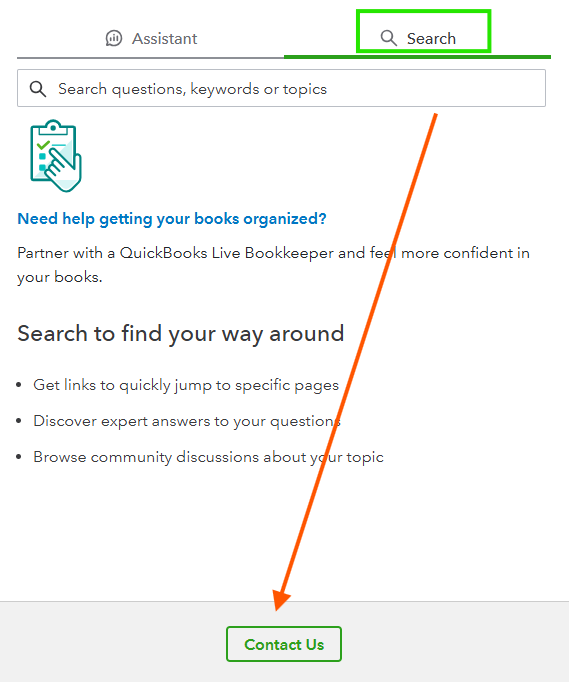
- Enter your issue and click Continue.
- Choose an option on how to contact our support team. To talk to one of our representatives, hit the Callback option.
Once the feature is up and running, you'll be able to start creating forecasts and gather the data you need to easily convert it into a budget. To help you get started and guide you through the process, feel free to check out this helpful article: Create and Manage Forecast.
You can always post a comment below if you have any questions or other concerns when using the Forecast feature. Please remember, we are always here to assist you anytime.


