Turn on suggestions
Auto-suggest helps you quickly narrow down your search results by suggesting possible matches as you type.
Showing results for
Get 50% OFF QuickBooks for 3 months*
Buy nowWith a recent update to QB Pro Plus 2024, the text in the emails when I send invoices is now all centered, which looks awful, instead of left-aligned as it used to be and I wish to return to. Don't see an option to adjust the format, just to change the message, font & size. Is there a way? (Should be if not...)

Hello there, BillWCH.
Thank you for bringing this to our attention. I appreciate your proactive approach in ensuring everything aligns with your preferences. Implementing this change is a great idea, and I completely understand why the new centred text alignment is not to your liking, especially since you prefer the previous left-aligned format.
As of QuickBooks Desktop 2024, there is no built-in option to adjust the email text alignment format. However, I encourage you to submit your feedback for feature suggestions to our Product Development Team. Your input is invaluable, and they can consider incorporating this option into future product updates to better suit user needs.
Here's how:
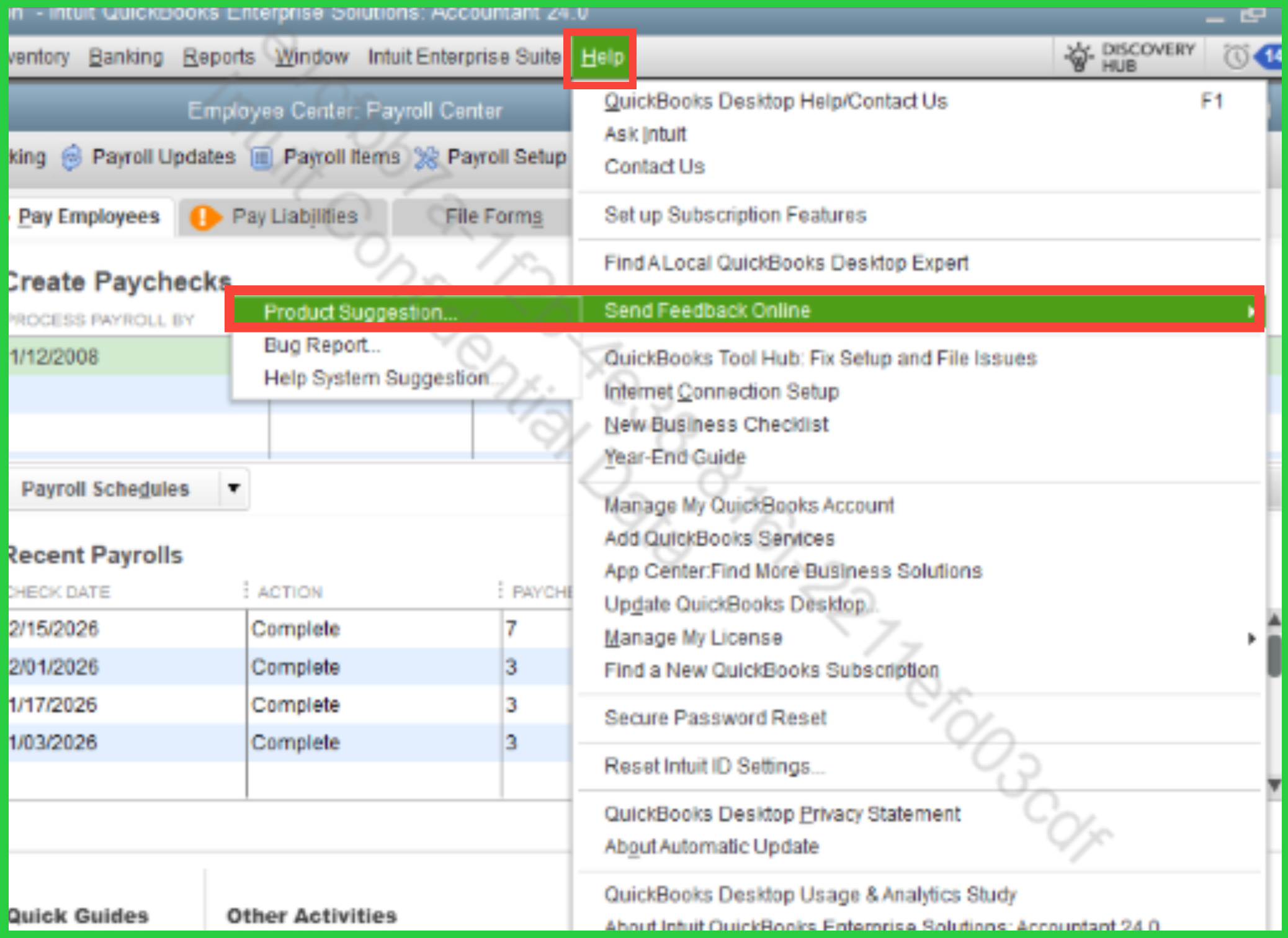
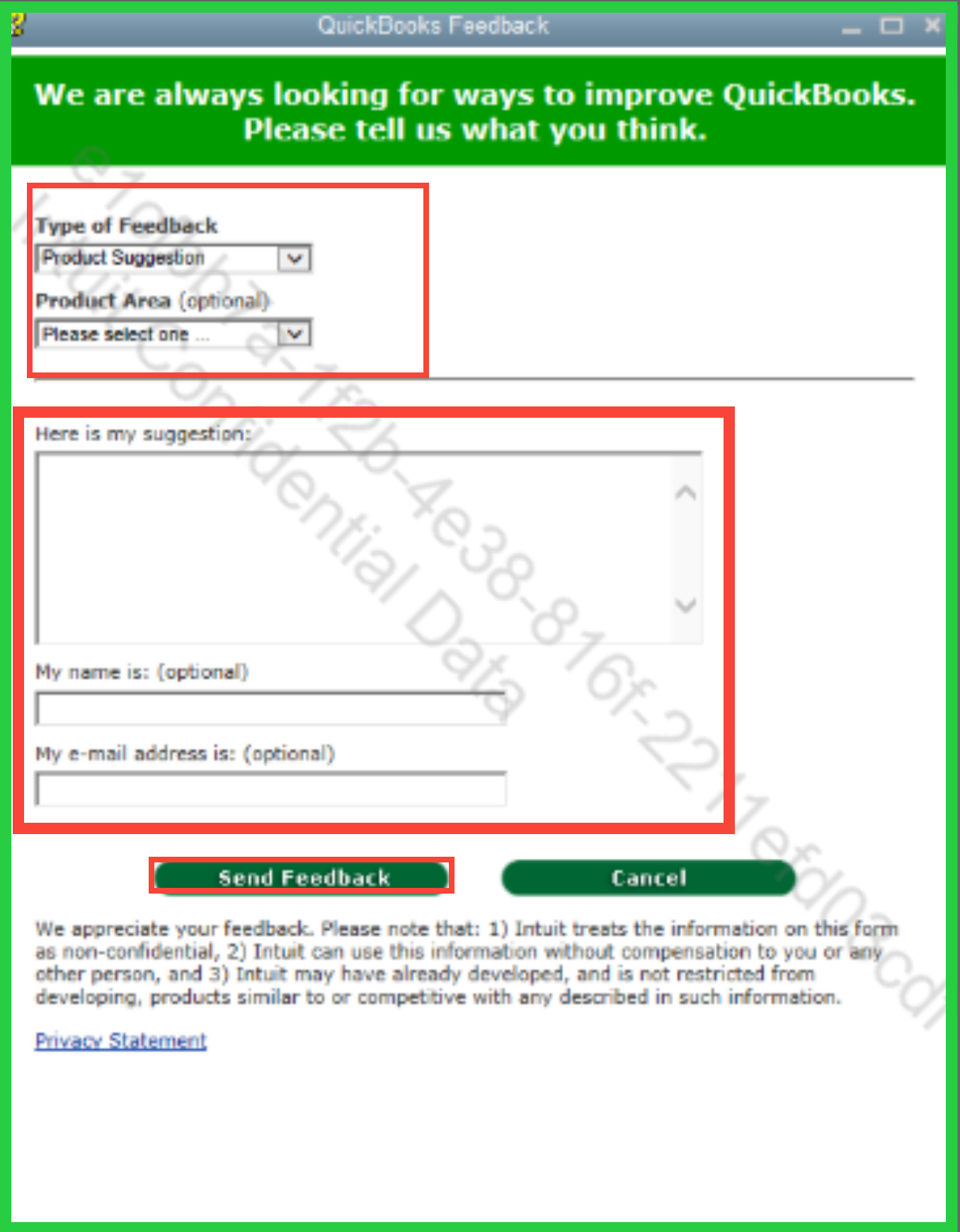
You can stay updated on the latest QBO enhancements by visiting the Product Updates Portal.
If there’s anything else you need help with regarding your invoices, feel free to reply here with more details, and I’ll make sure your concerns are addressed. Looking forward to assisting you further!
I'll try but I'm not holding my breath.
It is very disappointing that a change like this would be implemented without fully analyzing the impact. The email format is ugly and unprofessional. The text changes at the top regarding due date and paying on time are confusing and causing unneeded calls to our support desk.
As a long time customer of Intuit - to tell your customers that we should submit a product suggestion to have what is clearly a bug (or lack of development team foresight) introduced by your development and design teams is a rather pathetic way to treat the customer base.
Restore the old format OR allow us to use the choose between the old format and the new format.


You have clicked a link to a site outside of the QuickBooks or ProFile Communities. By clicking "Continue", you will leave the community and be taken to that site instead.
For more information visit our Security Center or to report suspicious websites you can contact us here


