I have your back on customizing your payment receipt, Indiana. Allow me to share more information about it.
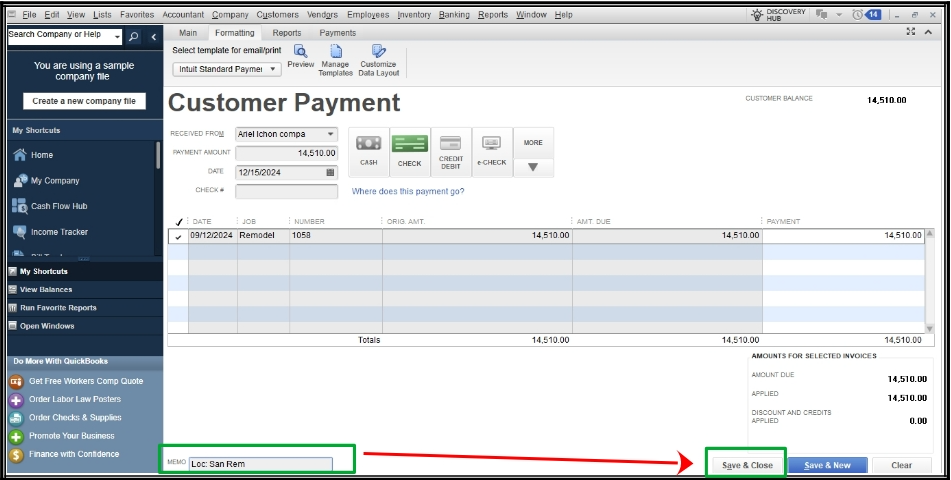
I know that having another field for project addresses is essential for tracking. However, this option is currently unavailable in QuickBooks Desktop, but we can add it in the memo to note. Follow these steps:
- Go to Customers.
- Click the Receive Payment.
- In the Memo, note the project address.
- Hit Save and Close.
I recommend submitting feedback to our project engineers to assess the potential for including this feature in future updates. Here's how:
- Click Help.
- Select Send Feedback Online and click Product Suggestion.
- Provide your feedback and suggestions.
- Hit Send Feedback.
Additionally, I'm sharing this article to help you on managing your payments:
We'll be here to assist you more if you still have other concerns about your payment receipts. Have a great day.


