You can look for a drop-down menu, filter bar, or date range selector at the top of the Invoices page or within the filter panel, Ogbtreasurer.
Can you clarify which specific aspect of the invoice you're referring to in terms of changing the period? If you're referring to the Date filter dropdown arrow? Understanding this will help me pinpoint the issue and provide a more effective solution.
Here's how:
- Navigate to My apps.
- Hover and choose Sales and Get Paid.
- Select Invoices.
- Click the Date filter dropdown arrow.
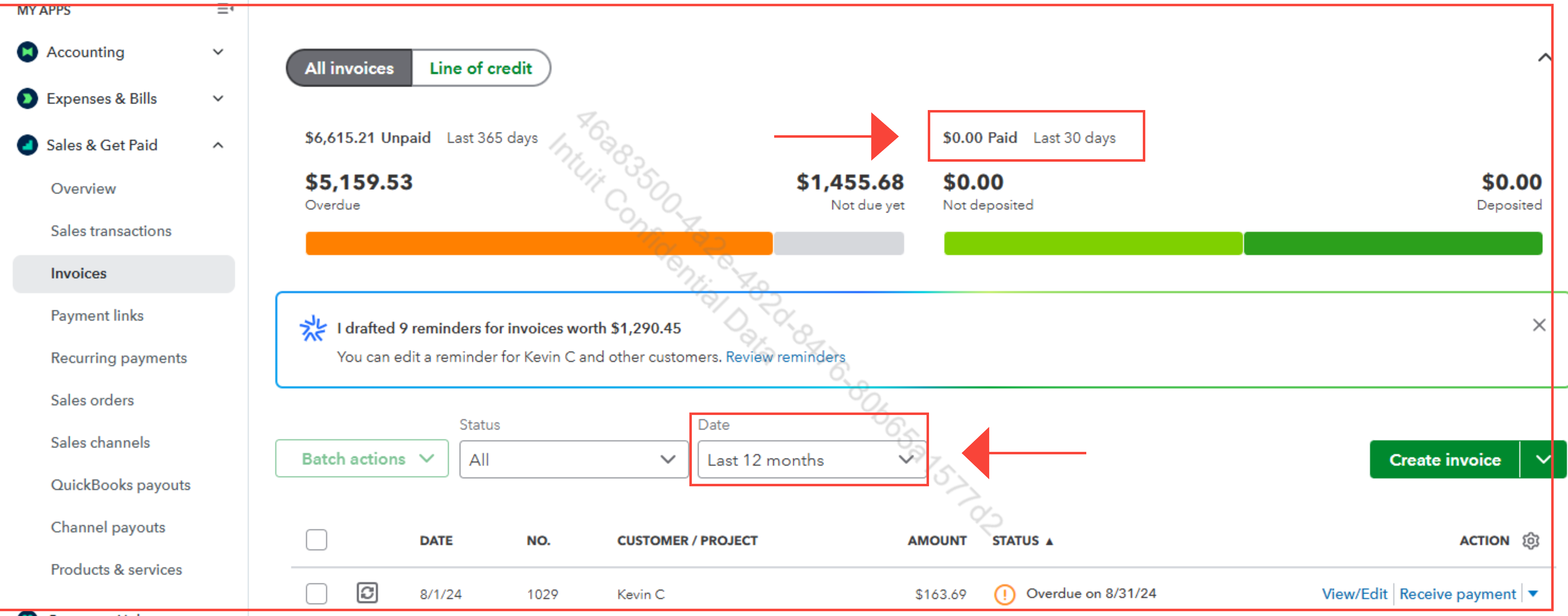
You can also check out this article to learn more about customizing templates in QBO: Customize invoices, estimates, and sales receipts in QBO.
If you have any other follow-up questions on how to change the period for the invoice, let us know by adding a comment below.


