Welcome to the Community forum, @elitepiers3. You can remove a payment linked to an invoice by heading over to the Sales Transactions page. Locate the specific payment and click the dropdown menu, then select Delete.
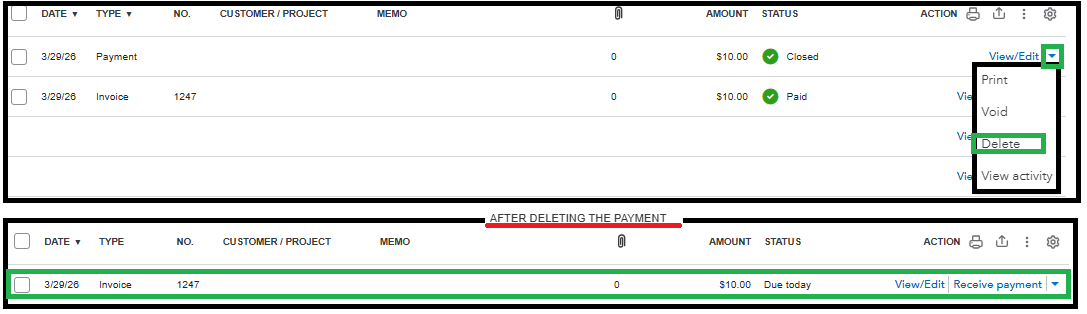
After that, the original invoice will automatically revert to an open or unpaid status.
By the way, if you’ve already included this payment in a bank deposit, you’ll need to delete the deposit first.
Please let us know if you have any other questions. We're here to help.


