Turn on suggestions
Auto-suggest helps you quickly narrow down your search results by suggesting possible matches as you type.
Showing results for
Get 50% OFF QuickBooks for 3 months*
Buy nowI am stuck and wondering how to fix a problem. Here is the situation I found in the books. Accounts receivable aging shows a negative number for a customer who made a purchase back in 2022. It appears to be an unapplied payment. When I look at the customer account detail, the invoice was issued in September and still shows past due, but does not appear on the account receivable aging. The payment was processed in December but shows in the customer account detail as unapplied. The customer account balance is zero. The payment does appear in the accounts receivable aging. When I open the payment and try to apply it to the invoice, I cannot seem to get the open invoice to appear so I can check the box and apply it. For reference, the payment occurred in Deposited Quick Book payments and was correctly transferred as a deposit to the business owners checking account. I would sure appreciate any guidance. Thank you.

Thank you for posting here in the Community, RK68.
Can you share more details about your concern? We just want to make sure that we're giving you the right steps and information to sort this out.
It would be greatly appreciated if you could provide a screenshot of your accounts receivable aging report, along with any relevant information on bill payments and invoices.
Keep me updated in the comments below. Hope to hear from you soon. Take care always!
When you go to Receive Payment (New > Receive Payment), do you not see the invoice under Outstanding Transactions and the unapplied payment under Credits? That is where you should be able to apply the payment to the invoice.
If not, go to the invoice and run a Transaction journal report (More > Transaction journal). Is there an A/R debit for the invoice total?
Thank you for reaching out on my question! Do not see the invoice number to apply to, and system will not bring up open invoice when I search. Transaction journal shows debit to undeposited funds and a credit to accounts receivable.
"Transaction journal shows debit to undeposited funds and a credit to accounts receivable,"
Are you sure that's the transaction journal for the invoice? That looks like the journal for the payment. An invoice should have a debit to A/R, not a credit.
Sorry ... misunderstood. When I pull up for transaction journal for the original invoice, it says "this report does not contain any data".
Allow me to chime in and provide additional information, @RK68.
Upon reading the thread, about the missing overdue invoice on the Accounts Receivable Aging report. It's possible that you entered the wrong filters such as Report period and Number of periods.

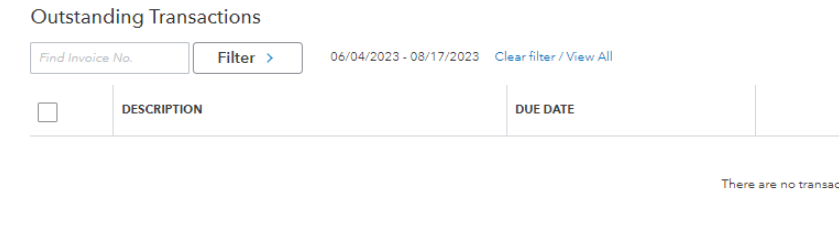
Furthermore, the overdue invoice will appear in the received payment, if you have set the Filter button correctly or Clear filter/View All.
I'll add these for your future reference on how to link and record bank deposit.
Please keep us posted if you need additional assistance. We're always here to help you out.
"When I pull up for transaction journal for the original invoice, it says "this report does not contain any data""
In that case, I would create a copy of the invoice, change the date to the original, save it, and delete the old invoice. Then, apply the payment to the new invoice (New > Receive Payment).
Thank you very much for this suggestion. I helped me clear up the outstanding payments showing in the AR aging. But, now I have a new problem. System says prior checking account reconciliations are now out of balance. See attached screenshots. I truly appreciate any thoughts. I am new to Quickbooks and learning fast.


You have clicked a link to a site outside of the QuickBooks or ProFile Communities. By clicking "Continue", you will leave the community and be taken to that site instead.
For more information visit our Security Center or to report suspicious websites you can contact us here


