Turn on suggestions
Auto-suggest helps you quickly narrow down your search results by suggesting possible matches as you type.
Showing results for
Get 50% OFF QuickBooks for 3 months*
Buy now
I took a credit card deposit and then I went to the customer list of transactions and it is adding the deposit to the estimate total and not recorded as a deposit. How do I fix this?
I need to unlink this from the estimate, but there is no unlink mechanism on either the sales receipt or estimate.
Solved! Go to Solution.

Hey there, John. I've got you covered.
Please know that when you take or request a deposit from your customer within the estimate transaction, it will automatically be recorded as a payment deposit under the estimate entry once your client pays and accepts it.
Also, QuickBooks will treat these funds as a liability until you complete the work and convert the estimate to an invoice. To learn more about this, you can read this article: Request a customer deposit on an estimate.
If this is what you experienced, you do not need to fix this since this is how QuickBooks processes deposits intended for an estimate.
However, if this isn't the case, you can unlink the deposit in your estimate by deleting it. Here's how:
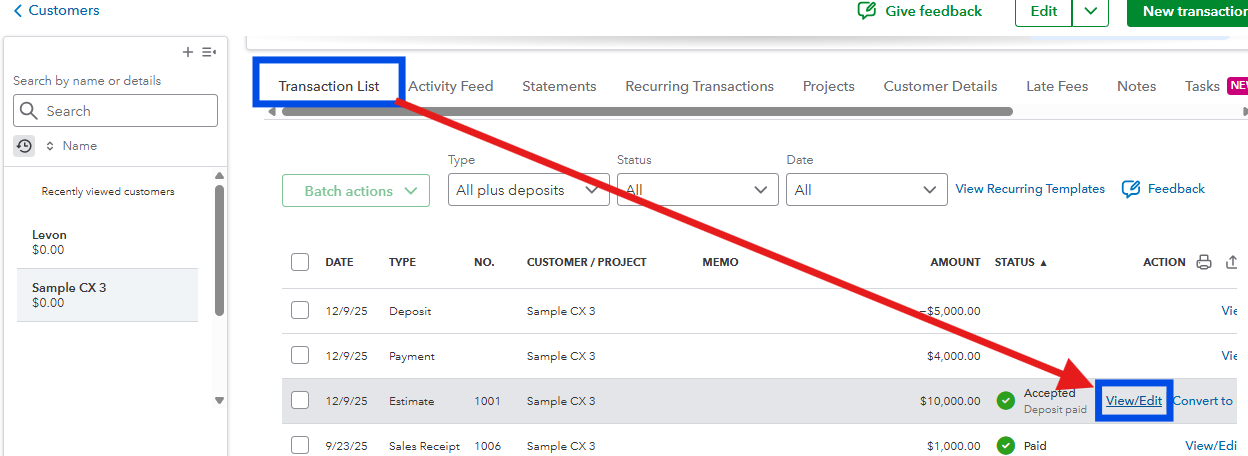
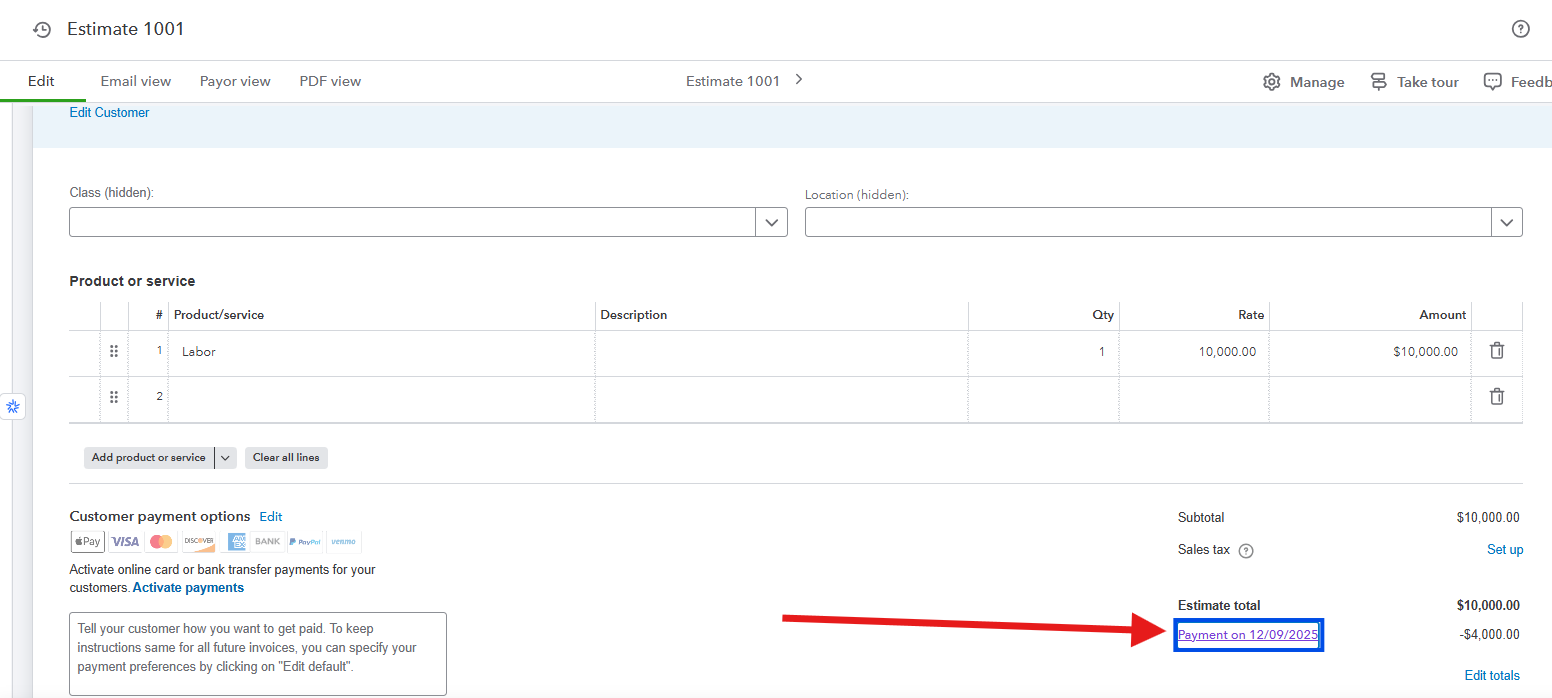
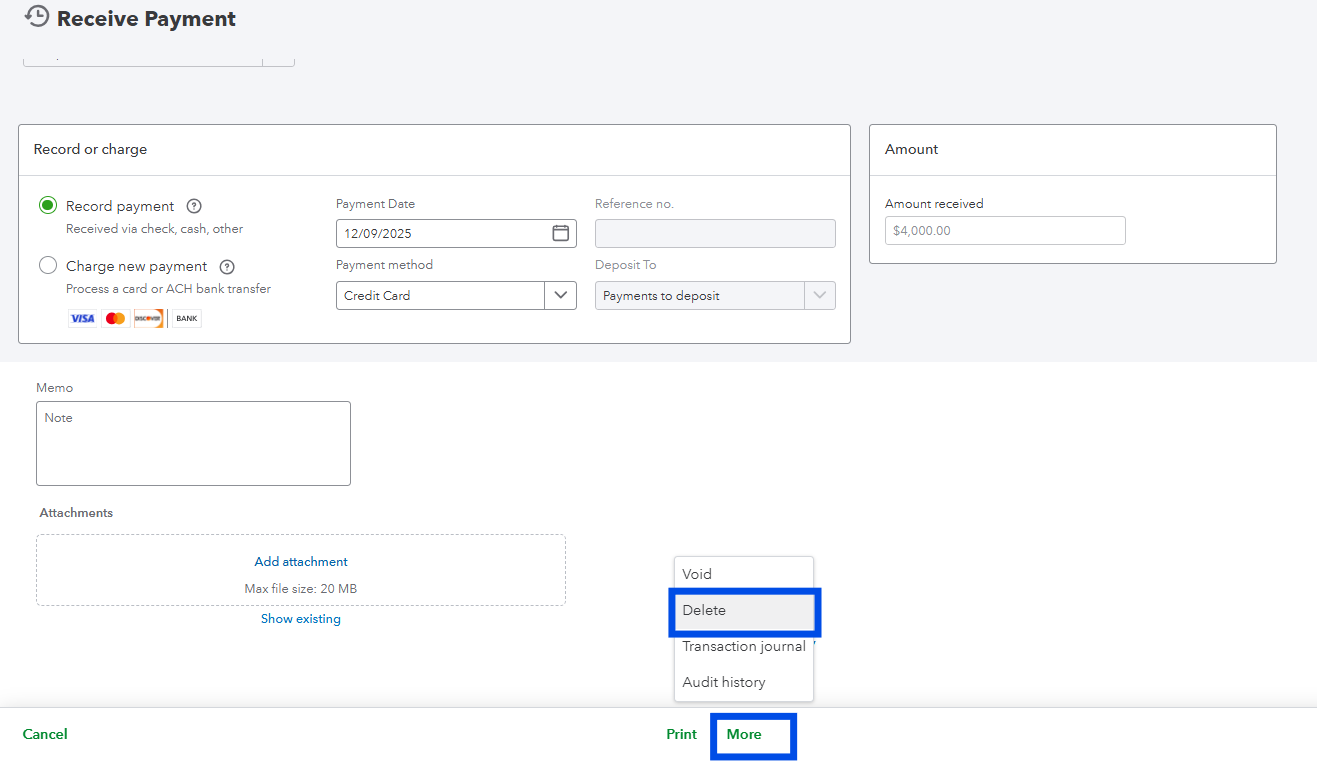
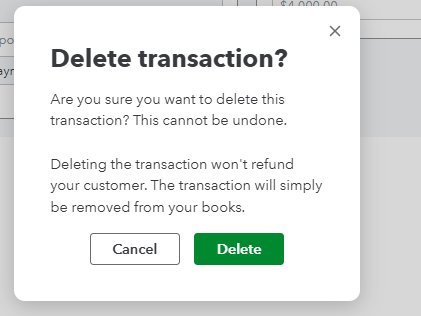
Take note that this will permanently remove the payment transaction recorded under that estimate entry.
Let me know if you have additional questions by leaving a comment below.
Hey there, John. I've got you covered.
Please know that when you take or request a deposit from your customer within the estimate transaction, it will automatically be recorded as a payment deposit under the estimate entry once your client pays and accepts it.
Also, QuickBooks will treat these funds as a liability until you complete the work and convert the estimate to an invoice. To learn more about this, you can read this article: Request a customer deposit on an estimate.
If this is what you experienced, you do not need to fix this since this is how QuickBooks processes deposits intended for an estimate.
However, if this isn't the case, you can unlink the deposit in your estimate by deleting it. Here's how:
Take note that this will permanently remove the payment transaction recorded under that estimate entry.
Let me know if you have additional questions by leaving a comment below.
Hi there, John.
I just wanted to follow up to check if the resolution we provided helped resolve your issue.
Please let us know if everything is now working as expected or if you're still experiencing any problems. We'll be glad to assist further if needed.


You have clicked a link to a site outside of the QuickBooks or ProFile Communities. By clicking "Continue", you will leave the community and be taken to that site instead.
For more information visit our Security Center or to report suspicious websites you can contact us here

