Turn on suggestions
Auto-suggest helps you quickly narrow down your search results by suggesting possible matches as you type.
Showing results for
Get 50% OFF QuickBooks for 3 months*
Buy nowI have two companies (A & B) every week I use the weekly timesheets tab located under Create > Team > Weekly timesheet, both companies have had the ability to choose pay type from the weekly timesheet screen to choose overtime or another pay type if fit, as of two weeks ago company B (under a different QBO account entirely) no longer has the option to select pay type.
I am not sure what is going on and what changed but this is causing an issue when it comes to project tracking for any overtime expenses. Company A on the other hand still has all the options, I tried comparing the settings between the two companies and did not see anything that would cause this issue.
Welcome to the Community, @Timonn. Have you tried selecting an employee or vendor in the Weekly Timesheet? The Pay type feature won't appear until you select one, based on our testing.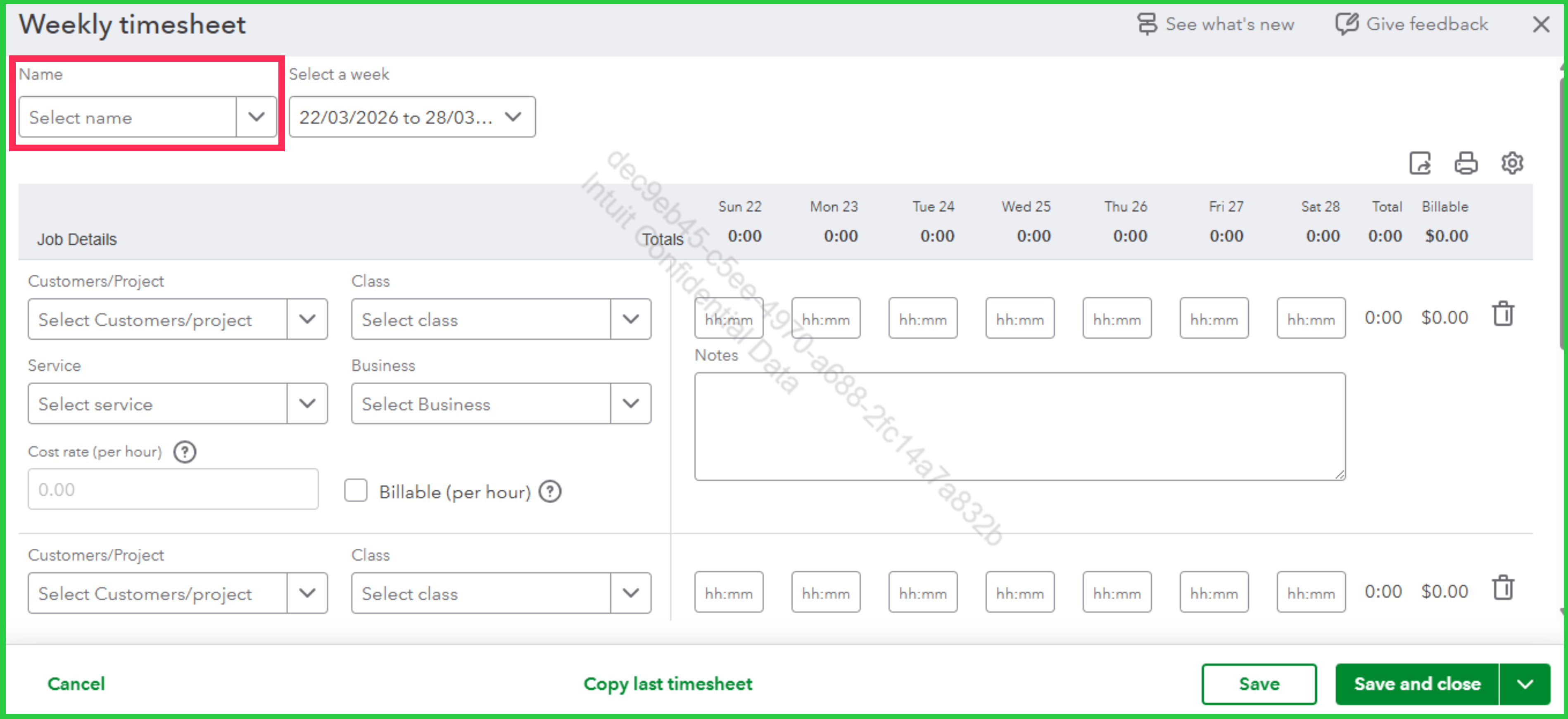
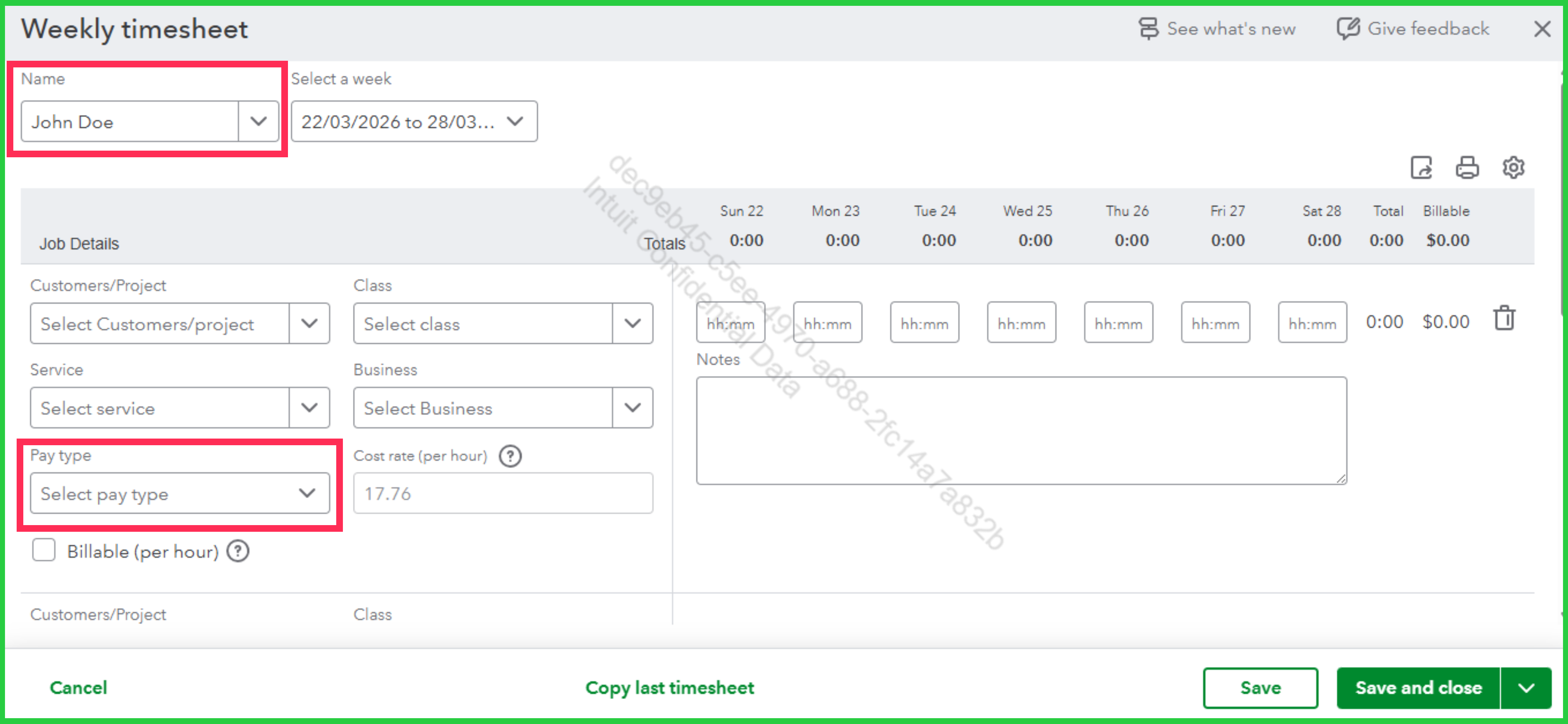
Should you have any concerns or follow-up questions, feel free to reply in the comments.
Correct, when you choose an employee that dialog box should pop up but it does not, it works as intended for Company A but not for Company B
Hello Timonn, thanks for clarifying that. Since the dialog box isn't appearing for Company B, it confirms we are looking at a data gap on the individual profiles.
The timesheet draws options directly from the active employee records. If Company B employees lack overtime or specific pay types in their payroll setup, the timesheet cannot offer those choices and defaults to regular pay.
Try opening an employee profile in Company B that needs overtime. Then, verify their pay settings to ensure those types are active. Comparing that screen to an employee in Company A should reveal the difference.
If you need anything else, let us know in the comments. We're always here to help.
Thank you for checking that, Timonn.
To rule out any browser related issues, I recommend clearing the cache. The cache can become too full from time to time, creating certain viewing and performance errors. Clearing it will remove anything that's preventing the pay types from loading properly. Here's how to do this in Chrome for example:
The following article provides similar steps depending upon which browser you're using: Clear cache and cookies to fix issues when using QuickBooks Online.
Please give this a try and see how things look afterward. If the issue persists, you may want to reach out to the QuickBooks Online Support Team. They'll be able to take a more in depth look to see what's causing the problem with the pay types. Feel free to drop a comment below if you have any other questions in the meantime.


You have clicked a link to a site outside of the QuickBooks or ProFile Communities. By clicking "Continue", you will leave the community and be taken to that site instead.
For more information visit our Security Center or to report suspicious websites you can contact us here


