I recognize how auto-filling the months and other information when building budgets can lessen your work and be beneficial to your company, @bphilipps56. I’m here to share information and provide a way to get this idea run into our developers.
At the moment, the option to auto-fill the months and how you spread it is unavailable in QuickBooks Online (QBO). You can only copy an existing one and import a .csv file in the QBO Advanced version.
Our developers or Product Development teams always search for ways to improve user experience by promoting helpful and efficient features to streamline processes that suit your business needs.
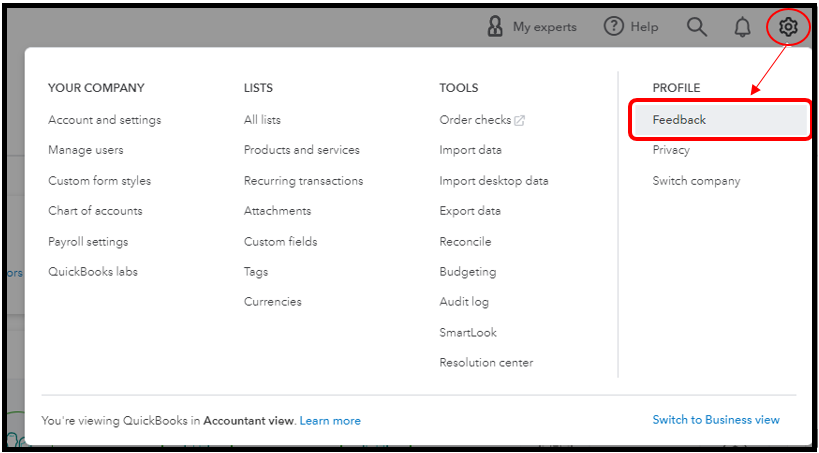
With our Feedback feature, you can now submit suggestions directly to the said team. This way, they can take a look and might consider this as part of the future enhancements. I’m glad to show you the steps:
- Within your QBO account, select the Gear icon.
- Go to Feedback.
- Enter your comments or product suggestions.
- Select Next to submit.
These resources will give you more insights and tips to allocate and control your funds efficiently:
Thanks for bringing this matter to the Community and allowing us to help out. Please know that your voice matters to us. If you need further assistance with the budget feature or have other product queries, you can get back to me anytime. I’ll be here. Take care always!




