Glad to have you here in the Community, @praveenkashyap.
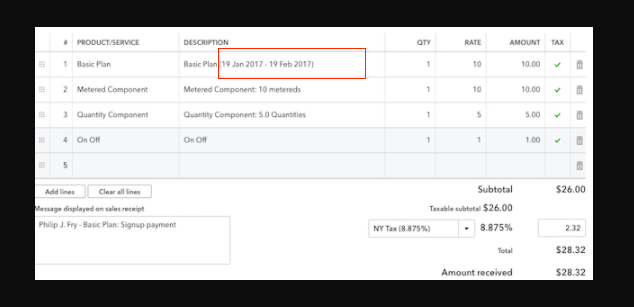
At this time, we can only have a placeholder for invoice number and company name. As a workaround, you can consider creating a template for the recurring invoices and change the number of days to send the in advance and the message.
Here's how:
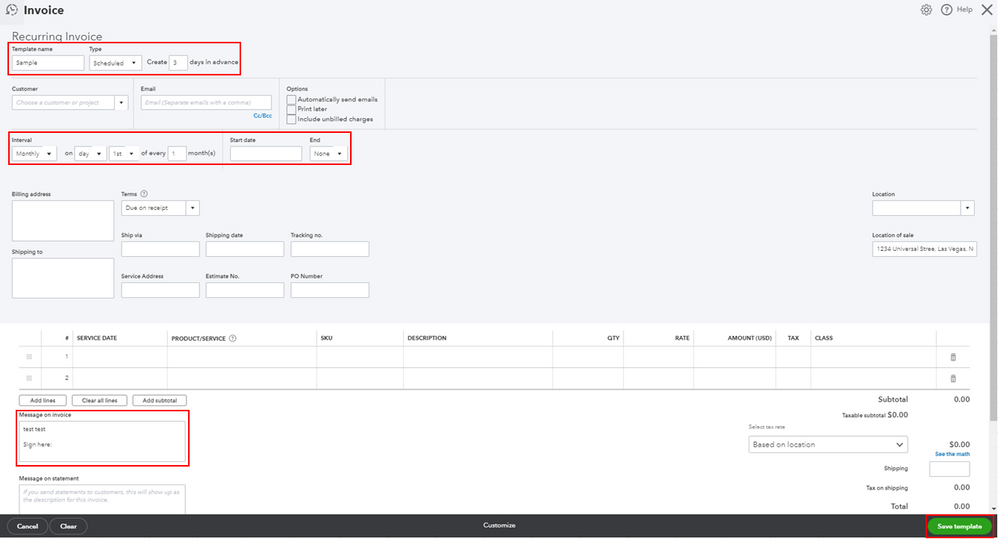
- Click the Gear icon, then select Recurring Transactions.
- Select the New button and choose Invoice from the Transaction Type drop-down, then click OK.
- Enter the Template Name and the Number of days in advance
- Fill out the Interval section and the necessary information.
- In the Message on the invoice field, enter the message you want to show on the invoice.
- Select the Save template button.
Also, please know that you still need to change the messages for every month after the invoice has been sent.
I'm adding this article for more details: How to create a recurring invoice and manage recurring transactions.
As always, feel free to visit our QuickBooks Community help website if you need tips and related articles in the future.
Please touch base with me here for all of your QuickBooks needs, I'm always happy to help. Have a great day and stay safe.