Hi there, @hblangers1.
Yes, you can mark the paid invoice to unpaid. This will re-open the invoice's status in QuickBooks. I'll guide you how:
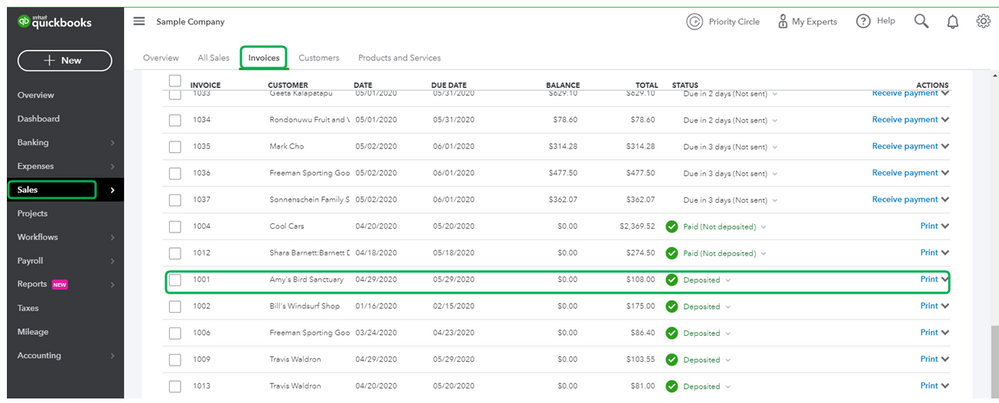
- Go to Sales in the left navigation menu.
- Select the Invoices tab, then open the invoice.
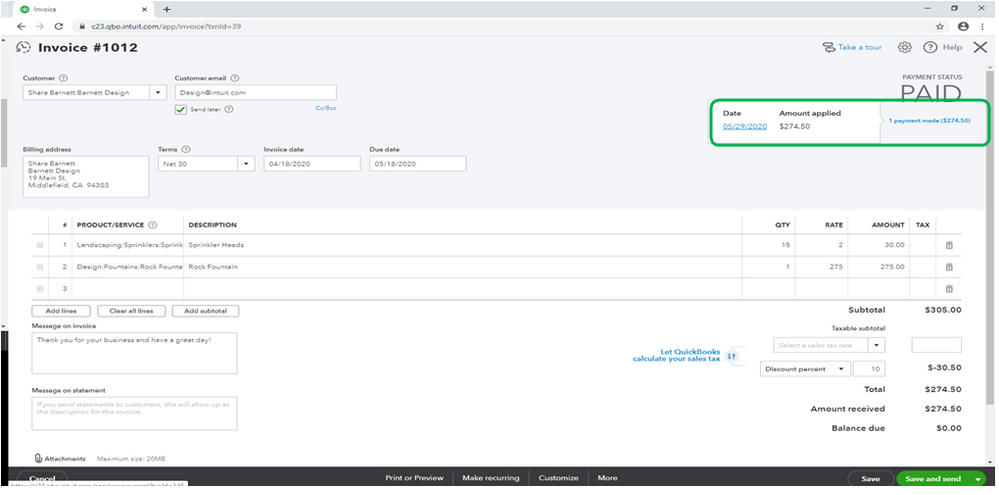
- Click on 1 payment link at the upper right hand above the PAID payment status.
- Click on the link for the date.
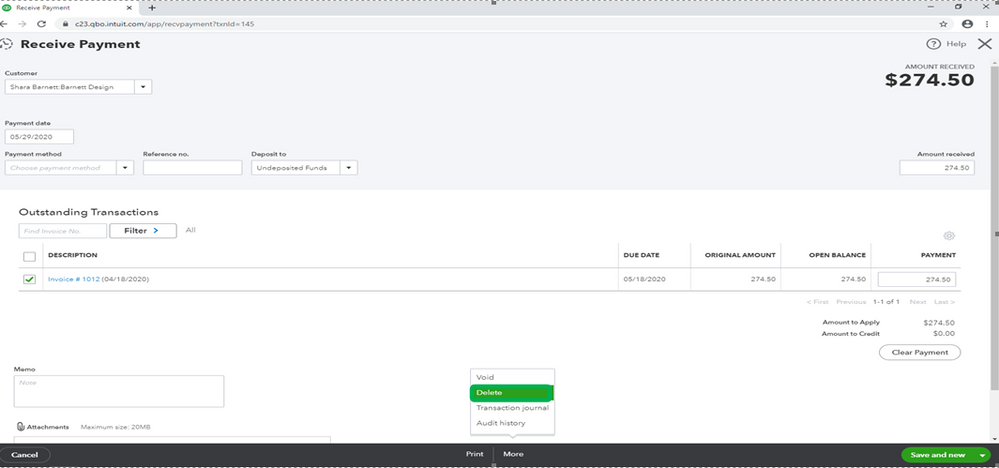
- On the Receive Payment window, click on More button at the bottom.
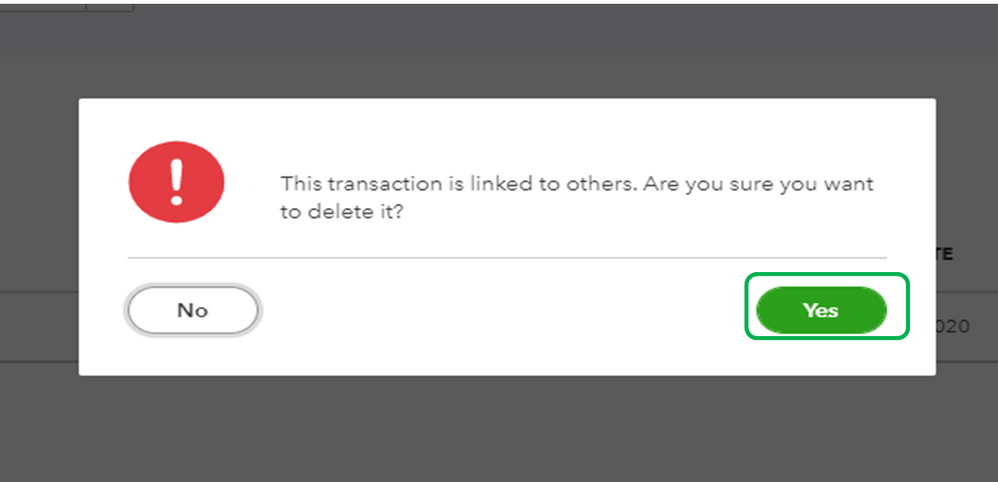
- Click on Delete, then choose Yes.
I've added a screenshot for visual reference.
To learn more about receiving payments and applying credits in QuickBooks Online, please see these links below:
Let me know if you have a follow-up question about your invoice status or if you have any other concerns, by leaving a comment below. I'm always here to assist.




