Currently, QuickBooks Online (QBO) does not have a built-in feature to assign billing rates to projects. You’ll need to manually enter billing rates for transactions related to the project.
If you are referring to setting up cost rates for employees working on a specific project, you can assign cost rates to employees. Here's how to do it:
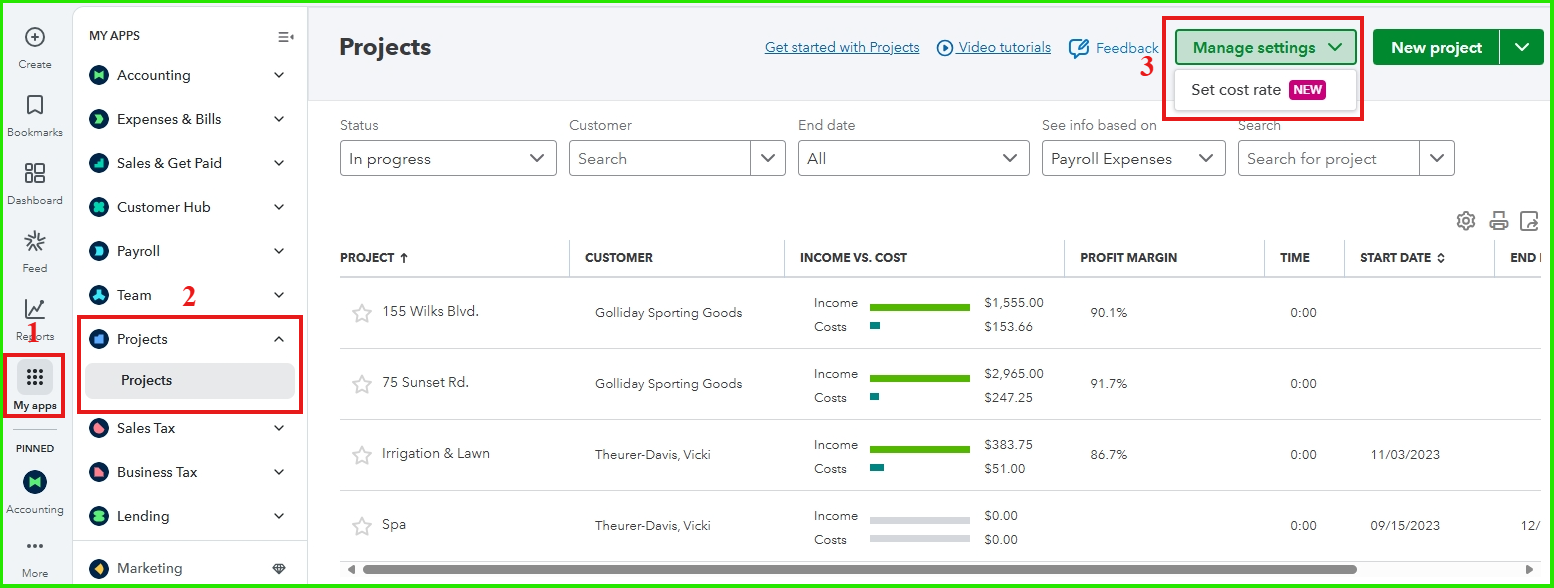
- Go to My Apps.
- Click the Projects dropdown arrow, then select Projects.
- Choose the Manage settings option, then click Set cost rate.
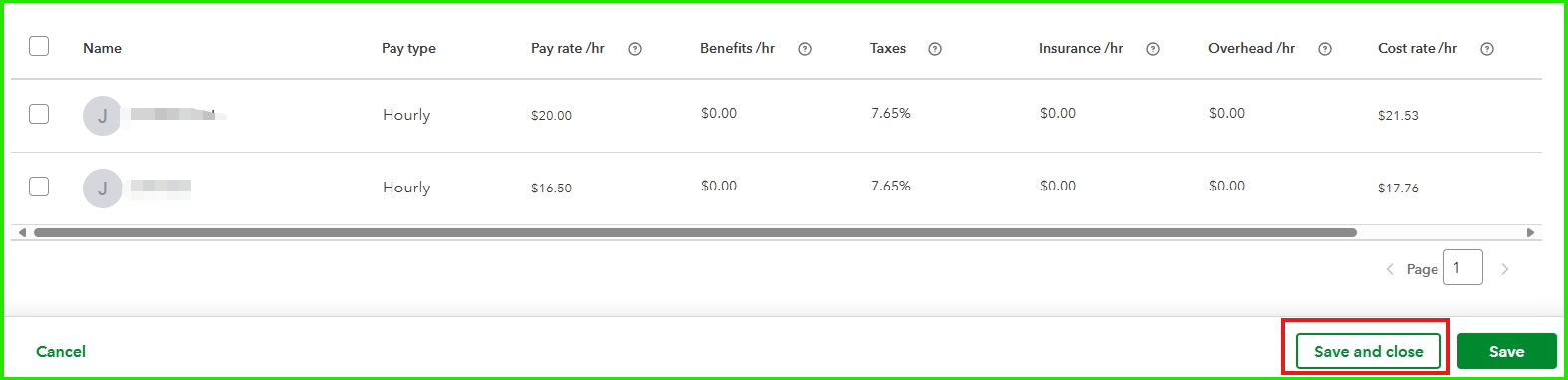
- Set the cost rate for your employees, then click Save and close to apply the changes.
If you need additional help or have further questions, feel free to click the Reply button.




