Turn on suggestions
Auto-suggest helps you quickly narrow down your search results by suggesting possible matches as you type.
Showing results for

Welcome to QuickBooks Online, Paige. I'll be here to convey more pointers regarding removing the dollar amount and tax within estimates in QuickBooks Online.
Before I provide a solution, please know that the amounts under the estimate receipts will give you the total of your customer's partial or estimated purchase. However, if you want to remove this option, we can do it by modifying your Custom Form Style specific to your estimate form.
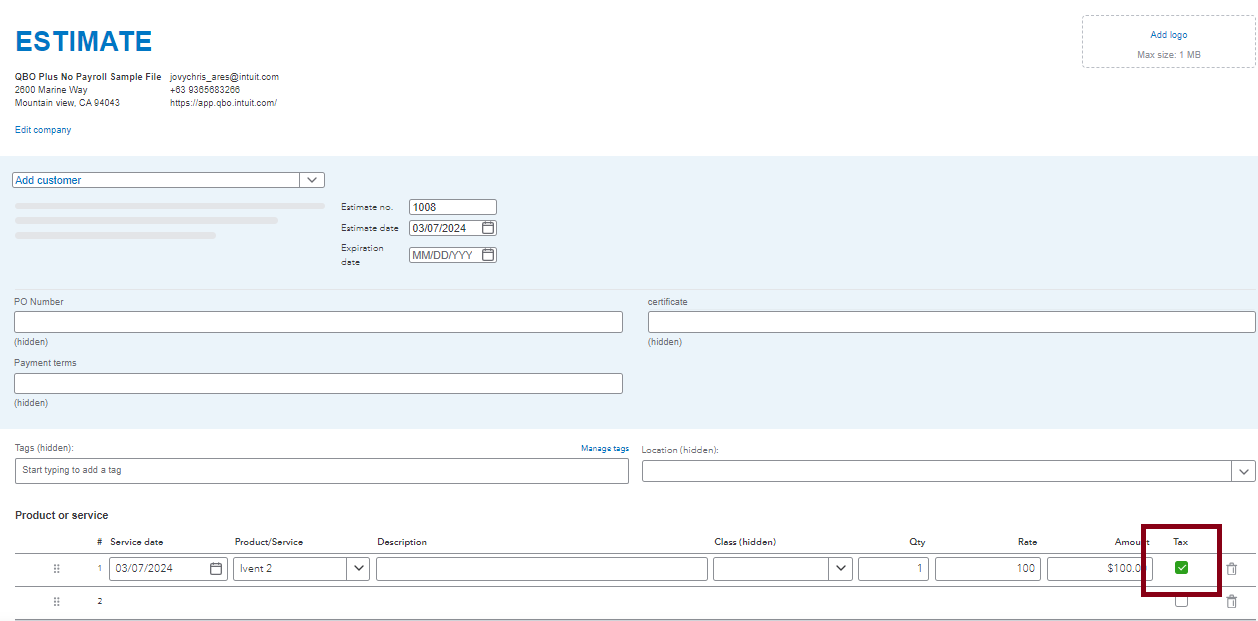
Furthermore, if you want to clear the tax, since this is a default option within QuickBooks Online. We can only uncheck the Tick box so it will not calculate for sales tax. That said, the Sales Tax will show as zero amount moving forward.
I'm including these valuable pieces if you may encounter them in the future while working on a task in QuickBooks Online:
We take pride in our commitment to customer satisfaction, and we appreciate your patience and understanding throughout this process. If you need more guidance, let me know by adding your comment below.
I have already done all of that, and got the dollar amount off of the body of the estimate. I am talking about the total & tax area on the bottom of the estimate that we cannot remove.
Thanks for the prompt response, Paige. I can provide some details about how customizing the estimates template works in QuickBooks Online (QBO).
I can see how the functionality of directly customizing an estimate template to remove the unnecessary section would be beneficial to your business. However, this option is currently unavailable within the program.
Rest assured that I'll relay this message to our team in concern here on my end and add your vote for this one. You can also share your thoughts and ideas through your account. Our product development team reviews all the feedback we receive to ensure we’re meeting the needs of our customers. Let me show you how:
In the meantime, you can visit the QuickBooks App Center website to search for a third-party application that lets you customize your estimates. You can also use customer reviews to help you decide which app is best suited for your business type and needs.
Additionally, you may refer to this article on how to view all sales transactions and invoice status on the Sales page: View sales transactions.
Please keep me posted if you still have questions or concerns about managing your estimates in QBO. It's always my pleasure to help you out again. Keep safe!


You have clicked a link to a site outside of the QuickBooks or ProFile Communities. By clicking "Continue", you will leave the community and be taken to that site instead.
For more information visit our Security Center or to report suspicious websites you can contact us here


