Turn on suggestions
Auto-suggest helps you quickly narrow down your search results by suggesting possible matches as you type.
Showing results for
Get 50% OFF QuickBooks for 3 months*
Buy now
It's nice to see you here in the forum, @dbrumfield. I'll be glad to help you write off the outstanding payable bills since you no longer owe the payment.
The best way to clear the bills that you no longer owe is to pay it off. Aside from making journal entries, this includes creating a clearing account. I'll provide the methods below, but to ensure the accuracy of your financial information, I also suggest speaking with your accountant.
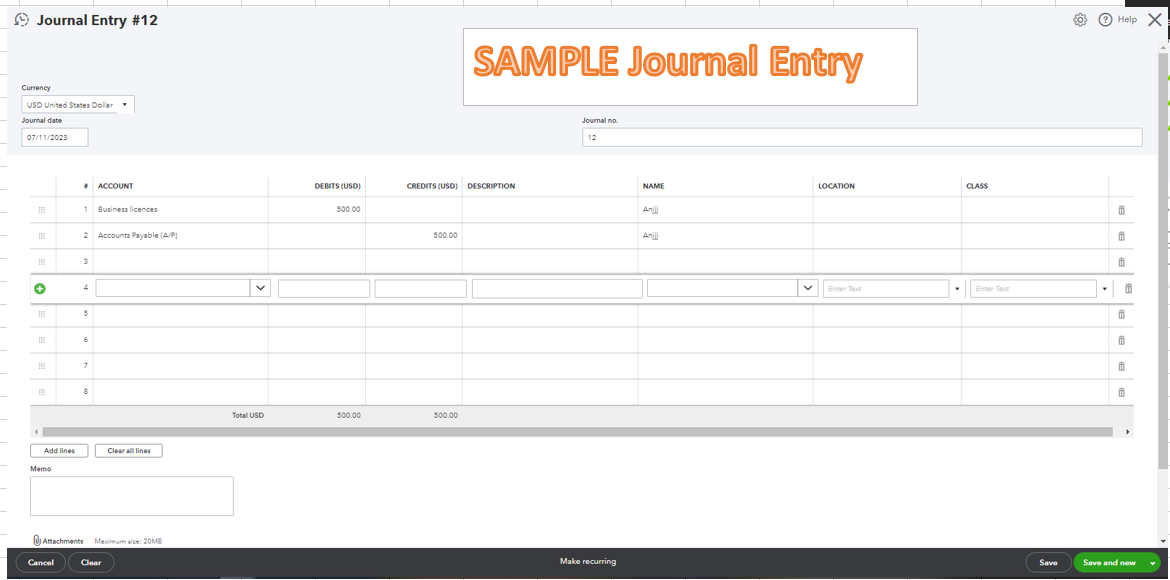
Once you're ready, you can follow the steps below to create a journal entry for an Accounts Payable (A/P) balance:
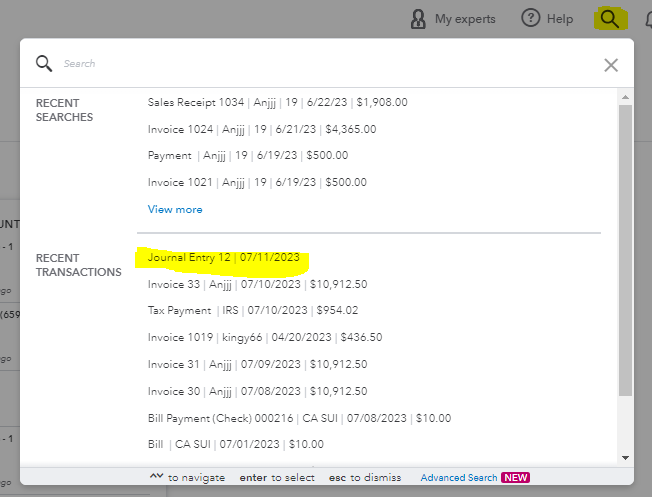
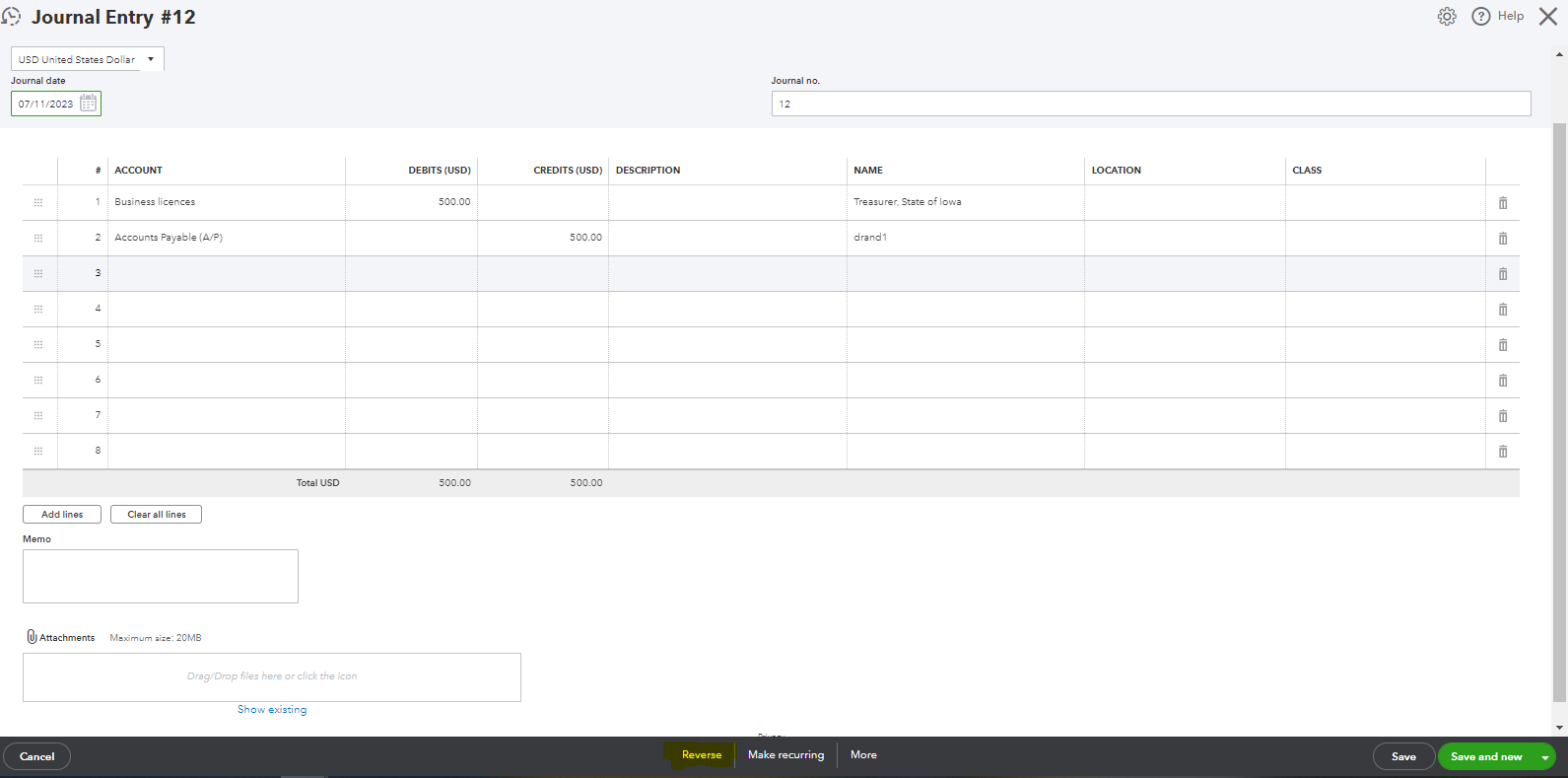
Once done, you must set the Accounts Payable journal entry to reverse:
For additional reference, you can check this article on how to resolve A/R or A/P balances on a cash basis Balance Sheet.
I’m adding this resource where you can access our self-help articles: QuickBooks Online guide. These resources contain topics that will guide you in efficiently handling expenses workflow in QuickBooks.
If you have any additional questions concerning overseeing your customer transactions, you are always welcome to post again here. I'll be here as soon as I can. Have a good one and stay safe.
Ignore the advice given by @JoesemM, it's incorrect.
You can delete the bill if you're a cash basis taxpayer. If you're accrual-based, create a credit memo (New > Vendor credit), use the same Category as the bill you want to "write off". Then, apply the credit memo to the bill. Avoid using a journal entry - a vendor credit does the same thing (debit A/P, credit category on credit memo) and it shows on most reports.


You have clicked a link to a site outside of the QuickBooks or ProFile Communities. By clicking "Continue", you will leave the community and be taken to that site instead.
For more information visit our Security Center or to report suspicious websites you can contact us here


