Thank you for bringing this concern to the Community, @sbo. I'll provide the information below to ensure your transactions are correctly categorized and address your misdirected paychecks.
If you are referring to bank transactions downloaded from your bank, you should match the downloaded bank transactions to the paycheck transactions created in QuickBooks, so this won't categorize to a different account.
In addition, one major reason that paychecks auto-categorize to an incorrect account is because of the bank rules. Check your bank rules under the Transactions menu. If the rules are causing misdirection, consider modifying or temporarily disabling bank rules.
Here's how to disable Bank rules:
- Go to Transactions menu, then select Rules.
- Click the Drop-down and choose Disable.
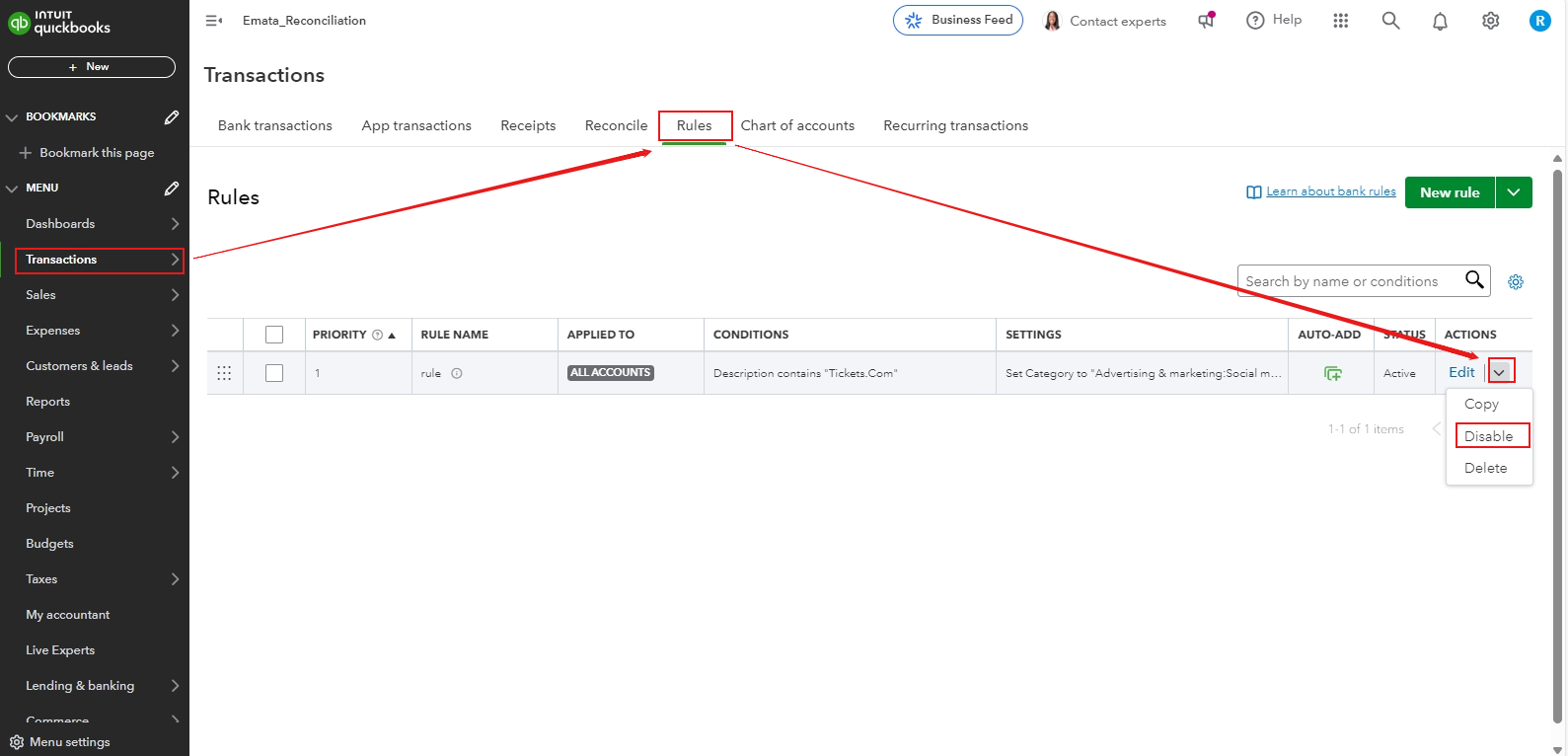
Once disabled, you need to undo the transactions from the Categorized tab:
- Navigate to the Categorized tab.
- Manually undo these transactions to move them back to the For Review tab.
- From there, you can manually match it with the paycheck records.
If the transactions are showing as bulk expenses in the For Review tab, you can match them to multiple paycheck records.
Since employee paychecks are typically recorded as expenses in QuickBooks and you mentioned that this is more family business, you might want to consider recording them as an owner's draw instead of categorizing them as expenses or income. This way, the transactions won’t appear as additional expenses or income. For more details, you can refer to this article: Set up and pay an owner's draw.
Furthermore, explore our Live Bookkeeper Expert. They are expert who handles very well this type of issue to keep your books accurate and can bring your books up to date.
If you have any challenges or difficulties with QuickBooks, please don't hesitate to comment below. I'm more than happy to assist you.




