Welcome back to the Community, Saltair95! It's great to have you here. Organizing your Chart of Accounts (COA) is essential for effectively tracking your transactions. I'm here to assist you in updating the Account Type for one of your existing entries, ensuring your financial data remains accurate and updated.
To change the type of an existing COA account associated with a 1099 category, you'll first have to unlink its association in the 1099 preferences. Follow these steps to complete this process:
- Click the Edit menu at the top and select Preferences.
- Choose Tax: 1099 on the left pane.
- Go to the Company Preferences tab.
- Under “If you want to map your account to boxes on Form 1099-MISC”, hit you can do it here. Then, pick Yes in the Print/e-file 1099 forms window.

- Look for the account you need to edit.
- Click the drop-down and select Omit this payments from 1099.
- Once done, click Save and Close.

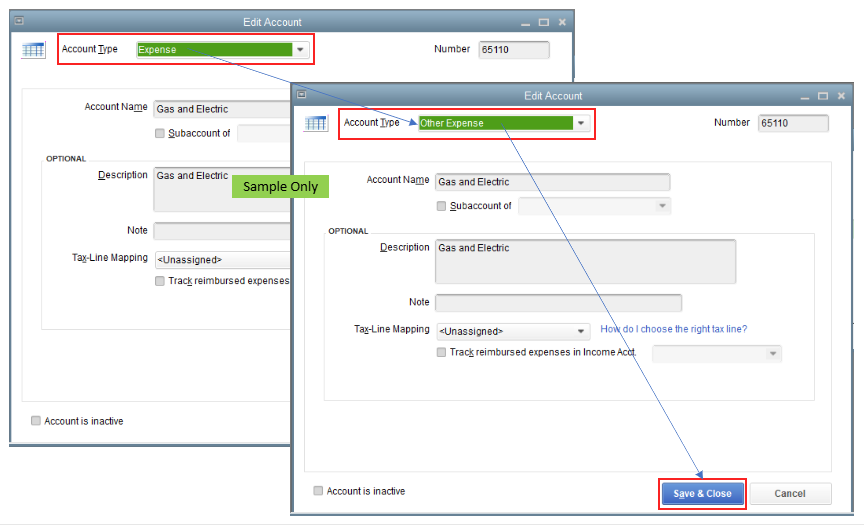
Right after, return to your Chart of Accounts and modify the Account Type for one of the entries on your list.
Additionally, you might want to generate a QuickReport to get a detailed breakdown of your transactions for a specific account within your Chart of Accounts. To do so, right-click on the one you need to review and then choose QuickReport.
If there are any additional questions or you need further clarification about revising the type of one of the accounts, please don’t hesitate to click the Reply button. I’m always here to help. Take care, Saltair95, and I hope you have a fantastic day ahead!




