Reports were not shared because the users you want to share them with do not have the necessary permissions to access them, Tom. To grant access, update their permissions under Settings and Manage users and assign them a specific role.
Here's how to do it:
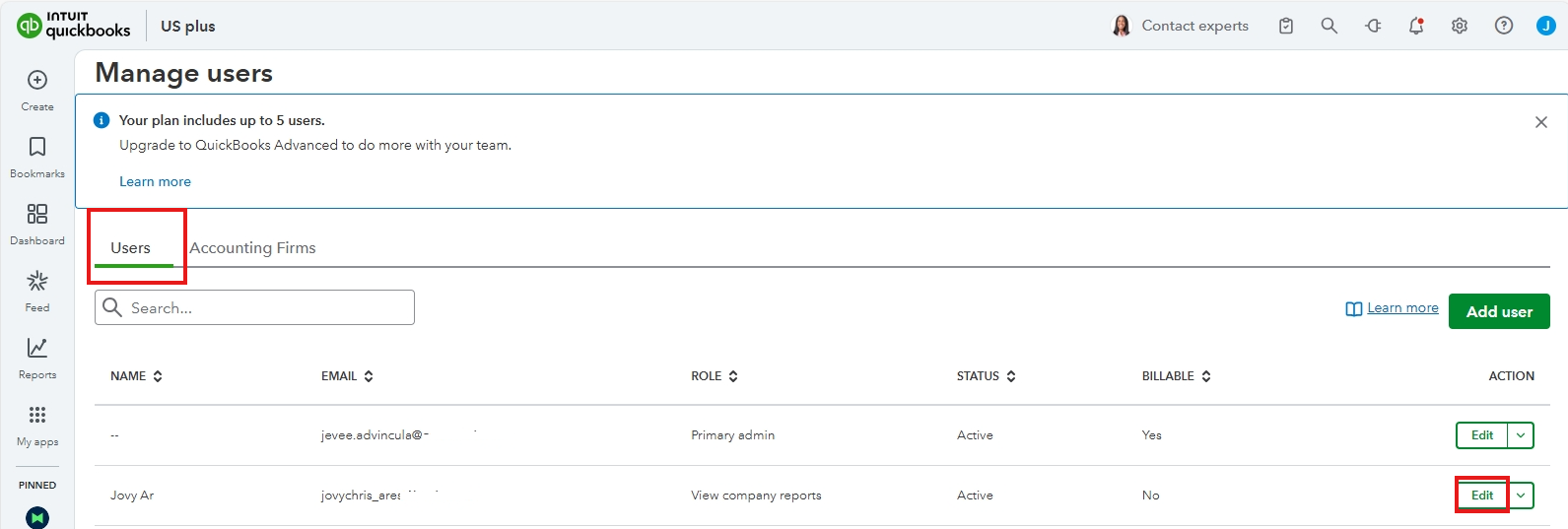
- Go to Settings, then Manage users.
- Select the Users tab.
- Under Action for the user, click on Edit to update their permissions.
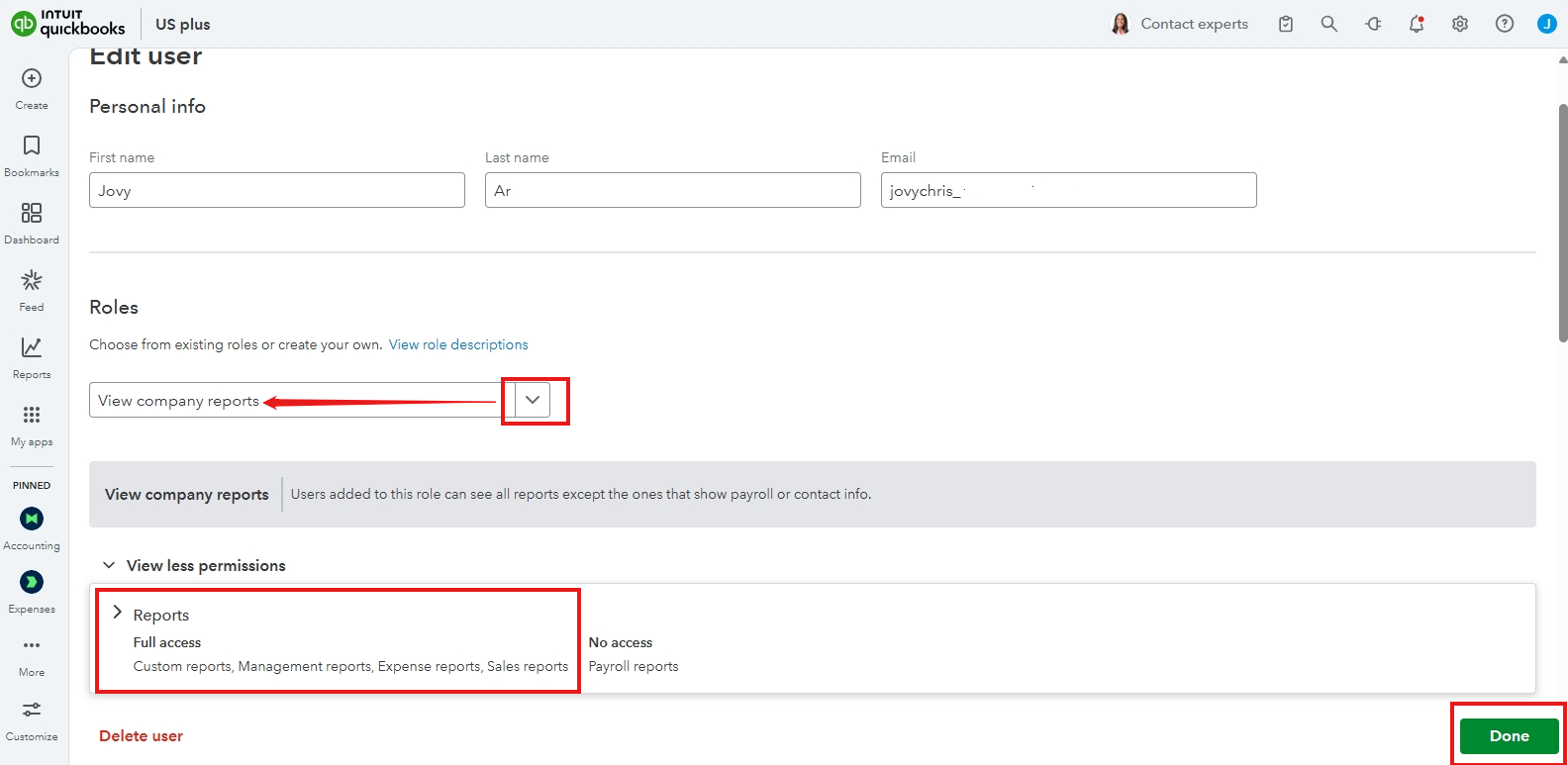
- Assign the role View company reports.
- Review the permissions associated with this role, then click Done.
For detailed information on access control, permissions, and areas, please refer to this article: Add and manage custom roles in QuickBooks Online Advanced and Intuit Enterprise Suite.
Before we wrap up, I suggest you explore QuickBooks Live Expert Assisted to streamline your accounting, maintain precise financial records, and access professional support. This could free up valuable time, allowing you to concentrate on expanding your business.
The Community is always here to help if you have any additional concerns.




