Hello sflynn,
The ability to print customer statements with invoices/balances over 365 days would be helpful to users. I'm here to clarify things about the feature in QuickBooks Online.
There are three types of customer statements in QuickBooks. You can create Balance Forward, Open Item, and Transaction Statements.
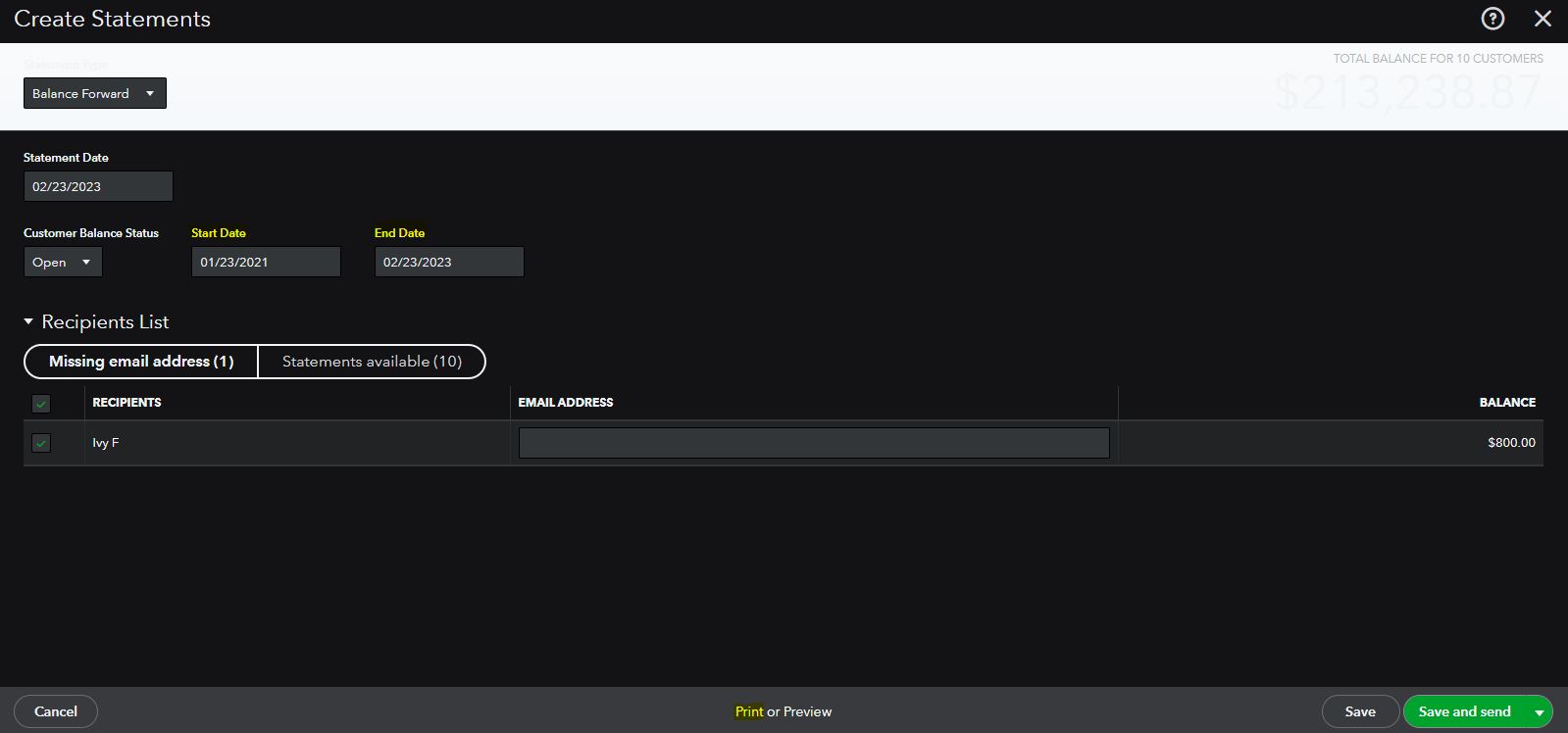
However, the Open Item can only list all open, unpaid invoices from the last 365 days. I recommend you use Balance Forward or Transaction Statements.
You can modify the date range to bring up transactions over 365 days and show the customer balance. The Print or Preview option is available at the bottom part when creating a statement (see screenshot below).
Aside from statements, there's a report you can run to show customer balances together with the invoices. Check out Customer Balance Detail under the Reports section. It'll show the list of invoices by Customer together with the balances.
Also, financial reports in QuickBooks give you tons of great info about your business. To learn more about customizing reports, like filtering them to show specific accounts or customers or formatting the layout, visit this article: Customize reports in QuickBooks Online.
Drop me your response if you need more assistance acquiring the data you need related to sales transactions or customers. We'll be right here to help you out.




