Turn on suggestions
Auto-suggest helps you quickly narrow down your search results by suggesting possible matches as you type.
Showing results for
Get 50% OFF QuickBooks for 3 months*
Buy nowMy company is a non-profit (local church congregation). My "customers" are donors. One customer was recently widowed. The customer has historically been under both the husband's and wife's name. Now all the donations come from the widow only.
In another instance, a customer got married and adopted the husband's name. The customer was historically under the woman's maiden name. Now it should be under both the husband's and wife's name.
Is there a way to merge the customer profiles in such a way that the history is retained? The QB instructions on merging customers imply that one of the merged entities will become inactive. I am looking for a way to reflect the donations by the woman before she got married and not incorporate them into the customer name under both husband and wife. The similar situation exists with the widow. I don't want to lose the record of contributions by the husband and wife now that the customer is just the widow.
Is there a solution to this issue?

Thank you for sharing the details with us, rschmidt46.
I see you have two separate customer profiles with similar situations, and you want to keep their historical data but move forward using their updated profiles. Let me explain what options you have.
QuickBooks Desktop does not allow profiles to be merged if they have existing transactions. If you want to merge, you need to delete the transactions from both profiles, save a copy and manually re-enter them, or consolidate all payments (to have a transfer history), then record the total into the new profile after merging.
Please note, when a profile is merged, the system saves the merged customer as inactive or deleted, as QuickBooks removes the original profile from your records and moves their transactions into the other profile’s history. This ensures your end books and financial reports will remain accurate.
Here’s how to merge profiles:
1. Click the Customers menu and select the Customer Center.
2. Open the profile you want to keep and copy the name.
4. Go to the other profile, then paste the name you wan to keep (Make sure the display name exactly matches the other profile you want to merge with.)
5. Click Yes to save changes..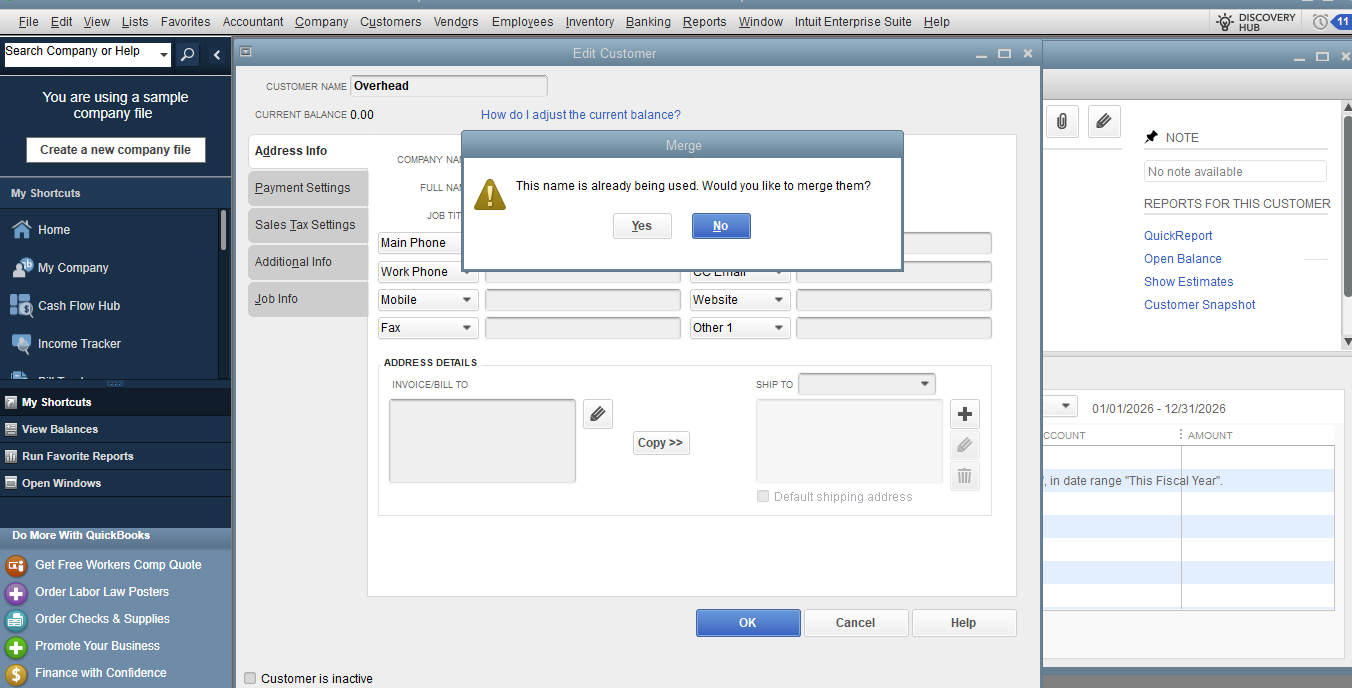
Alternatively, if you want to preserve historical data without deleting or merging transactions, I suggest to keep the old profiles active to maintain their records and use the new profiles for future transactions or updates.
Please leave us a response if you have other questions or concerns.
I would not consider this a very robust solution. Deleting all the transactions for one customer and re-entering them under another is highly impractical. Transactions for the woman who got married total 157 entries. Transactions for the one who was widowed include 162 entries. For tax purposes, merging customers would make it impossible for them to match the contributions entered in QB with their tax returns. I hope there is a better way to handle this and it is a situation that must occur regularly.
I understand that deleting and re-entering hundreds of transactions is time consuming, especially with the important tax considerations you've raised. I've got another way you can consider for a more streamlined solution, rschmidt46.
You can open the existing transactions one by one under the old customer name and move them to the updated profile you want to keep. This process moves the entry to the other customer's record seamlessly. For instance, to transfer the transactions from Customer K (Maiden Name) to Customer J (Husband's name), follow the steps below:
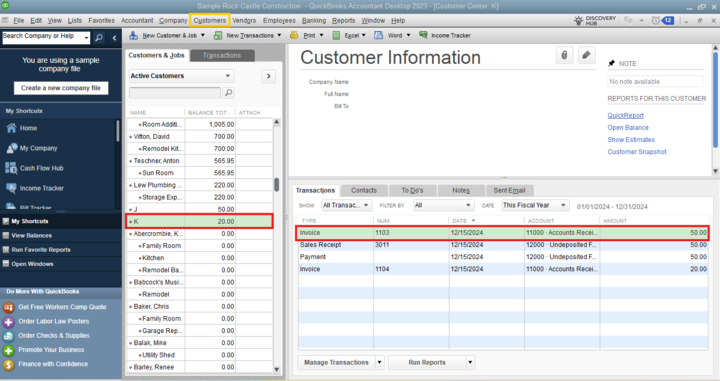
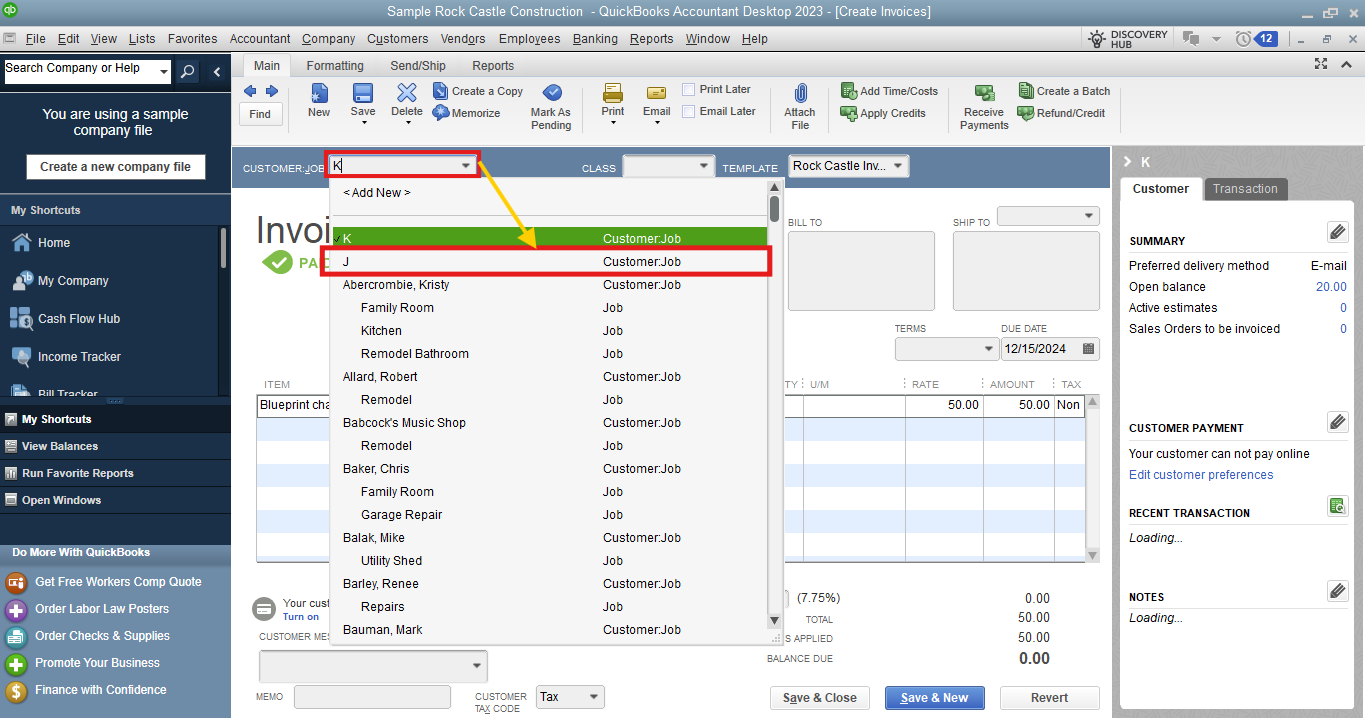
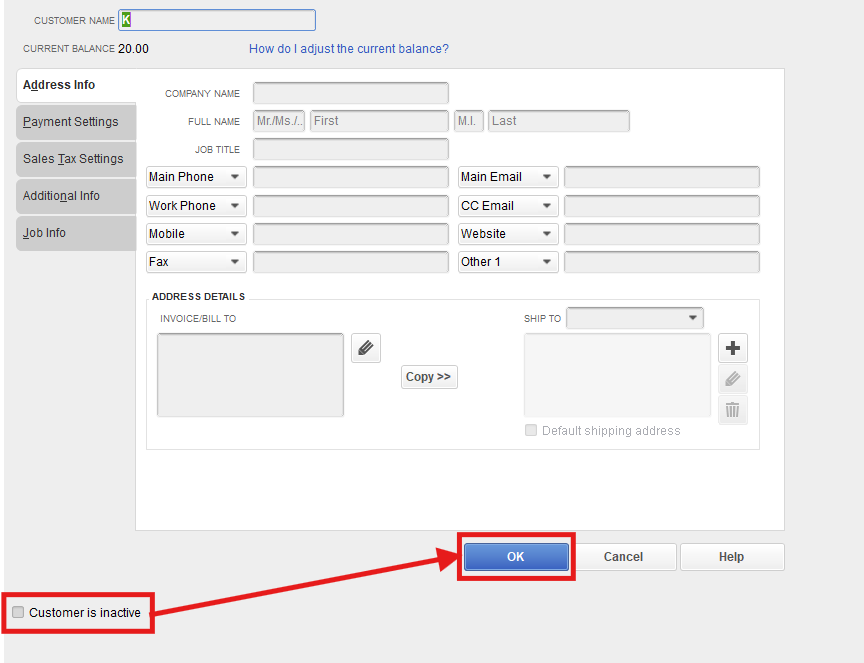
Once done, let's set the original customer name (Customer K) with no transactions to Inactive. This cleans up your active Customer Center and ensures only the current donor or customer names appear when recording new transactions. Here's how to do that:
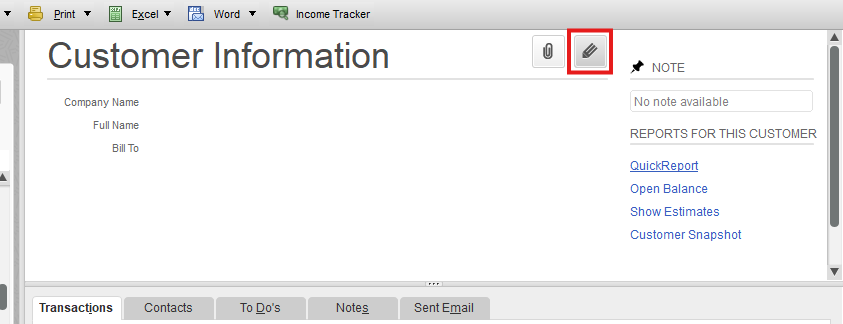
Check out this article to learn what are the things you need to do before the process: Merge list entries in QuickBooks Desktop.
Let me know if you need additional guidance when working or handling customers. We'll be here to assist you further.


You have clicked a link to a site outside of the QuickBooks or ProFile Communities. By clicking "Continue", you will leave the community and be taken to that site instead.
For more information visit our Security Center or to report suspicious websites you can contact us here


