Hi, Pannells1stteammoving.
In QuickBooks Online, you can access your statements by going to Lending & Banking. However, this provides you with up to 18 months of old statements.
Here's how:
- Navigate to Lending & Banking, then select QuickBooks Checking.
- Click Manage.
- Select the QuickBooks Checking account.
Since you want to pull up 2023 QuickBooks Checking statements, I suggest contacting the Green Dot Customer Support team. They have specialized tools to generate the statement that you need.
For now, we can run a Transaction List Report and filter the date. Please note that when running this report, it includes transactions (e.g., Money in and Money out). Here's how:
Open your QuickBooks.
- Go to Reports.
- In the Search bar, type Transaction List by date.
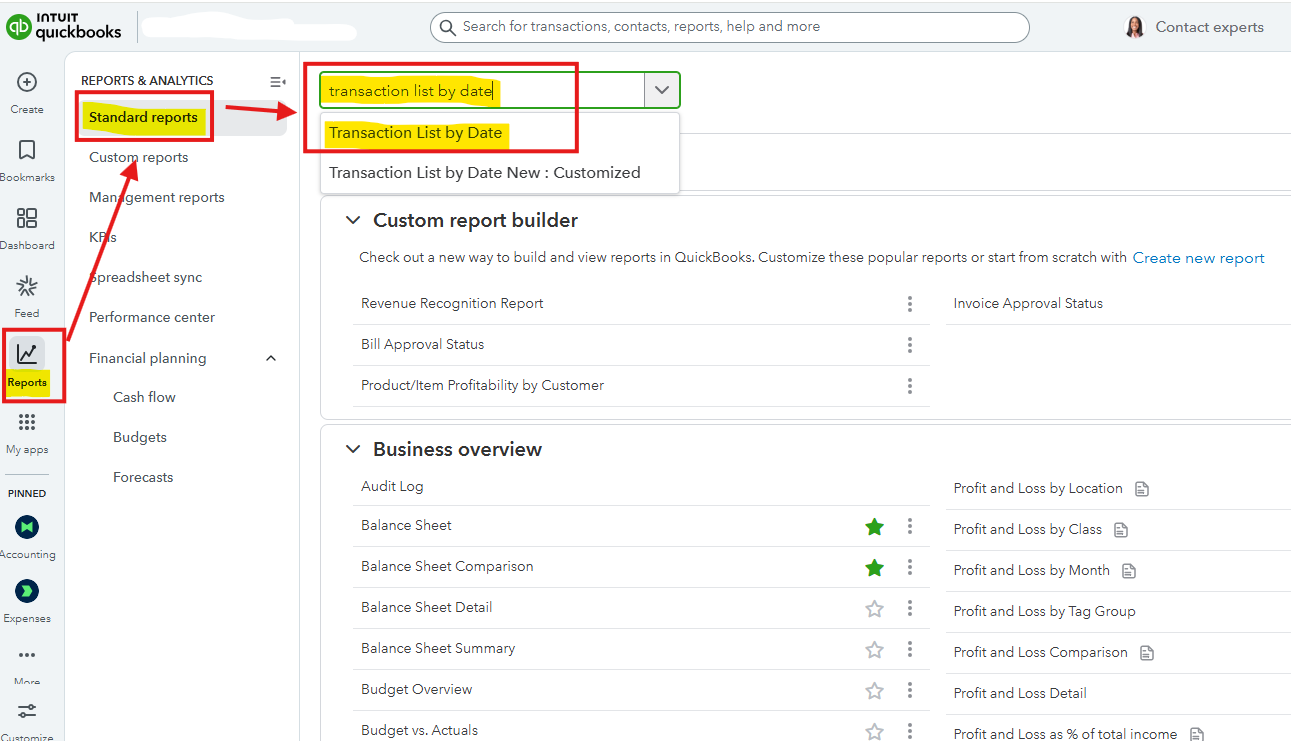
- Head to Filter, then choose Account, Equals, then QuickBooks Checking Account.
- Navigate to the Report period, then select Custom dates.
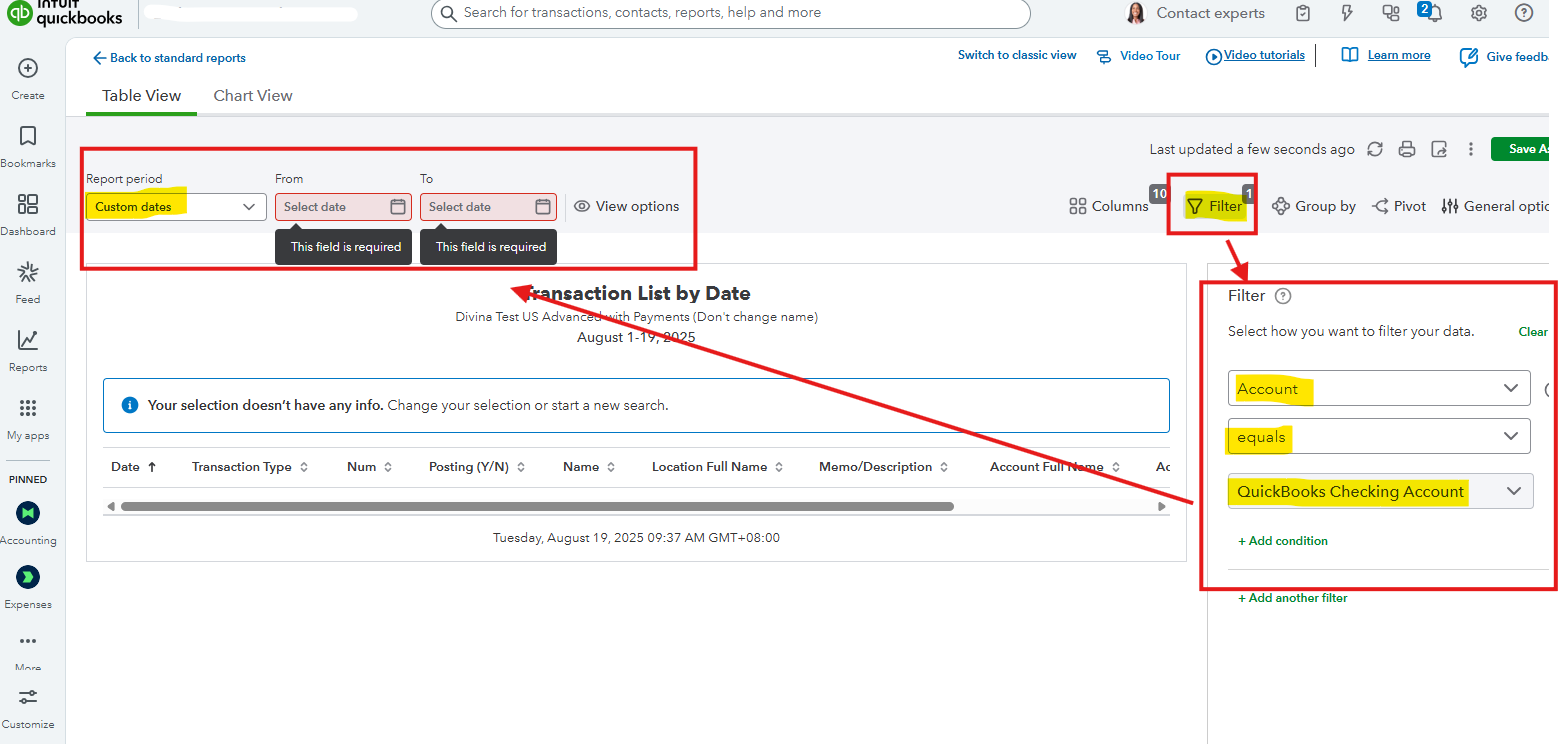
- Set the date you want.
I also added this helpful article for more information to learn when using QuickBooks Checking: QuickBooks Checking FAQ.
Let us know in the comments below if you have any other questions about QuickBooks.




