Hello there, @Shyang. Currently, the option to change the Start of Tax Period for your tax agency in QuickBooks Online (QBO) is not available.
For now, you can continue using your current workaround of setting the filing frequency in QuickBooks to half-yearly for tax payments. At the same time, I recommend consulting an accountant to ensure that you're fully compliant with your state’s requirements.
We understand that aligning with your state's fiscal year is crucial for effectively managing your tax reporting and compliance. Hence, we encourage you to share your feedback to help us refine sales tax processes.
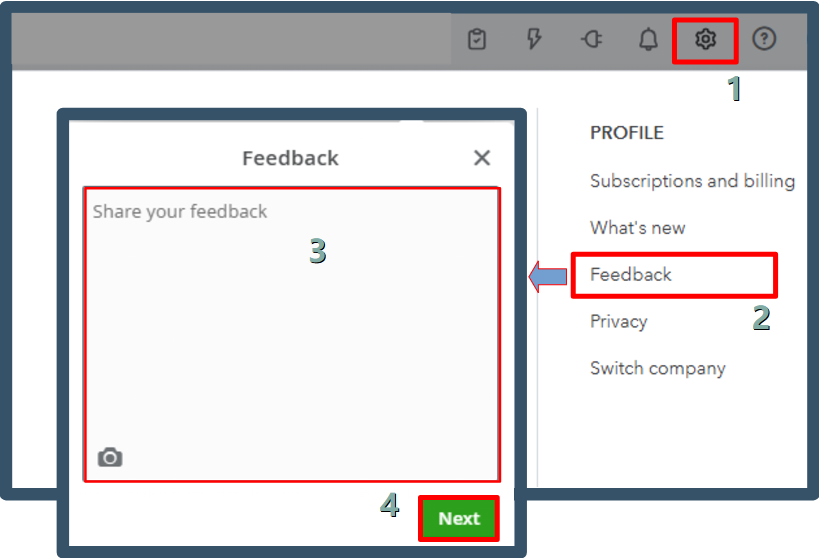
Here's how:
- Go to the Gear icon and select Feedback.
- Enter a brief description of your product suggestion.
- Click Next to submit it.
Once you're done filing, it's time to keep your sales tax info in QuickBooks up to date. Let's manually record your sales tax payment to zero out your sales tax payable.
If you have further questions about QuickBooks, please feel free to leave a Reply below. I'm here to help!




