In QuickBooks Online, you can generate various reports tailored to the specific information you need to review, bddistributing8.
Before we begin, can you provide more information about the RAP or RAB reporting you are referring to? Any information added will be much appreciated, as this will help us provide appropriate solutions.
If you mean a RAB (Rolling Account Balance) report, you have the option to generate a General Ledger, Transaction Detail by Account, or a Quick Report. These reports offer a detailed record of your financial transactions for a specific accounting period. To access these reports, simply follow the steps outlined below.
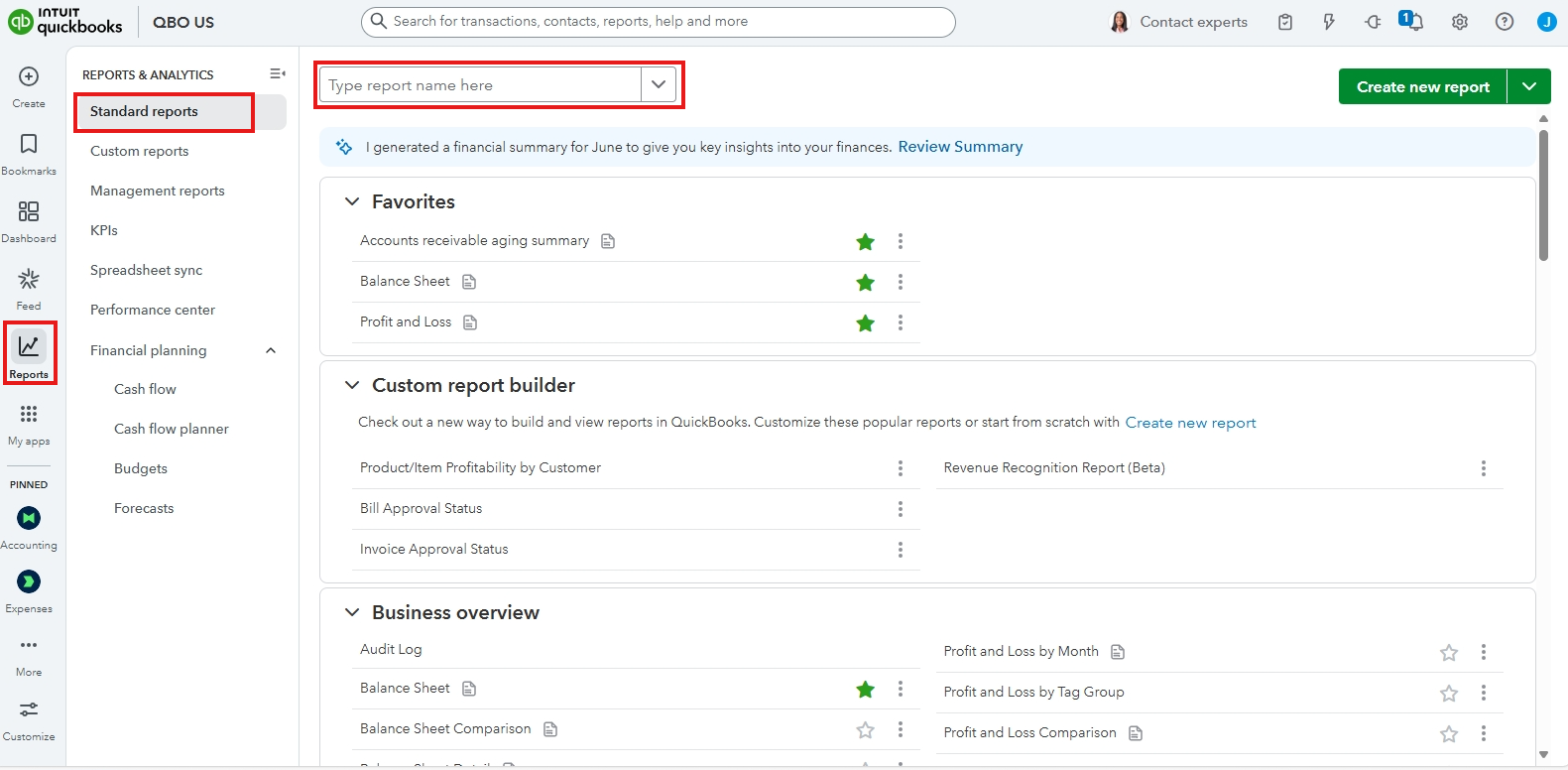
- Click on Reports in the left-hand menu.
- Select Standard Reports from the available options.
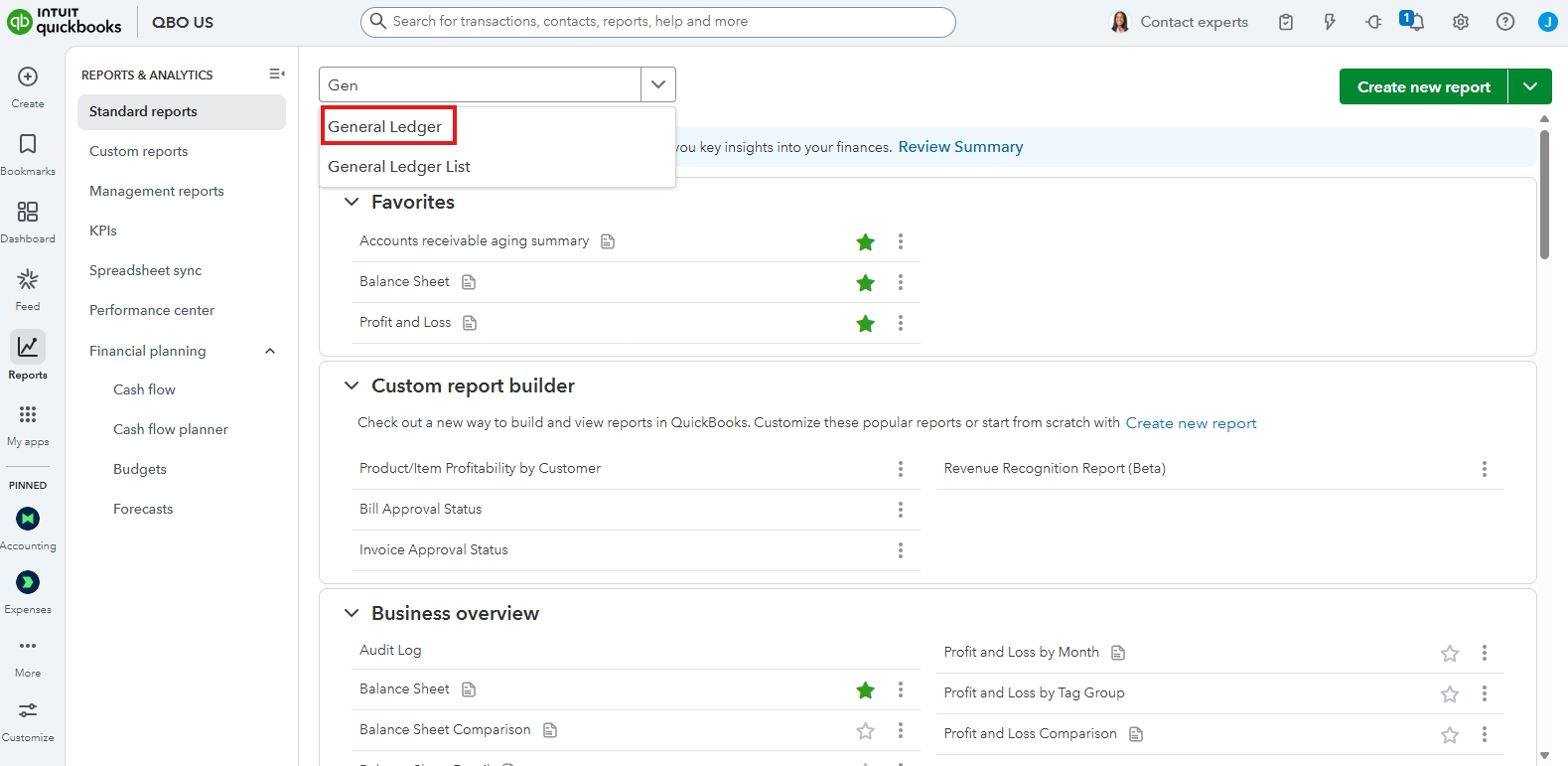
- Enter the report's name in the search bar.
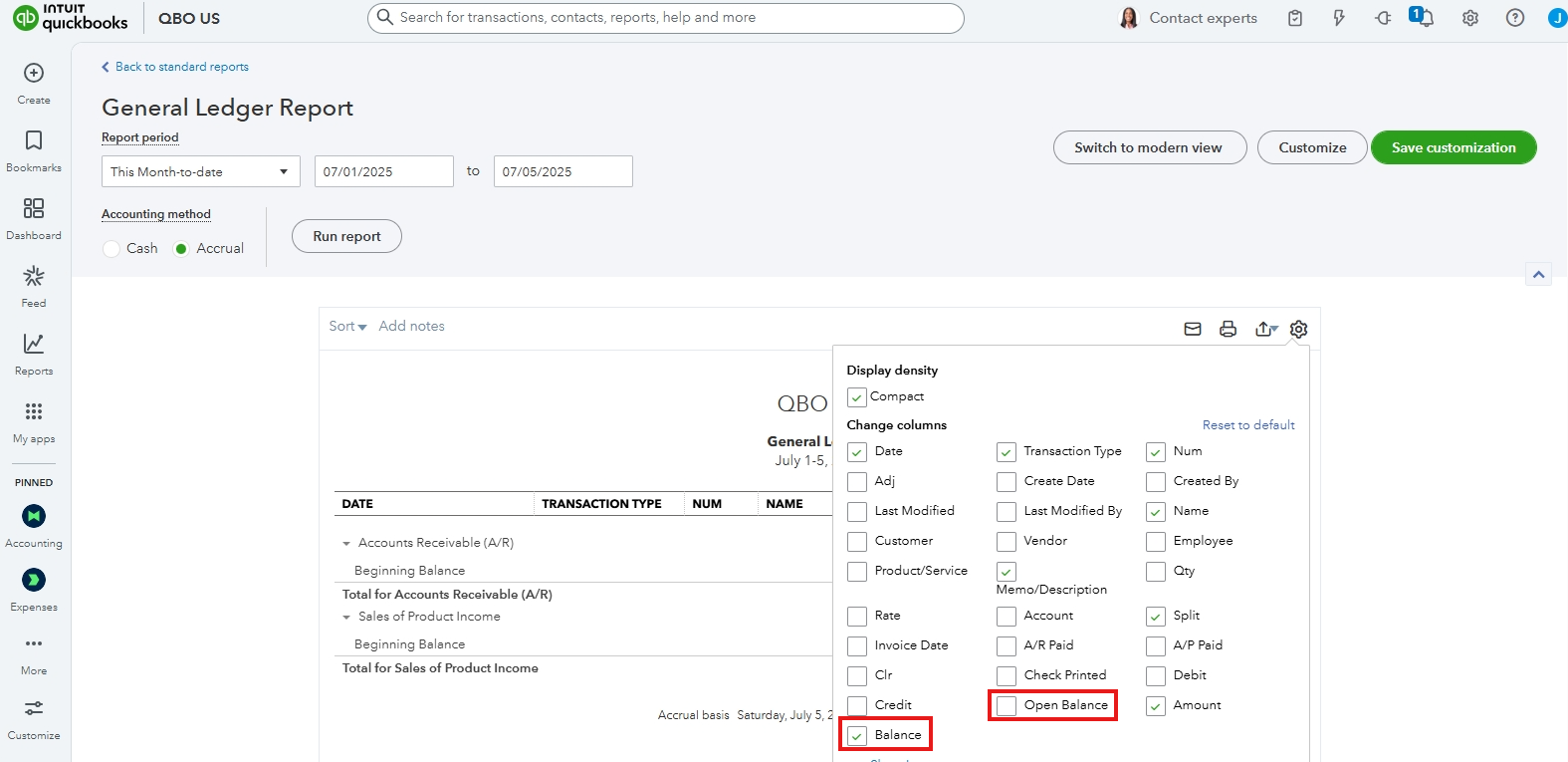
- To view the open balance for the report, click the gear icon in the top-right corner.
About the RAP (Real Time Automated Processing) report or any customized reporting in QuickBooks depends on what type of information you're trying to report and which version of QuickBooks you're using. If you want to view your income, expense and overall profitability. You can also run your Profit and loss or Sales by customer Detail report.
For more information on how to run a report in QBO, you can refer to this article: Run a report.
We have a team of experts who can offer personalized guidance on managing your reports, as well as teaching the best bookkeeping practices to increase your efficiency. Check out QuickBooks Live Expert Assisted for more details.
Comment here again if you need further assistance with running reports in QBO. We'll be right here if you need help.




