Great question you have there, @bonnyspeaks.
You can create a regular invoice and enter the amount your customer pays you. For example, you invoice your customer for $100 and they pay you $50. When you receive the payment, enter the $50 amount they paid for that day.
Here’s how to do it in your QuickBooks Online (QBO) account:
- Go to the + New menu and select Receive Payment.
- Select your customer's name and invoice to apply the payment.
- In the Amount Received field, enter the amount.
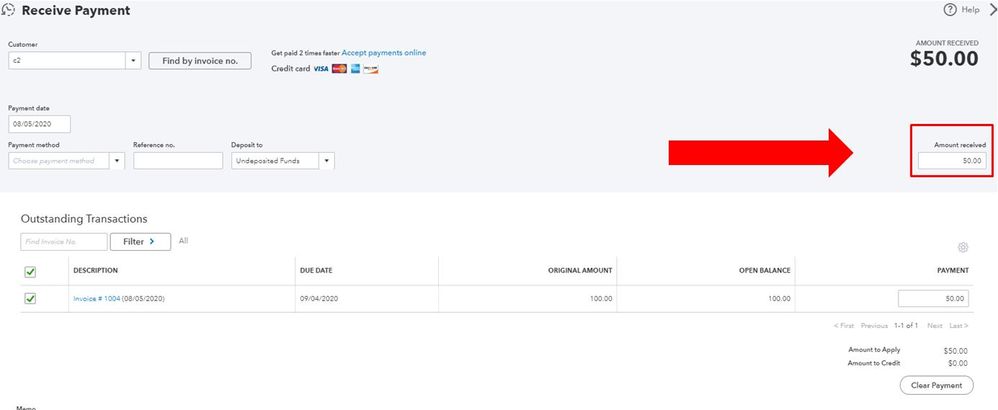
- Then select Save and close.
Let me also add this article that can guide you through the steps on how to let your customer pay their invoice online: Send online invoices in QuickBooks Online. This way, you no longer need to record the invoice payment manually.
Do get back to me if you have other follow-up questions in managing your invoices. I’ll be more than happy to help you out again. Have a great day




