I appreciate you for reaching out here in the Community, Useranyseasongrounds.
To clarify, are you referring to accessing the classic view within the Reports tab, or are you asking about reverting to the old layout of QuickBooks Online (QBO)?
If you're referring to switching back to the old QBO interface, this option is no longer available.
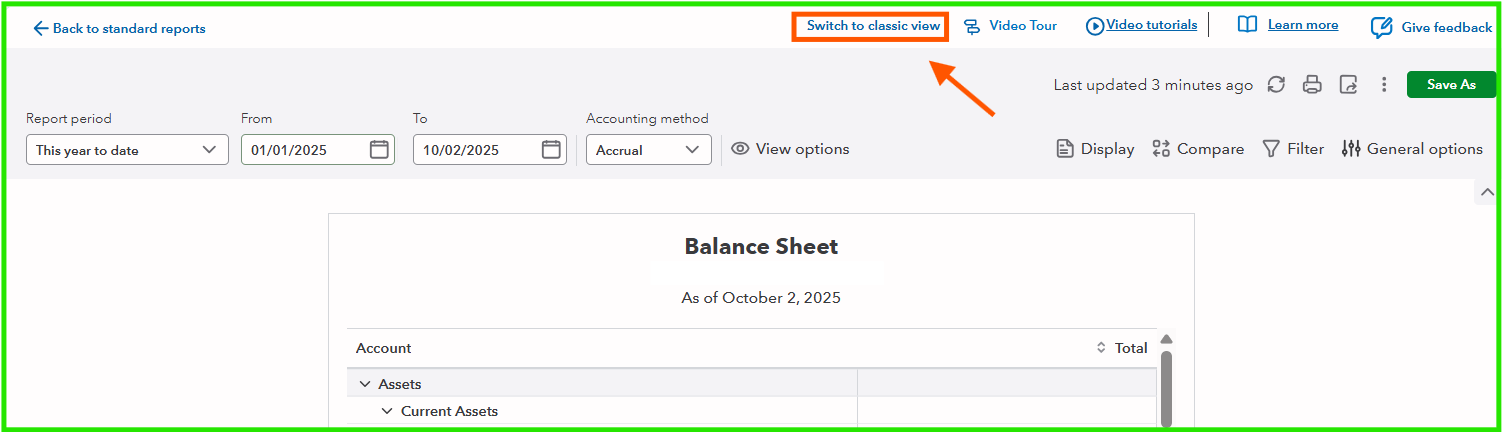
However, if you would like to switch to the Classic view when working with reports, this option remains available.
Here's how:
- Navigate to the Reports menu.
- Select the specific report you wish to open.
- Once the report is displayed, on the upper-right corner and click Switch to classic view.
Please let us know if you have any further questions or need additional assistance.




