Turn on suggestions
Auto-suggest helps you quickly narrow down your search results by suggesting possible matches as you type.
Showing results for
Get 50% OFF QuickBooks for 3 months*
Buy now
You should consider having a 3rd party inventory management app with the disassembly feature to integrate with QBO.
Hello there.
I'm here to help you record purchases and sales transactions in QuickBooks Online.
You can record your purchase by entering the total amount of shirts from the twelve packs. Take note of the number of items per pack and multiply by the number of packs you receive from your supplier.
The process allows you to track the remaining on hand for the item, get alerts when it’s time to restock and see insights on what you buy and sell. Another option would be to consult an accountant for expert advice if you're looking for an alternative option. This ensures your books remain accurate and error-free.
Here's how:
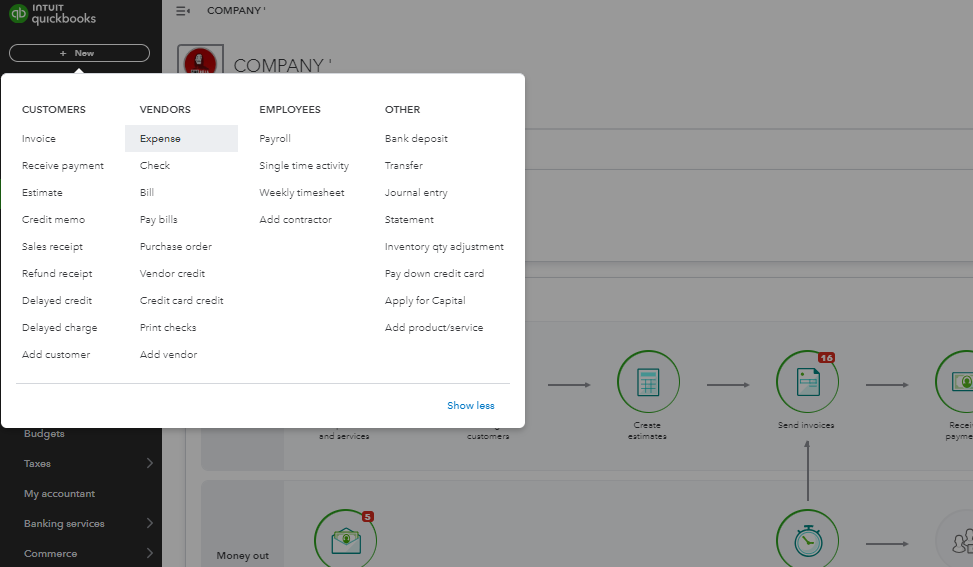
Also, did you know you can change the item type for a product or service? I have a link here you can use to learn more about how to categorize the products and services for better tracking in QuickBooks: Change product and service item types in QuickBooks Online.
Drop me a comment below if you have any other questions about recording transactions in QuickBooks. We'll be happy to help you some more. Have a great day.


You have clicked a link to a site outside of the QuickBooks or ProFile Communities. By clicking "Continue", you will leave the community and be taken to that site instead.
For more information visit our Security Center or to report suspicious websites you can contact us here


