I see you're looking for the Class column in your custom report in QuickBooks Online (QBO). I’m here to help you find it, billing102.
Since it suddenly disappeared, it's possible that the class tracking feature is not enabled. When this feature is turned off, the option to add class columns in your custom report will be unavailable.
I suggest checking if the feature is enabled by going to your company settings.
Here's how:
- Go to the Gear icon and select Account and Settings.
- Click on Advanced, then go to Categories.
- Turn on the Class tracking feature, and then select Save.
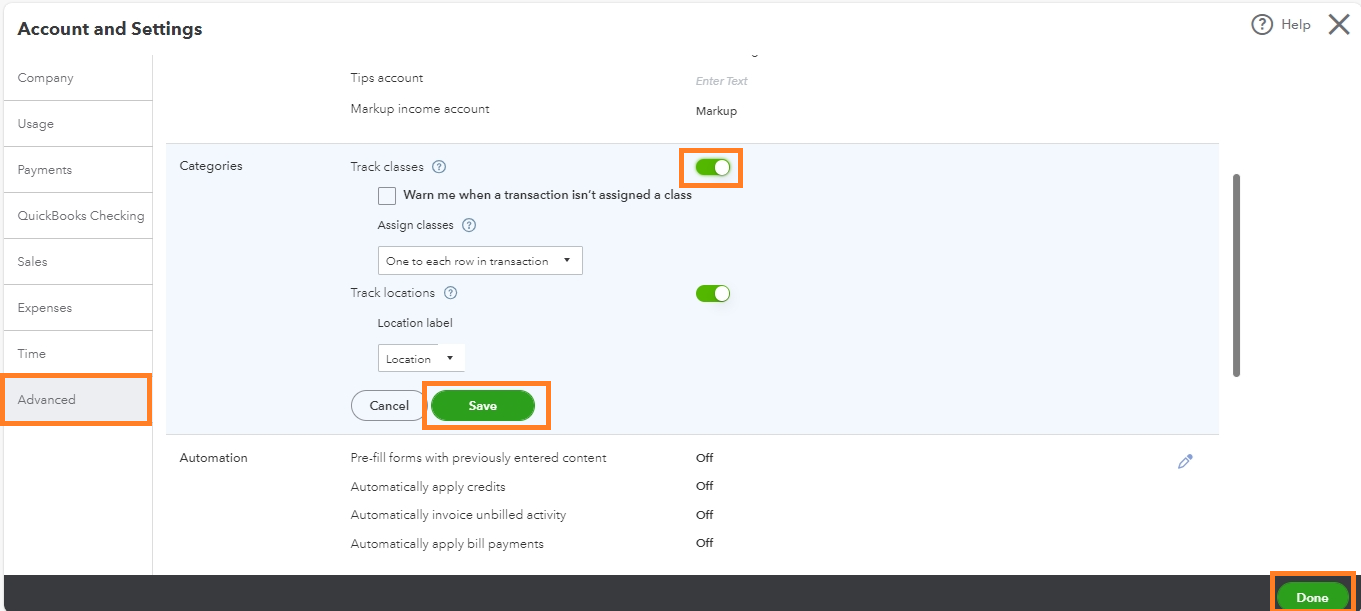
Once enabled, you can create a custom report and check the box for Class columns.
To add the column, follow these steps:
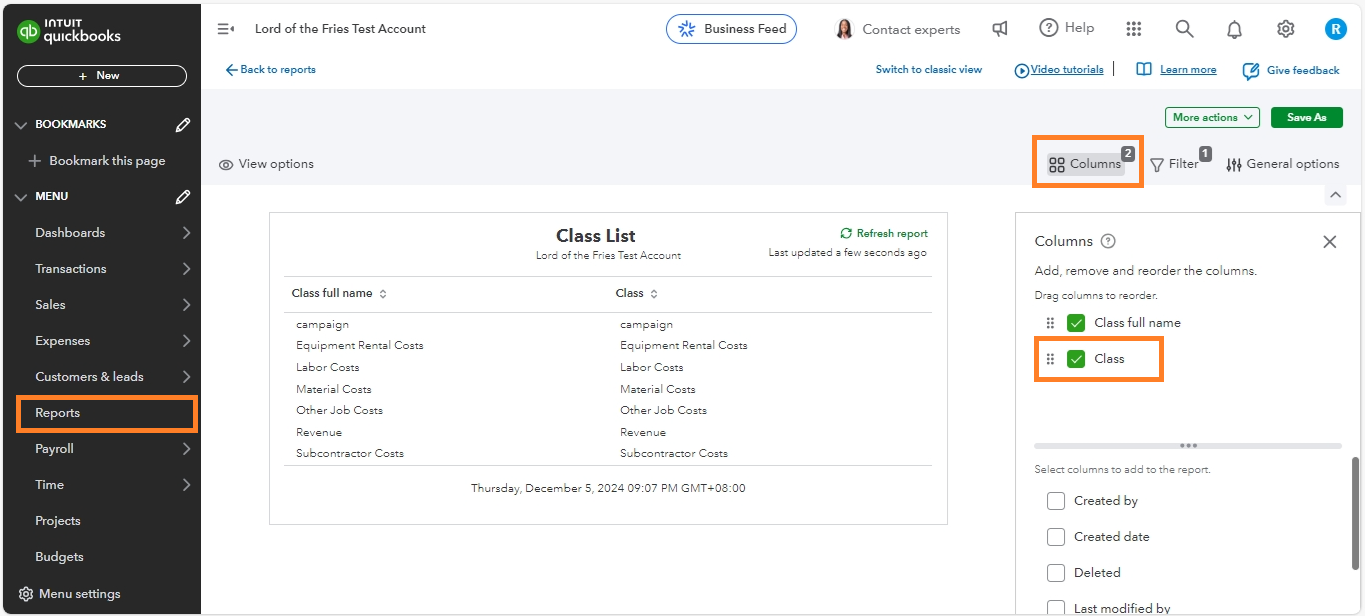
- Go to Reports and click Custom reports.
- Find the report using the search bar and click on it.
- In the top right corner, click Columns.
- Check the box for Class.
Also, consider checking on your audit log to confirm if someone turned off the feature.
Furthermore, you can also refer to these articles for guidance on creating customized reports in QBO: Save a customized report in QBO.
Additionally, if you want to have a hard copy of your reports of your company, you can export them and print them or save them as an Excel file.
Let me know if you're still having trouble running your reports. I'll be here to guide you step by step. Take care.




