With my assistance, you can navigate this task with ease and confidence, Cassystems137. I will provide clear step-by-step instructions to ensure you can change the mailing address in QuickBooks Online.
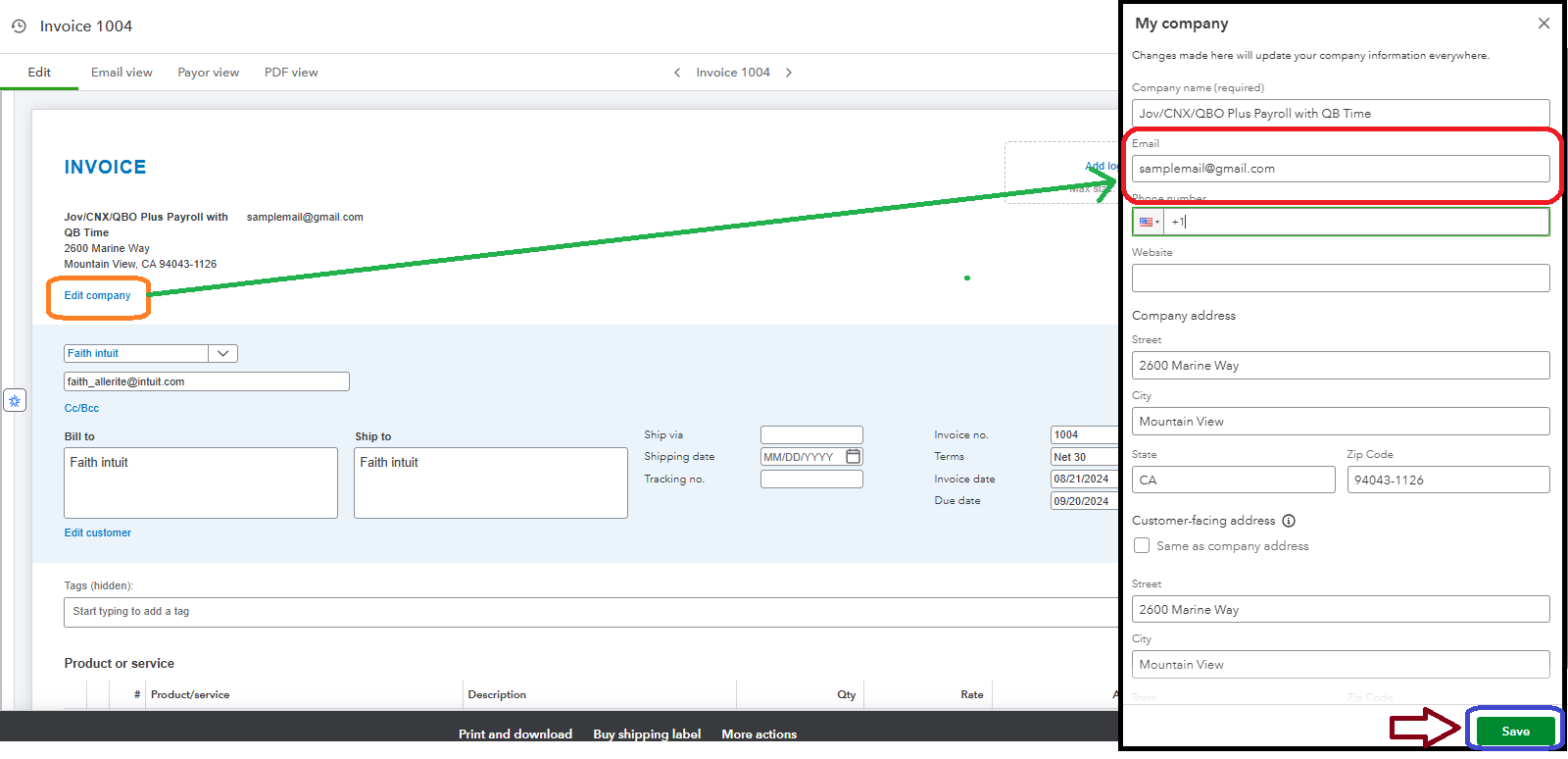
If you are facing your invoice screen right now, click the Edit Company option in the upper left section. After that, a new screen will appear on the right side. From there, you can edit your company email address, and then Save it.
See screenshot below:
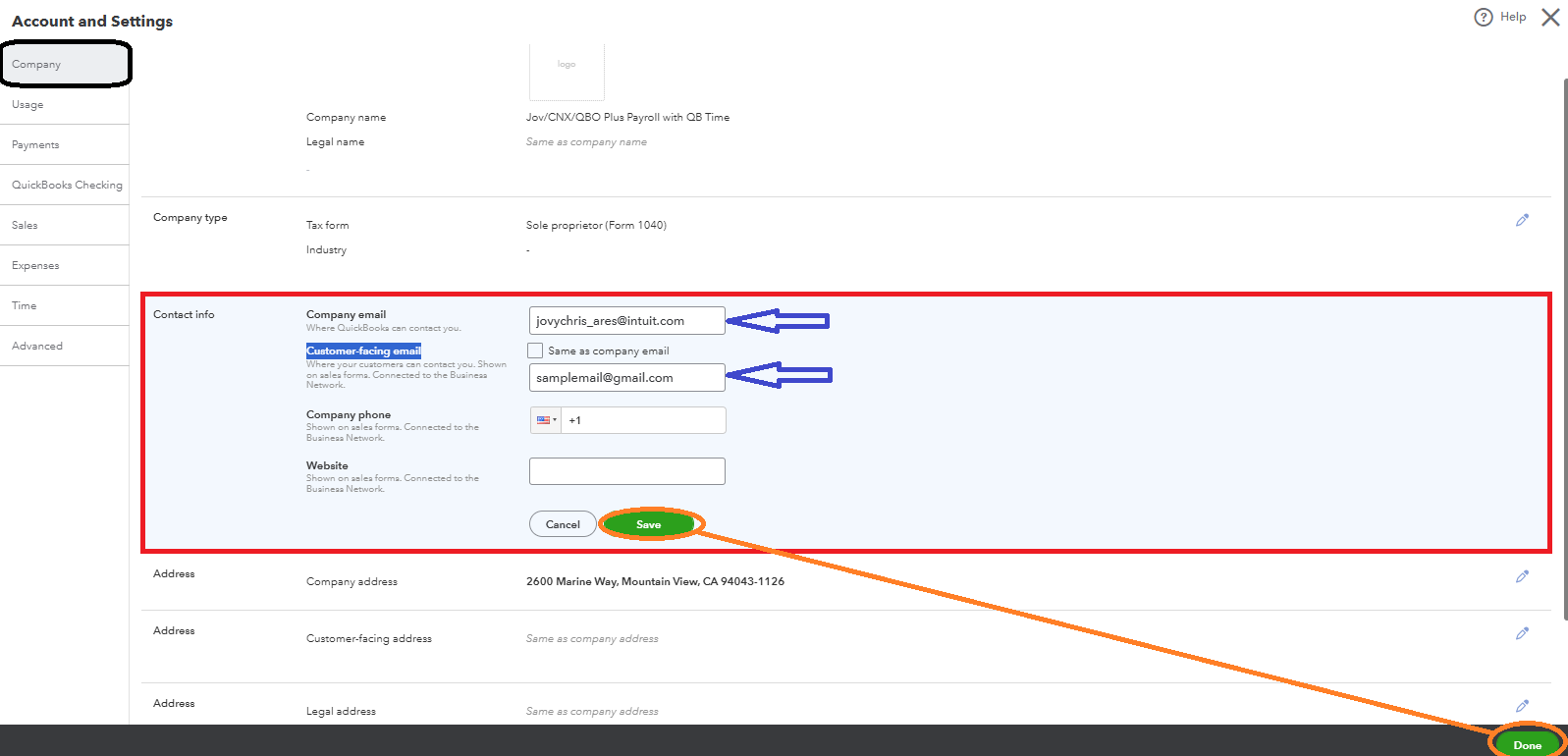
On the other hand, you can also alter your company email by navigating to your Account and Settings. Follow the steps below:
- Click on the Gear icon then, press Accounts and Settings.
- On the Company tab, click the Pencil icon in the Contact Info section.
- Modify the Company Email or the Customer-facing email.
- Hit the Save and Done.
After all the changes, send you invoices then, you are good to go.
More information about modifying company details is provided here: Change Your Business Name, Contact Info, Or EIN In QuickBooks Online.
If you're looking to improve your invoice design process, these additional resources can also be valuable:
Don't hesitate to revisit this forum if you have further questions about changing your account settings or general inquiries about using QBO for your small business operations. Stay Safe.




