Hello Isiroti,
When editing a invoice, we can customize the Audit Trail report to see the original details. Here's how to do it:
- Click Reports at the top menu and select Accountant & taxes > Audit Trail.
- Click the Customize Report button and go to the Display tab.
- Go to the COLUMNS section and mark the Item column.
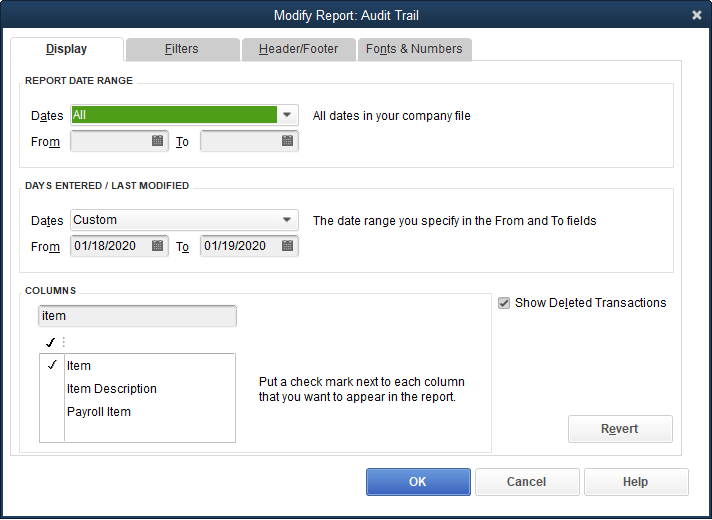
- Go to the Filters tab and search for Transaction Type.
- Filter it to Invoice and click OK.

From there, you'll see the invoices that were edited. Make sure to look for the invoice with Prior state. The changes will show as bold and italic words or amounts (for example: Item one and 100).
You can take note of the details. Then, go back to the latest invoice and update it.
Give this a shot and we'll be right here if you need further help with this.




