Turn on suggestions
Auto-suggest helps you quickly narrow down your search results by suggesting possible matches as you type.
Showing results for
SALE EXTENDED 70% OFF QuickBooks for 3 months* Ends 12/8
Buy nowGood afternoon
I am trying to create a report showing the payment date of an invoice that contains sales tax.
Due to the nature of our business, we report only the collected sales tax to the state. So we need to see the invoice, invoice date, and when the invoice was paid to report the sales tax.
I have tried the Average days to pay and the Customer transaction report. I have not had success.
What I need are these fields
Invoice number Invoice date Sales tax amount invoice date paid
I will appreciate any assistance. right now, I have to go back to 2008 and come forward to discover what sales tax was missed and not paid to the state.

Good evening, @penstruck.
It's great to see you back in the Community! I'd be more than happy to help you figure out a report that works best for you and your business.
With all the details you gave above, I recommend using the Sales by Customer Detail report and then customizing it. You'll need to add the "Sales Tax Amount" and "Paid Date" columns and filter to show only invoices and paid status if desired. Here's how:
Let me know if these steps worked for you or if we need to dig further to find you a different route. Have a great day!
The steps did not work. Following the instructions, I could not get the Paid Date to populate on the report.
Also, The QuickBooks desktop version I am using is Enterprise, and the field Sales Tax Amount suggested did not appear on the DISPLAY tab of the report.
Are there any other reports to try?
I appreciate you for following the instructions, Penstruck.
I understand you're looking for a report to populate the fields you need. Let me provide additional clarity and alternative solutions.
I suggest using the Average Days to Pay Report. It includes the invoice date, paid date, and invoice number. You can then customize it further to show the columns you'd like to include. Here's how:
1. Navigate to the Reports menu.
2. Select Customer & Receivables.
3. Choose Average Days to Pay and click Customize Report, then Filter tab to include the fields you need.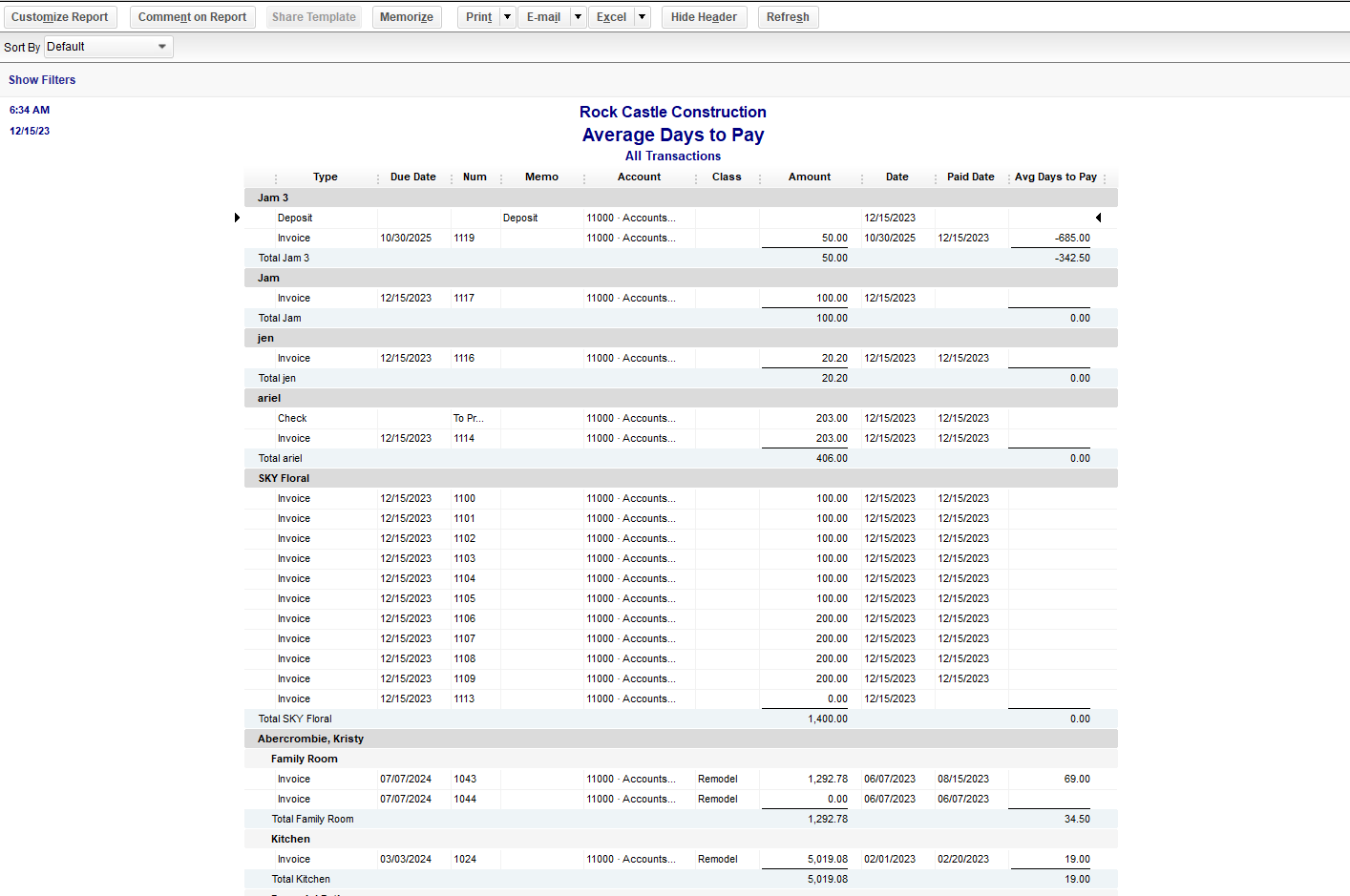
While the Sales Tax Amount field isn’t available in any reports, the closest option to view transactions involving sales tax is the Sales Tax Liability Report. This report provides details such as total taxable amounts, non-taxable amounts, and sales tax owed. You can click on these totals to view individual transactions and cross-reference them with the Average Days to Pay report.
Here's how to run this report:
1. Go to the Reports menu.
2. Click Vendors & Payables and select Sales Tax Liability.
3. Filter the report for the date range and customize columns if needed.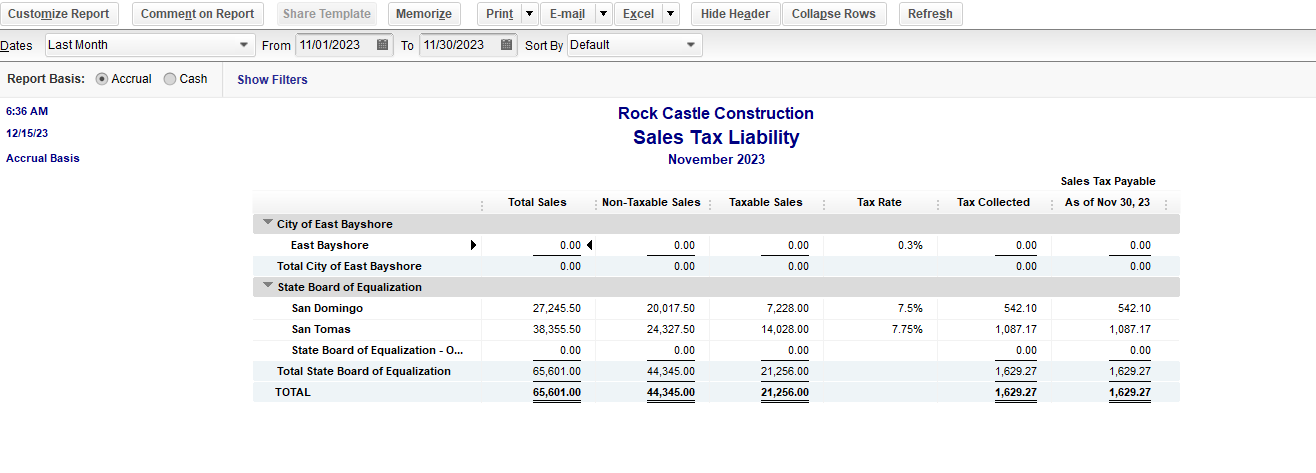
Alternatively, export the Average Days to Pay report to Excel and add a column for Sales Tax Amount. Manually enter the values by cross-referencing them with the Sales Tax Liability report or from each invoice.
Please leave us a response if you have other questions or concerns.


You have clicked a link to a site outside of the QuickBooks or ProFile Communities. By clicking "Continue", you will leave the community and be taken to that site instead.
For more information visit our Security Center or to report suspicious websites you can contact us here


