Turn on suggestions
Auto-suggest helps you quickly narrow down your search results by suggesting possible matches as you type.
Showing results for
Get 50% OFF QuickBooks for 3 months*
Buy now
Could you explain what you are wanting when you say, linked estimate?
Since an invoice is a final sale, why? But the estimate would show under the customer transaction listing
because if my client call by the estimate number there is no way I can verify that estimate has already an invoice .
Hi spacetoursbus538,
You'll want to convert an estimate into an invoice first to generate an invoice number. Once done, open the estimate to enter the invoice in question under the Message displayed on estimate box.
Here's how:
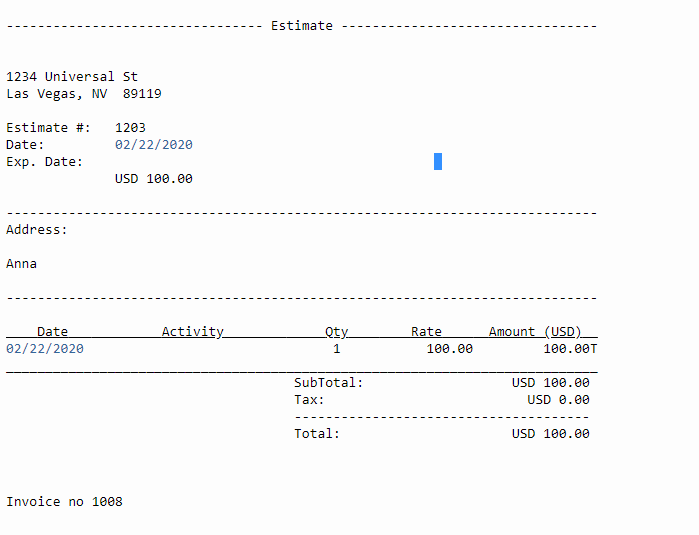
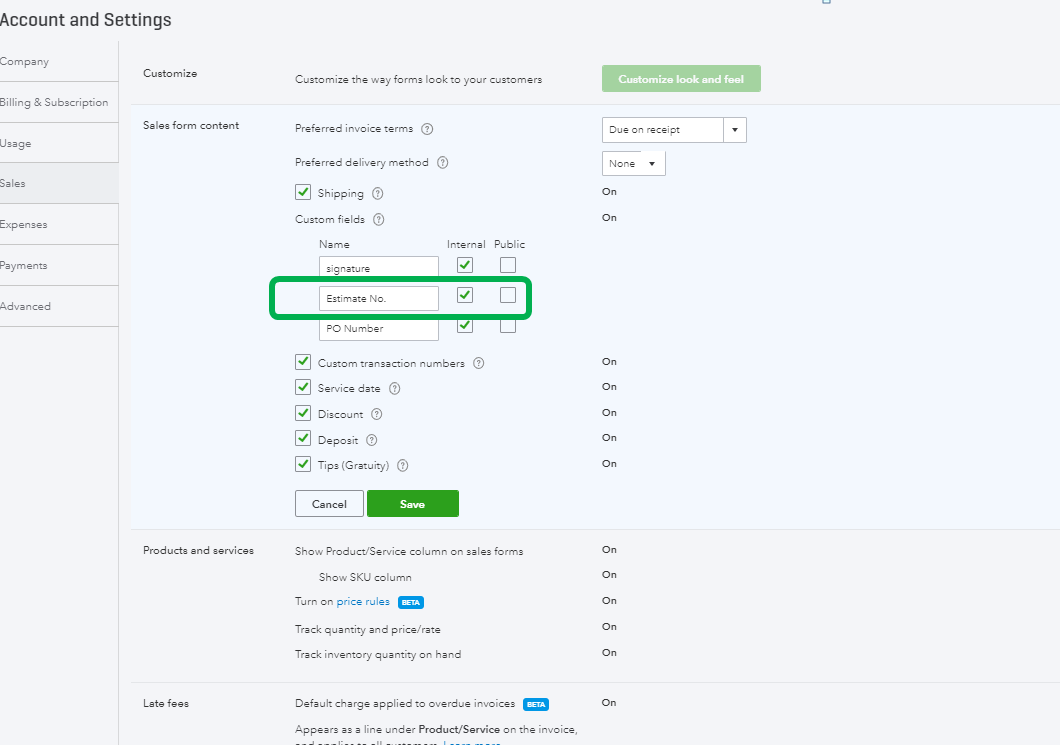
Then, you can add a custom field for the estimated number in your invoice. Here's how:
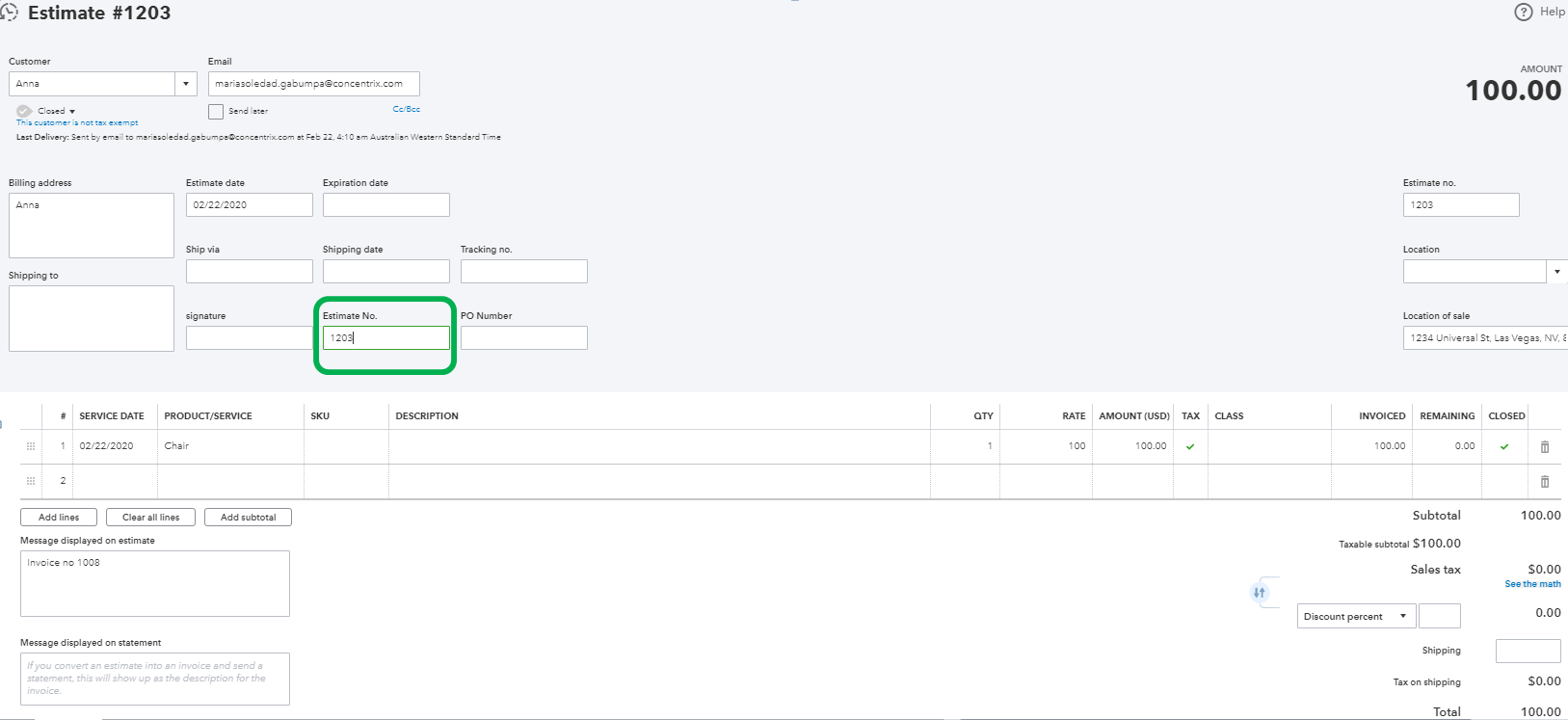
Once you open the estimate form, you can enter the number of the custom field for reference. I've attached a screenshot for your visual guide.
Here's an article for more information about invoice customization: How to Customize Invoices in QuickBooks Online.
Keep me posted if you need anything else. I'm always right here to help.


You have clicked a link to a site outside of the QuickBooks or ProFile Communities. By clicking "Continue", you will leave the community and be taken to that site instead.
For more information visit our Security Center or to report suspicious websites you can contact us here


