Yes, you can give your employee a partial access, @Brian at SPS.
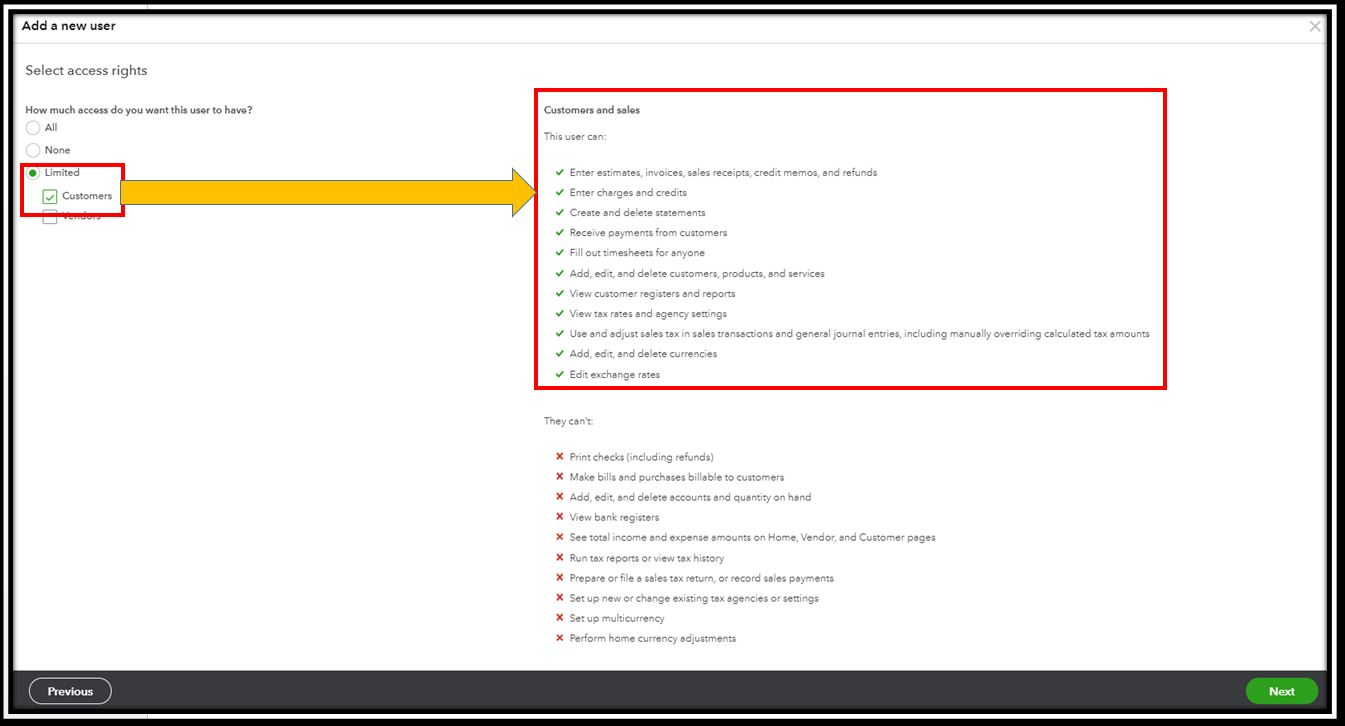
Restricting your user's access depends on the specific role and task they have to perform. You can limit your employee's access to Standard with Customer view. I can guide you on how to do it.
- Go to the Gear icon.
- Select Manage Users and click on New.
- Choose Standard User and click on Next.
- Pick Limited and check the Customers and Vendors boxes.
- Click on Next.
- Select the user settings and click on Next.
- Enter the name and email add.
- Click on Save.
You can use this article for more insights: You can do WHAT in QuickBooks? Enabling multiple users.
Lastly, you can read through these resources to learn more about users and restrictions:
Always feel free to leave a comment below if you have other questions or concerns. I'm always here to help.







