The ability to adjust font size in QuickBooks Online (QBO) doesn't have a direct feature, @sales301. Let me discuss the details and provide an alternative option.
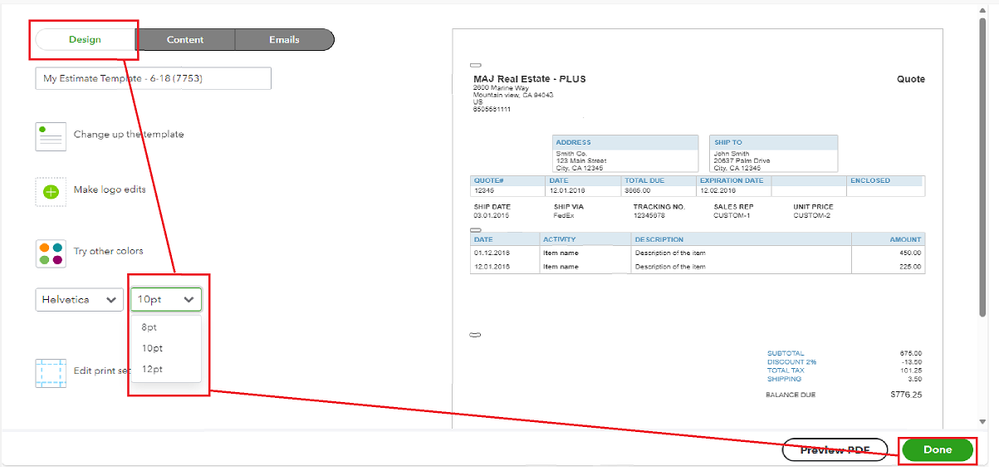
If you are referring to editing the font size in your sales forms, we can change them up to 12pt only.
Here's how:
- Open your QBO account.
- Go to Settings, then Custom form styles.
- Edit or add a New style.
- On the page, click Select a different font, then set it to 8pt, 10pt, or 12pt to your preference.
- After this, choose Done at the bottom as shown in the screenshot below.
However, if you're referring to an invoice or an estimate page, we don't have an option to change fonts. As a workaround, we can use the settings on your computer so we can increase or decrease the size.
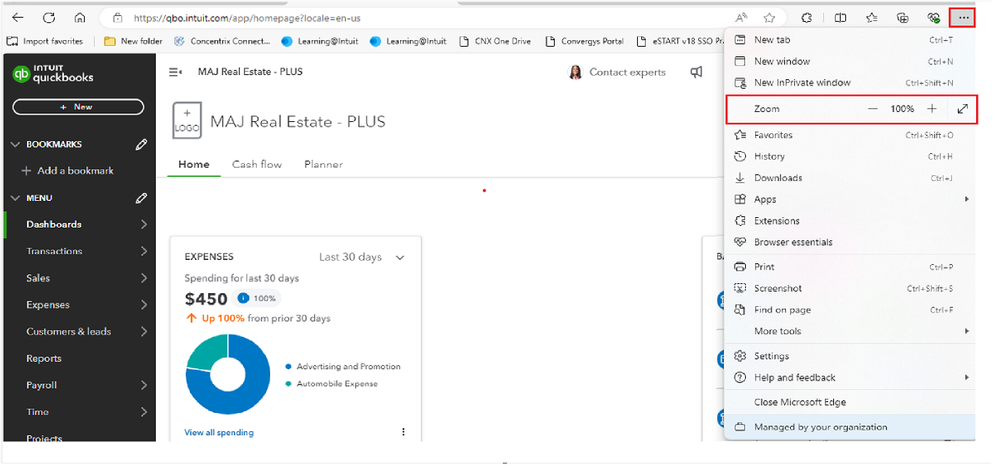
If you're using Edge:
- Go to the menu, look for the icon that resembles three dots arranged horizontally, and click on it.
- Select the Zoom increase (+) option, and pick a number higher than 100%.
- Once done, refresh the page. Then, open your QBO account.
- Please note that this will work on any webpage you open on your computer, not just on QBO.
If you're using Chrome:
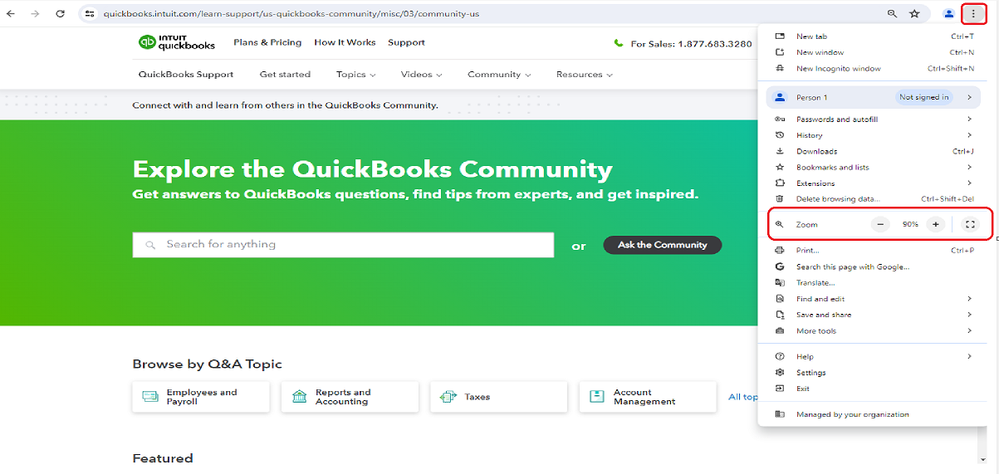
- Go to the menu, look for the icon that resembles three dots arranged horizontally, and click on it.
- Select the Zoom increase (+) option, and pick a number higher than 100%.
- Then, open your QBO account.
Additionally, you might want to check this article and learn how to convert an estimate into an invoice in QuickBooks Online: Convert an estimate into an invoice in QuickBooks Online.
I'm always here to respond if you require additional assistance needed managing your sales forms. Just leave them in the comment and I'd be happy to assist. Have a good one.


