Turn on suggestions
Auto-suggest helps you quickly narrow down your search results by suggesting possible matches as you type.
Showing results for
Get 50% OFF QuickBooks for 3 months*
Buy nowI'm looking for a report with the following...
1. Job Profitability
2. Filtered by Rep
3. Job Status: Closed between Jan - June
4. Job Income: all dates
5. Job Expenses: all dates

Hi there, @Gambit.
I'm happy to lend a hand with building your Job Profitability Report.
I've included some steps below to show you how to customize the report as you see fit.
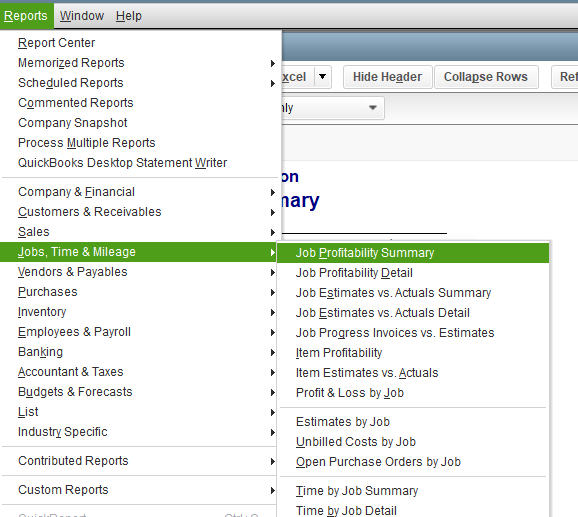
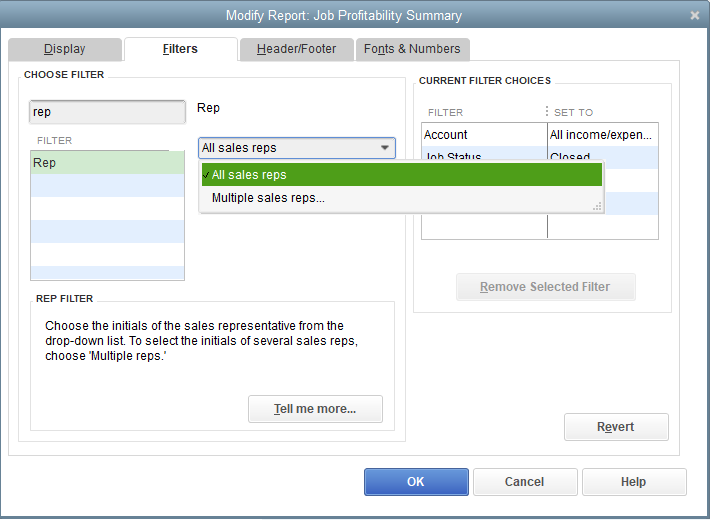
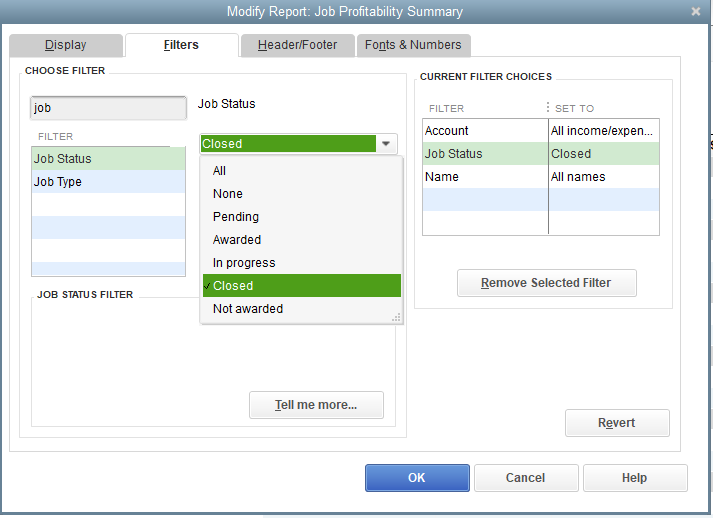
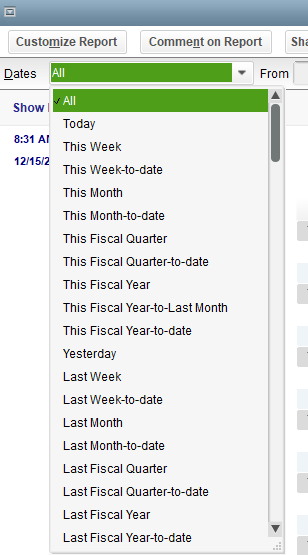
That should do the trick. For additional details about customizing reports, check out Customize reports in QuickBooks Desktop.
Please don't hesitate to let me know if there is anything else I can assist you with today. Take care!
Thank you for replying, but your suggestion did not produce the results I needed.
We need a report by rep, on jobs marked closed in the month of July that shows all expenses and income.
Only jobs marked CLOSED in the month of July need to be on the report. The expenses and income need to show up in the report regardless of when they were booked (before and/or after July).
I understand the importance of pulling up accurate data when running a job report, Gambit.
Currently, the option to view your job expenses and income regardless of when they were booked before or after July is unavailable in QuickBooks Desktop.
As a workaround, I suggest exporting the Job Profitability Summary or Detail report as an Excel workbook in QuickBooks Desktop. This way, you can personalize the data according to your business needs.
I also recommend sending a feature request directly to our Product Development team. Doing so helps us improve your experience and the reports of the program.
Here's how:
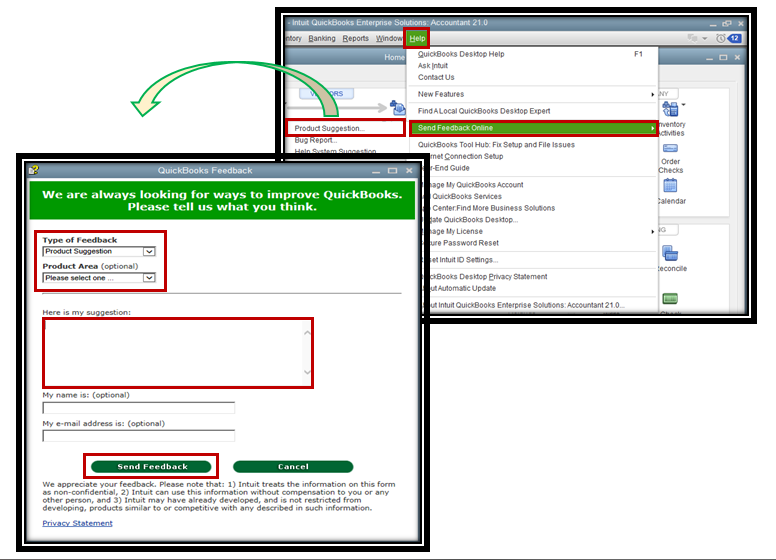
Moreover, I've added an article that can help you personalize the data, add or delete columns, add or remove information on the header/footer, and even personalize the font and style of your report: Effectively Customize Filters and Columns.
Please keep us posted if you need help viewing your data. We're always ready to assist you with other questions or concerns about running and customizing reports.


You have clicked a link to a site outside of the QuickBooks or ProFile Communities. By clicking "Continue", you will leave the community and be taken to that site instead.
For more information visit our Security Center or to report suspicious websites you can contact us here


