Hi there, @clarygates-gmail.
Let me share some insights on how you can link the receipts with your online banking transactions.
Make sure that you've attached the receipts to online banking transactions in the Transactions menu. When you've linked it with the transactions while using the app on the phone, you can see a clip icon beside it when accessing QuickBooks Self-Employed through a browser (desktop).
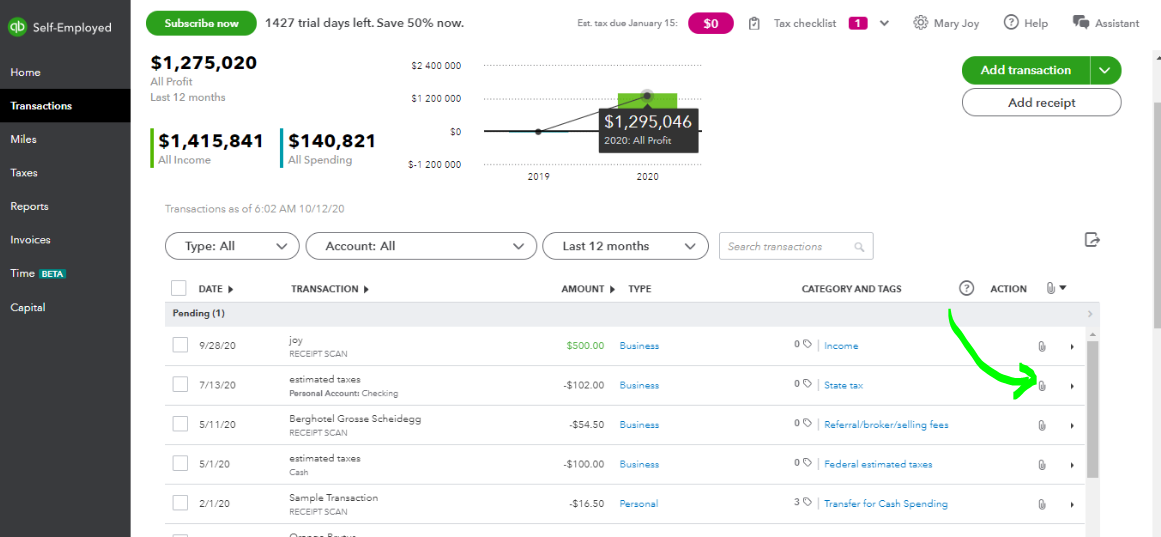
Here's how to enter receipts on a web browser:
- Go to the Transactions menu.
- Find and select the transaction you want to attach the receipts to.
- Choose to browse or Attach receipt.
- Select an image and then hit Save.
When you need to view the receipts that you've collected, you can go to the Reports tab on the Receipts section.
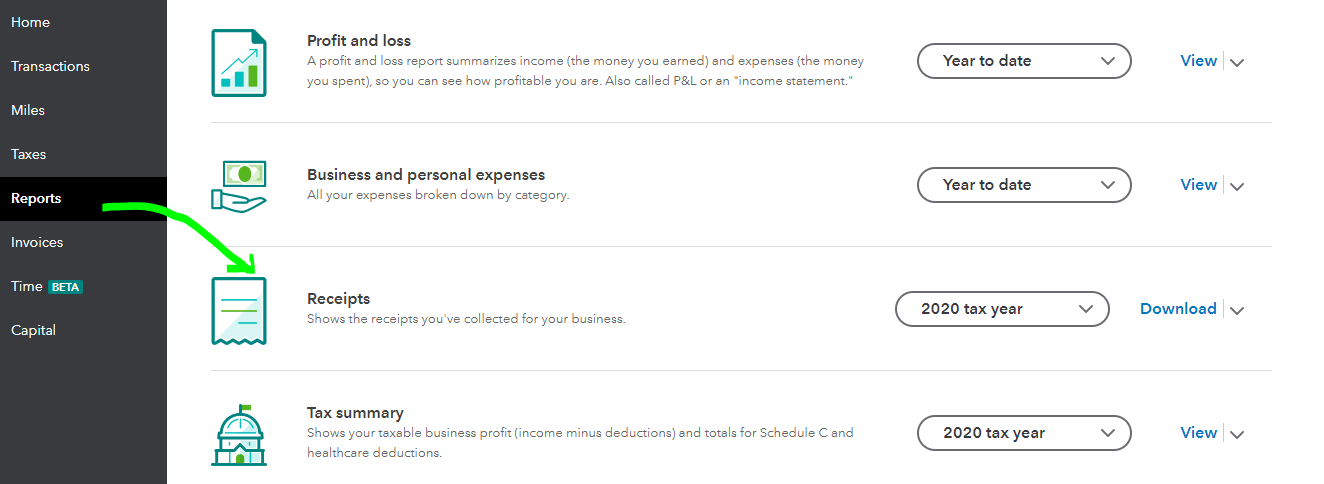
You can also use the receipt forwarding feature to email images of your receipts to QuickBooks Self-Employed.
Additionally, if you wanted to export receipts in bulk, you can check this article for the detailed steps: Export receipts from QuickBooks Self-Employed.
Tag my name in your comment if you need further assistance. I'll get back to you quickly. Stay safe and well!




