You need to make inactive the class that you want to exclude before you create a budget, ahendersonrcs.
QuickBooks Desktop doesn't have a built-in option to exclude a specific class when setting up a budget. To make the class inactive, follow the steps below:
- Go to the Lists menu and select Class List.
- Right-click on the class you want to exclude (e.g., Hartnell Property) and select Make Class Inactive.

- Then, go to the Company menu and create a budget. The inactive class will no longer appear in the budget setup. See the difference below:
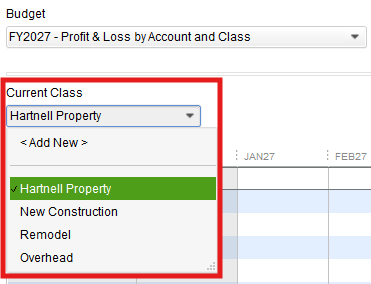

For additional guidance on creating budgets in QuickBooks Desktop, check out the article: Create a Budget or Forecast in QuickBooks Desktop.
Feel free to ask more questions if you need further assistance. I'm here to help.




