Turn on suggestions
Auto-suggest helps you quickly narrow down your search results by suggesting possible matches as you type.
Showing results for
Get 50% OFF QuickBooks for 3 months*
Buy nowWe are being audited. QB does our payroll services. We have provided reports on the Payroll figures but the auditor is asking this question: . Payroll reconciliation that identifies which specific categories on the 2022 payroll register report are accounted for in the federal Payroll Tax Form 940 and GL 6600 account.
Anyone have an answer to this question?

Hello there, @Carolexx. I'm here to lend a hand on how to run a report that identifies specific categories accounted for the federal Payroll Tax Form 940.
To accomplish this, you can follow the steps outlined below:


Once done, you can also add a column for a certain account and account type. See the screenshot below for your visual reference.
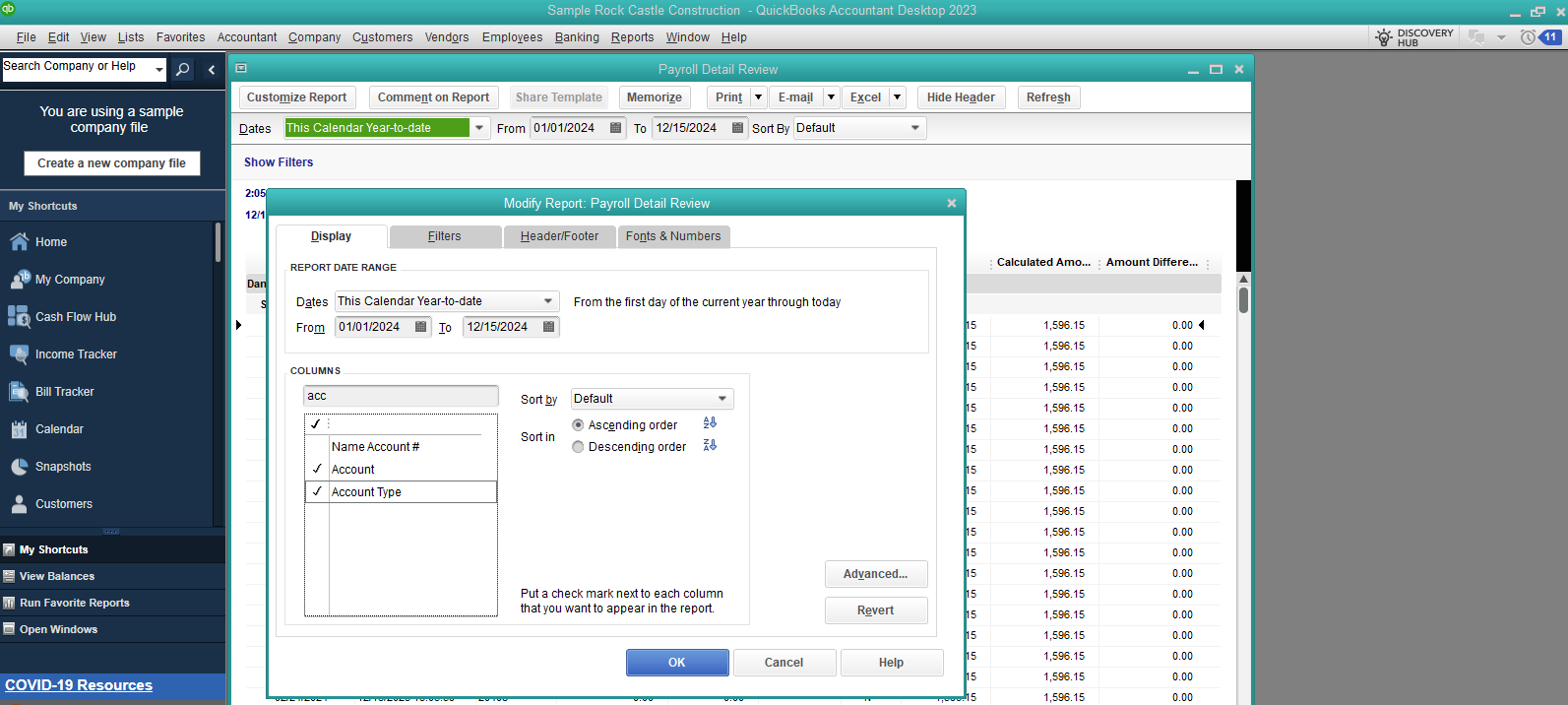
I'm also adding this article to learn more about customizing payroll reports in QuickBooks Desktop: Customize payroll and employee reports.
QBDT also has several Excel payroll reports that you can generate. For detailed instructions on how to get them, check out this link: Excel-based payroll reports.
Count me in if you need further assistance in managing payroll reports in QuickBooks. I'll get back to you as soon as possible. Enjoy the rest of the day.
We have Payroll Services Pay all our taxes. We are currently in an audit and we need a report that matches the payroll summary which we used for our figures but it seems the auditor wants some relation between the 940 that we paid and the general ledger. Since QB Payroll Service computes and pays all our payroll taxes, I'm only seeing Payroll labilities but no 940 to compare any of the figures with. Any idea where I can find the report I need that puts the 940 figure onto our GL for that year?
Good evening, @Carolexx.
Thanks for reaching back out to the Community!
The best route would be to follow the steps my agent provided above to customize your payroll report.
You can use the Excel reports as an alternative route.
Also, reach out to our Customer Support Team if you need some hands-on assistance with customizing the report.
I hope this helps answer your question. I'm only a post away if you need me again. Have a splendid day!


You have clicked a link to a site outside of the QuickBooks or ProFile Communities. By clicking "Continue", you will leave the community and be taken to that site instead.
For more information visit our Security Center or to report suspicious websites you can contact us here


