Hi there, @patty-harris1960.
Thank you for reaching to the Community.
If you have recorded the payment as check or expense, it will not automatically apply in the bill. This the reason why it still show in your window. What you can do is record the expense and add the bill.
Let me show you how:
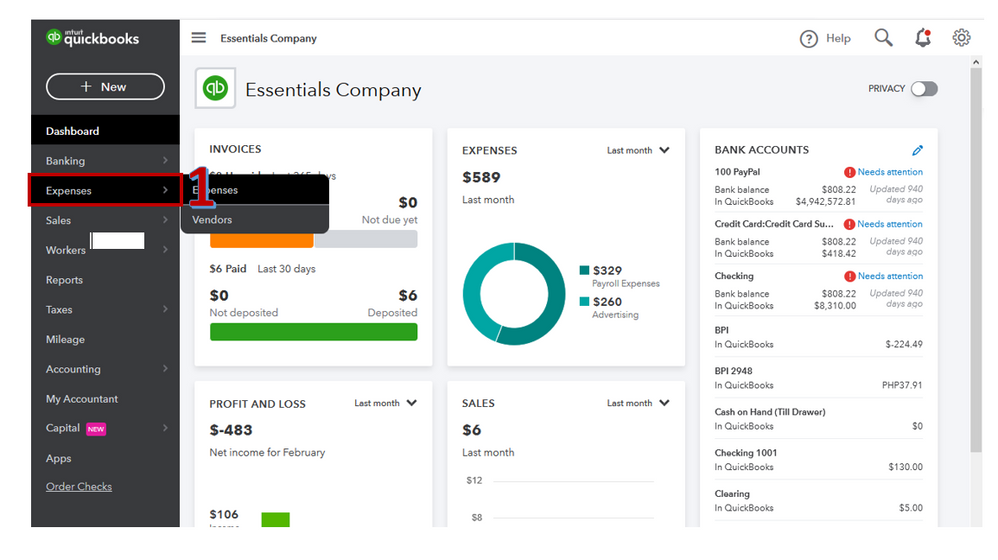
- On the left pane click Expenses.
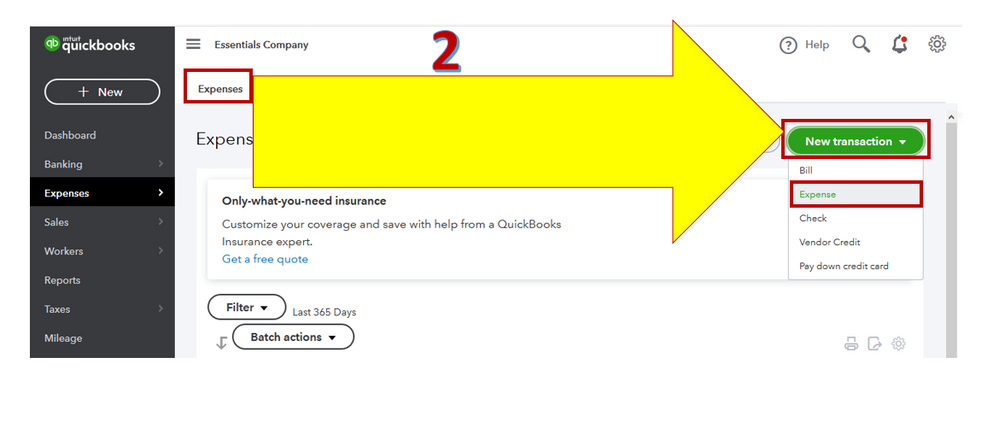
- From the Expenses tab, under New transaction drop-down arrow choose Expense.
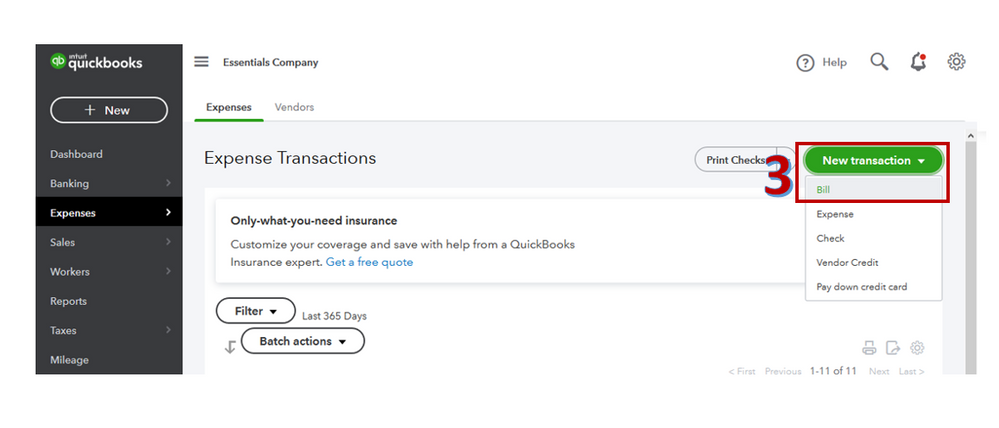
- New transaction drop-down arrow choose Bill.
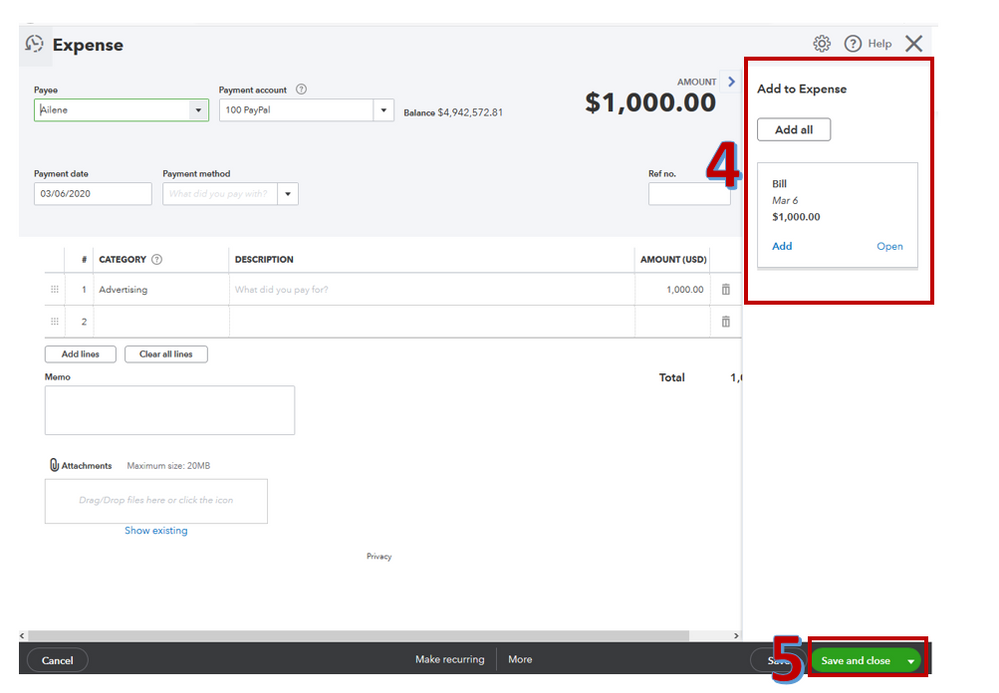
- Add to the Expense.
- Tap Save and close.
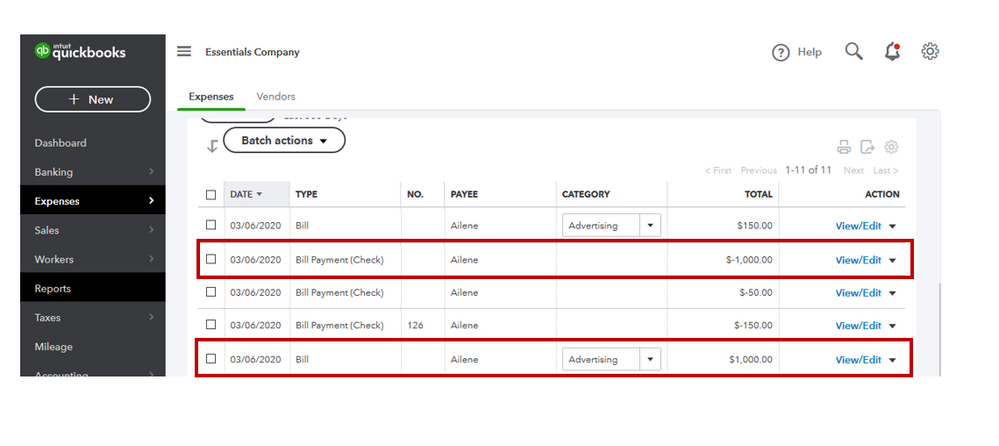
Once done, it will show the Bill payment on the negative amount.
This article provides additional info about Remove, add, delete bills in Online Bill Pay:
If you have any other questions about Bill Pay, don’t hesitate to comment below. Have a great day!




