Hi there, mmamechanicalllc.
Let me show you how to add another column.
Let's click on the Gear icon beside the Export button. You'll see all the columns available that we can add on the Sales Transactions page.
In addition, you can filter them and exclude non-invoice transactions so you can easily compare them. Simply click the Filter button and select Invoices under Type. Just make sure that the dates are correct. You can also refer to the screenshot below: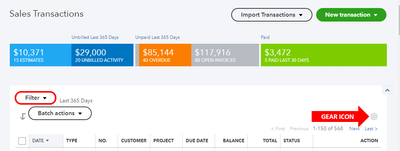
I've added this article if you need a reference in running reports in QuickBooks Online.
Please post again here if you need anything else. Wishing you all the best!




