Get 50% OFF QuickBooks for 3 months*
@sonyakim0701
"How do I cancel an invoice that I created to automatically send out to my clients on a specific day?"
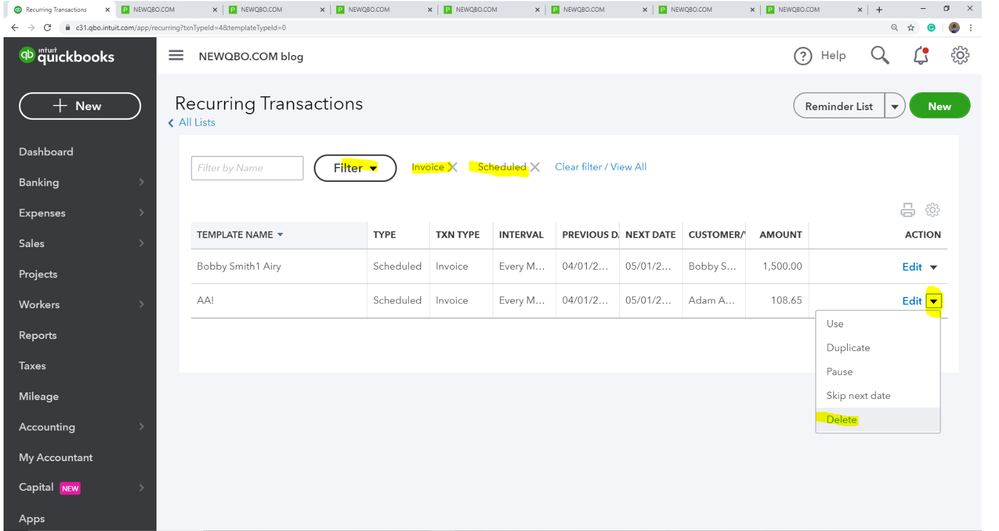
To delete, pause, or skip next date scheduled invoice from recurring transactions:
Gear icon > Lists > Recurring Transactions
Filter > Scheduled > Invoice
Locate the Invoice you need to cancel
Go to drop-down arrow under Action and select an option you want.
You have clicked a link to a site outside of the QuickBooks or ProFile Communities. By clicking "Continue", you will leave the community and be taken to that site instead. For more information visit our Security Center or to report suspicious websites you can contact us here