Reversing voided check is still unavailable in QuickBooks Online (QBO), info-sklover. As a workaround, you can consider recreating them using the audit log information. Let me share with you the specifics.
Once a check is voided, the action is irreversible. However, you can recreate the check if needed. To do so, access the audit log to provide you with the necessary details to recreate the voided check accurately.
To delete a check, here's how:
- Go to the Expenses, click the dropdown arrow beside the All transactions.

- Select Check to filter the transactions.

- From there, choose the voided checks and hit the dropdown arrow under the Action column and click Delete.

To write a check:
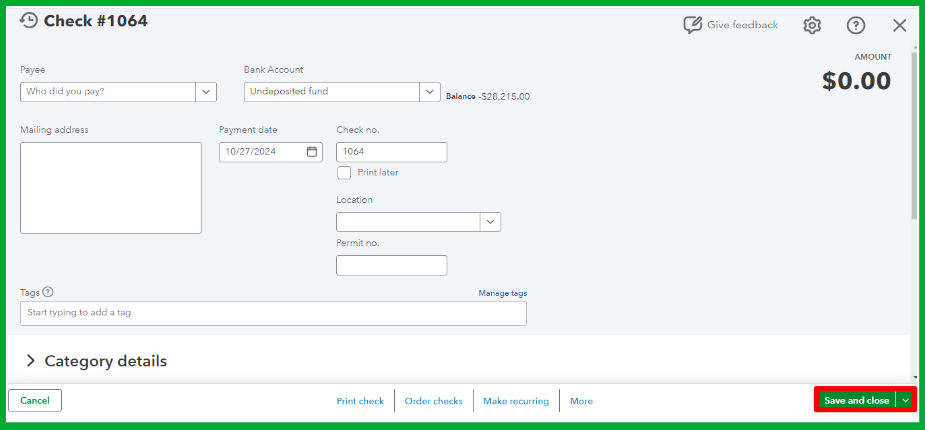
- Go to +New, then choose Check.

- Provide all the necessary information.
- Click Save & Close once you're done.
Moreover, I've added this article for detailed information about using the audit log in QBO: How to undo a voided transaction.
Additionally, you can create a voided check report to keep track of your voided check transactions in QuickBooks Online.
Let us know if you have other concerns with reversing a voided check or other QuickBooks-related issues. We're here to help you in any way we can.




