You're entering the details in the Time activity correctly, @Beaglemom.
I also see this as an opportunity for us to build and boost your QuickBooks experience since we're unable to bring the Time activity details into the invoice. I understand that it's essential for your business to track the details accordingly.
To take action on this, I'd suggest sending feedback to our Product Developers and let them know about this missing component when adding Time in an Invoice while utilizing the Projects menu.
Let me show you how:
- Click the Gear icon on the top right.
- Select Feedback.
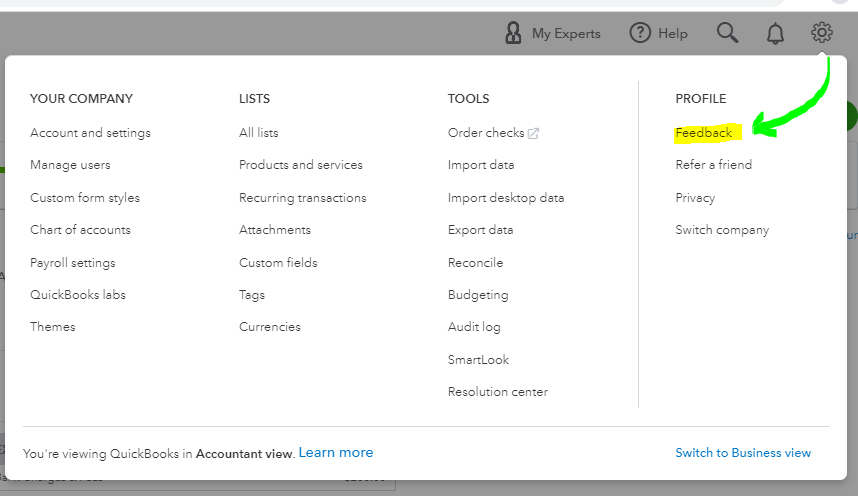
- Enter your product suggestion.
- Hit Next.
On the other hand, let's make sure that the Billable (/hr) box is ticked and there's a specific amount in the field. This way, it will present the hourly rate to the invoice. Also, the QTY in the invoices indicates the hours worked. You'll have to check the Enter Start and End Time box in the Time Activity window. To review this, here's how:
- Go to the Projects menu.
- Select the project name.
- Click the Transactions tab.
- Pick the Time Charge.

For future reference, read through this article to learn more about what else you can do about projects in QuickBooks Online: Projects FAQ.
Let me know if you have additional questions. I'll be looking forward to helping you more.




