Get 50% OFF QuickBooks for 3 months*

Buy now
cancel
Showing results for 
Search instead for 
Did you mean: 
Announcements
Simplify payday and set payroll to run automatically on QuickBooks. Explore QuickBooks Payroll
stacycpa
Level 1

report for effective hourly rate or expected vs actual revenue

Running a CPA firm- we don't use projects or QBO payroll.  We enter time with billable hourly rates.  I want to see a write up or down report based on the billable rate and what we actually charged on the invoice.  I can't get the custom report to work because I can see time information or invoice information, but not both.  I've asked chatGPT for a solution... Due to the lag in invoicing, running multiple reports and comparing the data isn't reflecting accurate data.  I would like to be able to run it based on an invoice, customer, range of time, etc.  It's frustrating we can link time to an invoice, yet unable to get reporting associated with it.  I'm at my wits end!

If no solution- is there any other software that would accomplish this and export the invoice to QBO? Not all of our clients have email and I've found some won't let you finalize the invoice unless it's emailed (Financial Cents, etc).  We've been using Mango, but it's been unreliable and expensive for what we're getting out of it.

Appreciate your thoughts in advance.

1 Comment 1
Rusimyhr
QuickBooks Team

report for effective hourly rate or expected vs actual revenue

I understand how challenging it can be to manage time tracking and invoicing, especially as you aim to track write-ups or write-downs clearly, @stacycpa


While QuickBooks Online doesn’t currently offer a built-in report that combines time and invoice data, there are ways you can work around this. First, you can run those custom reports you've pulled up and then export them to Excel. From there, you can combine the invoice and time information in a single report.


Here's a sample screenshot on how to do it:
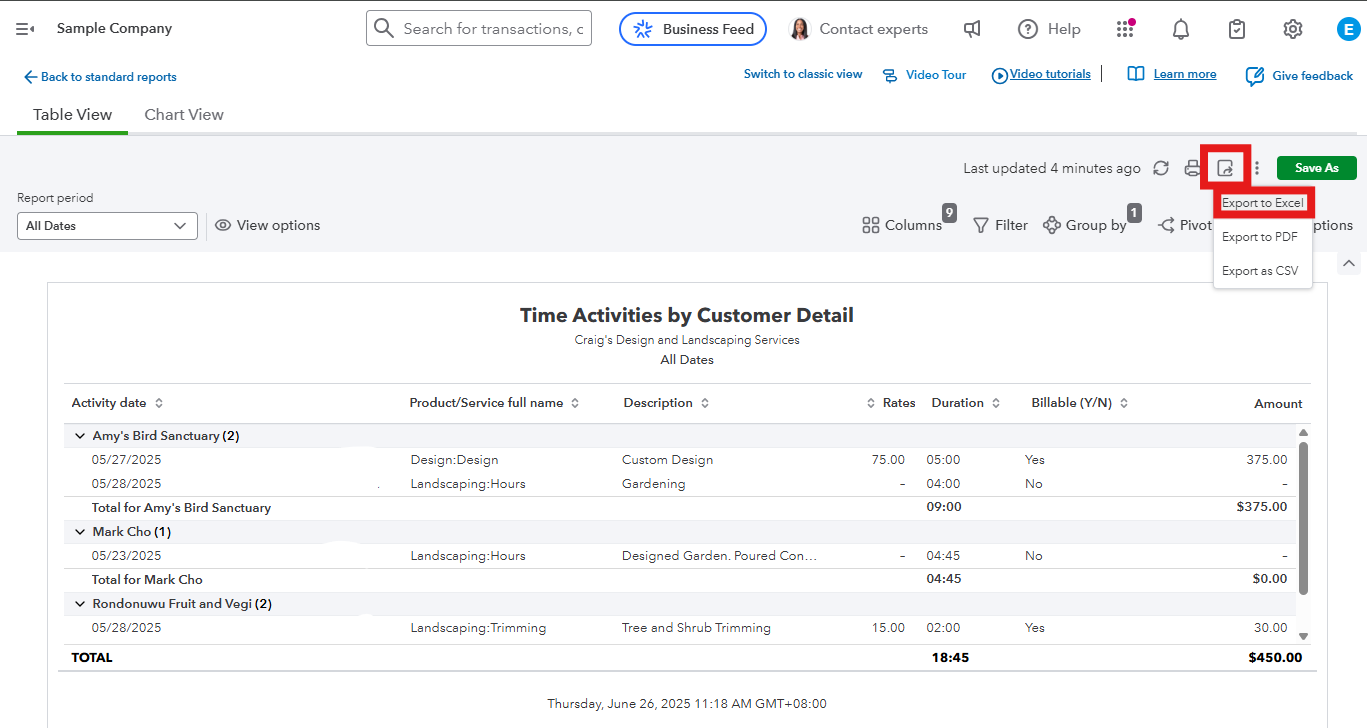


Alternatively, you could explore third-party apps that can calculate your write-ups or write-downs in one report.


You may also find this article helpful: Create, access, and modify memorized reports. This resource will help you save your report modifications for future use.


Whenever you have any further questions or anything else you'd like to discuss, please don't hesitate to let us know. 

Need QuickBooks guidance?
Log in to access expert advice and community support instantly.

Need to get in touch?

Contact us
