It's nice to see you here, @Potrero,
When you enter inventory in QuickBooks, the system will allow you to use them on transactions dated on or after the inventory is added (As of date). If you want a past dated transaction, you can still edit the start date for inventories using the steps below:
- Click the Gear icon and choose Products and Services.
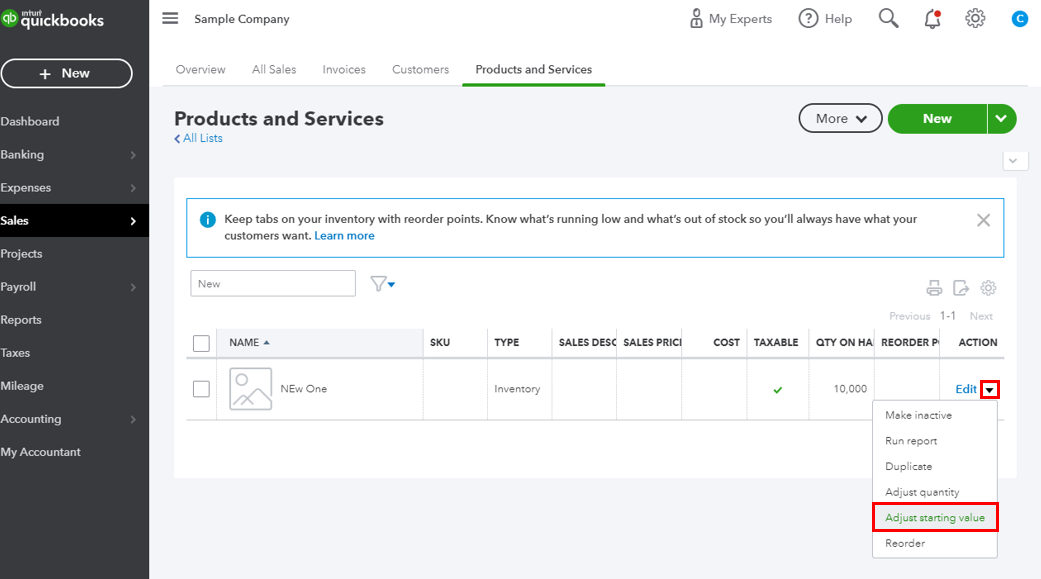
- Find the item you want to use from the list then head on to the Action column.
- Use the drop-down beside Edit.
- Choose Adjust starting value then edit the As of date field with the start date you want to use.
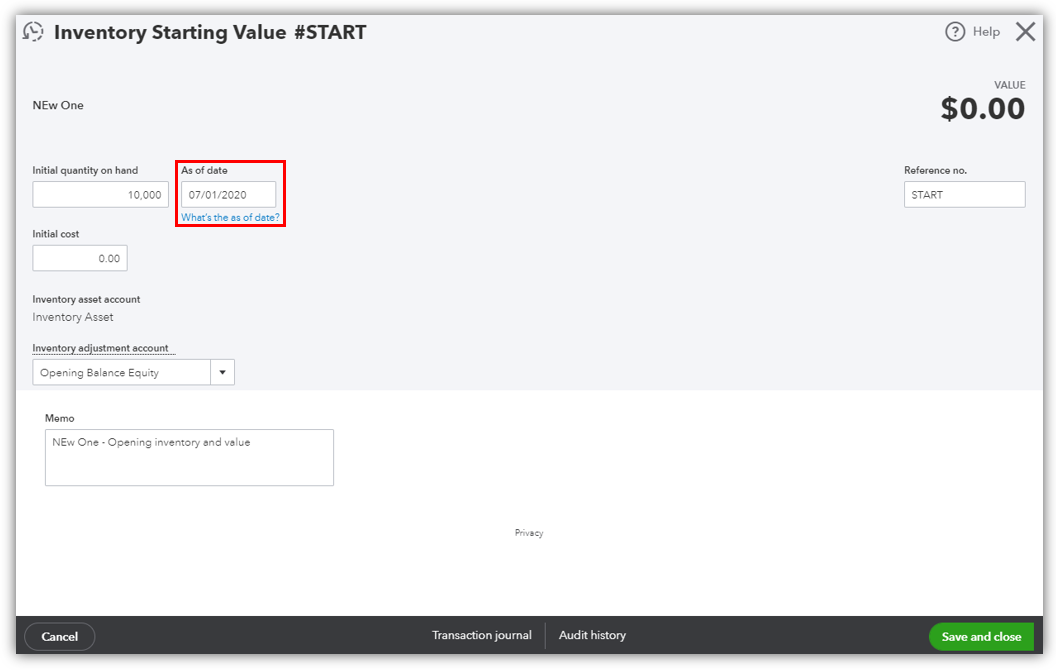
- Once done, hit Save.
After that, you can start processing the transactions dated before the time when the inventory is entered. For more information about Inventory management, check out this resource page: Set up items you purchase and sell in QuickBooks.
Feel free to connect with me again anytime for your QuickBooks concerns. I'll be right here if you need anything else. Have a lovely day!




