I'm here to help clean up old invoices from closed periods, john_uy.
There are several ways to remove old and open invoices from your account. Voiding won't affect your accounts and reports as long as you didn't include them on your reconciliations.
For good bookkeeping, it’s better to void a transaction so you keep a record of the transaction. Here's how to do it.
- Go to Bookkeeping, select Transactions, then select All Sales.
- Find the invoice.
- From the Action column, select the drop-down ▼, then select View/Edit to open the transaction.
- If you want to include the date and reason you’re voiding the transaction, enter that info in the Memo or Message section, then click Save.
- Select More in the footer, then choose Void.
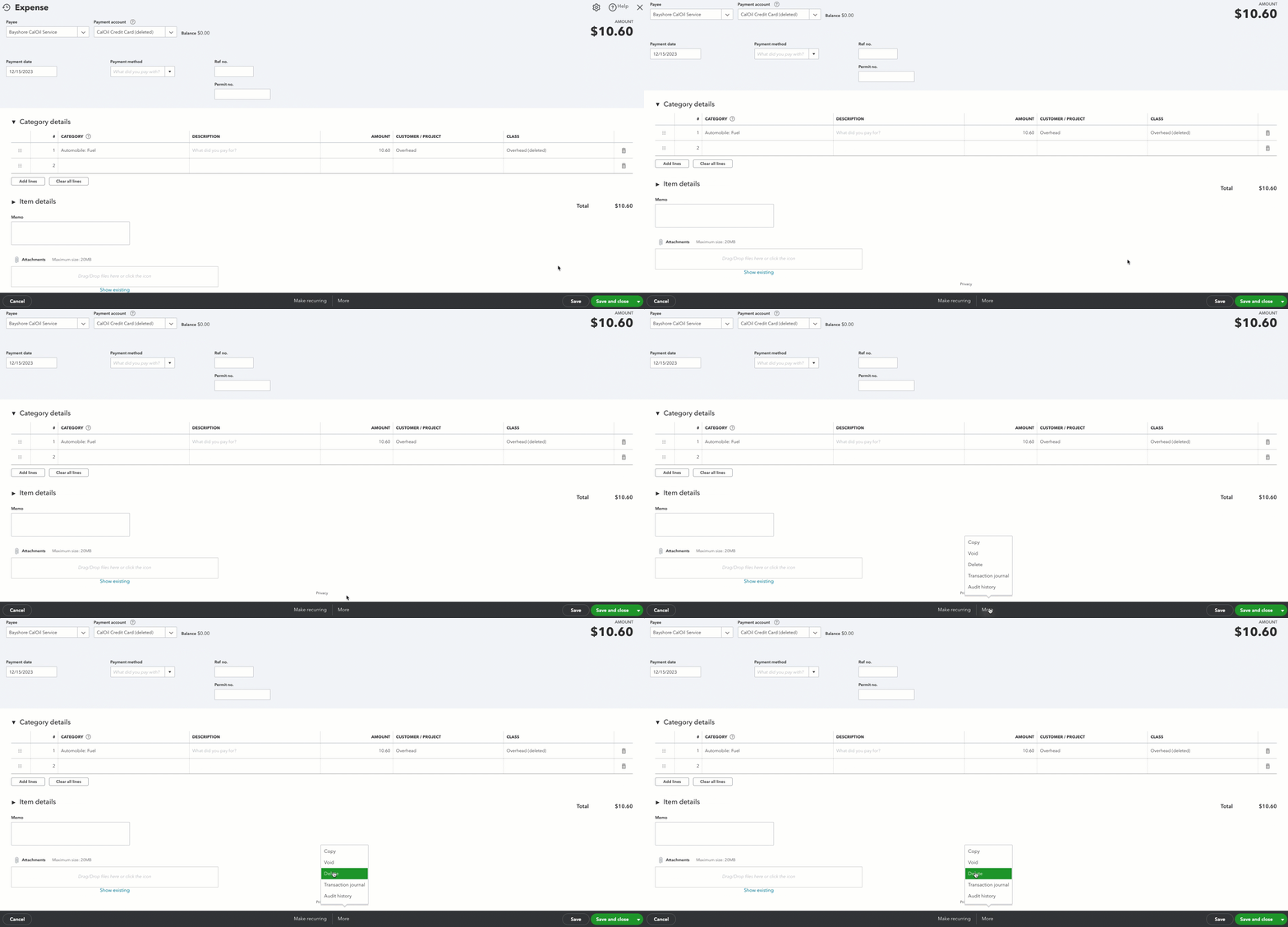
- Select Yes to confirm.
Keep in mind that if you have a transaction that isn't a mistake, but you know you won’t get paid for it, you might need to do something like write the transaction off as bad debt.
I'm also adding this article to check how voiding transactions affect your books: Learn how to void or delete invoices, expenses, and other transactions in QuickBooks. It also helps you decide if you need to void or delete an entry.
You may want to check with your accountant to ensure your books have accurate records. If you don't have one, we can help you find a ProAdvisor.
Stay in touch with me if there's anything else you need. I'm always right here to answer your questions about clearing old invoices.




