Hello there, @userbrittany.
You can update the email address linked to your invoice. I can guide you in doing so.
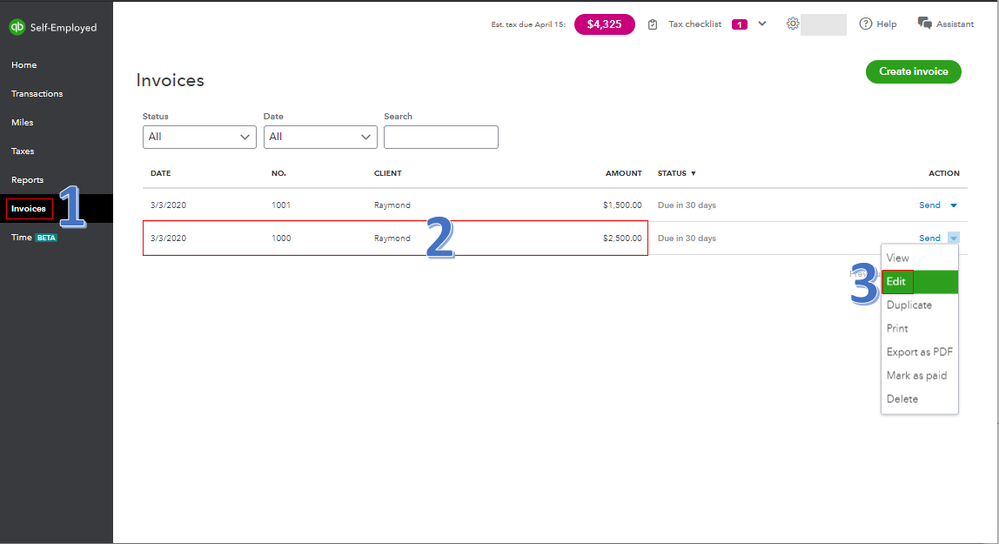
- Go to Invoices from the left menu.
- Locate the invoice.
- Select Edit in the Send drop-down from the Action column.
- Choose Customize at the upper right.
- Click either Invoice details, Payments, Design, or Email to make any changes.
- You can select Preview to review the changes.
- Save the customization.
You can read through this article to learn more about sending an invoice to multiple emails, invoice reminders, and sending paid invoice receipts: What's new with QuickBooks Self-Employed Invoicing?
Always feel free to leave a comment below if you have other questions or concerns. I'm just a few posts away.




