Let me guide you to the appropriate support team to help you with the issue of your Dashboard Profit & Loss (P&L) widget comparison timeframe, bnavarre.
I recommend reaching out to our Live Support team. They have the tools to further investigate and help resolve your issue with the incorrect timeframe. Here's how to reach them:
- Select the Help icon.
- Go to the Search tab and enter your concern.
- Click Contact Us and choose a way to connect with us.
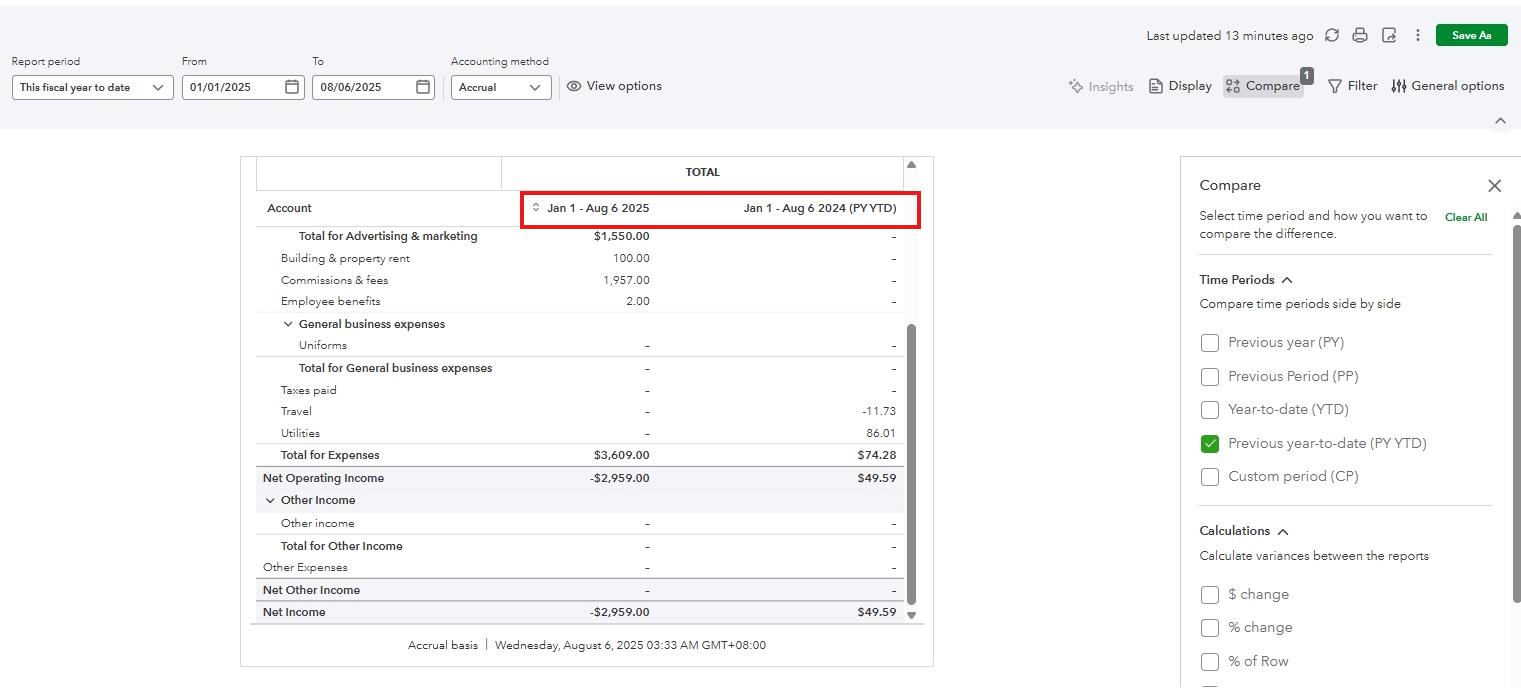
In the meantime, you can pull up the P&L Comparison report to view the correct timeframe. Here's how:
- Go to Reports, then Standard reports.
- Search for Profit and Loss Comparison.
- Under Report period, select This year to date.
- Click Compare.
- Tick the box beside Previous year-to-date (PY YTD).
If you have any questions about reports, don't hesitate to hit the Reply button.




