Glad to have you here, Nathan.
Accounts Receivable is a Balance Sheet account and shouldn't appear on a Profit & Loss report. This happens when transactions are incorrectly coded or the report is misconfigured. To fix this, you can check the following:
Verify the Accounting method. If set to Accrual, the P&L will show A/R immediately when created. If set to Cash, income only appears when payment is received.
Here's how:
- Go to Reports
- Select Profit and Loss
- Then toggle it to Cash (click on it) if it's in Accrual accounting method.
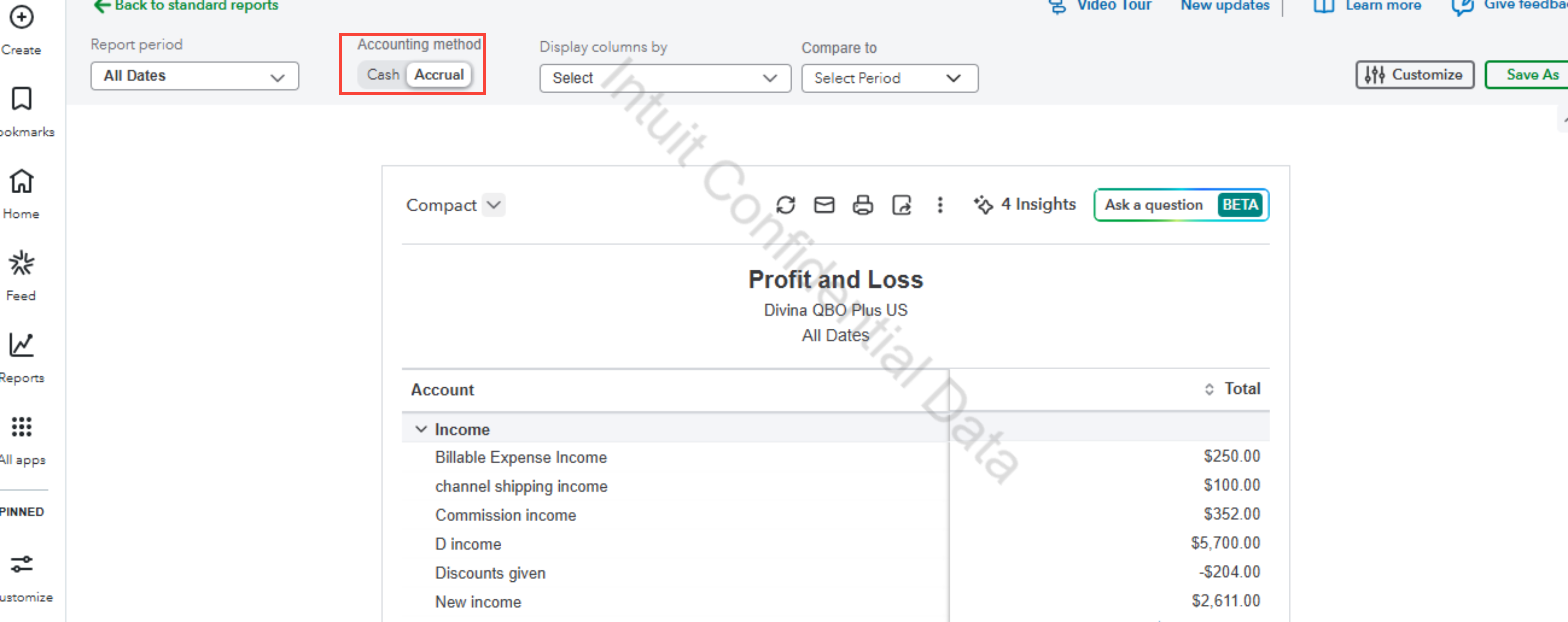
Moreover, unpaid invoices under Cash accounting method will not show in your P&L report. However, using Undeposited funds (UF) to receive payments will be treated as received and will be recognized as income in your P&L report.
You can also open the account register and check for transactions that were miscategorized (e.g., journal entries, expenses, or deposits incorrectly posted to A/R instead of an income/expense account).
Please take note on the date range the P&L is covering, so you can see the types of transactions appear when you open the A/R line.
I'm adding this article for future reference, this help you get the most of your financial reports: Customize reports
If you have any additional questions, please don’t hesitate to reach out. We're always here to assist you.




