Hello there, Cooper.
Thank you for reaching out. Let me clarify a few things for you.
Currently, in QuickBooks Solopreneur, you can only add expense categories to help track deductible expenses for taxes. Unfortunately, you cannot create custom income categories, as the system uses predefined options for categorizing income.
The other Income category in QuickBooks is specifically used to track income that's unrelated to your core business operation or regular contractor payments. This includes income from winnings or prizes and miscellaneous earnings.
On the other hand, the reason your tax estimates are showing as zero is likely tied directly to the categorization issue. QBSP calculates your estimated tax obligations based on the income you have properly categorized as business income. If your payments are still un-categorized or are incorrectly marked as Personal, the system won't recognize them as taxable income.
To resolve the issue and ensure proper tax estimates, here's how:
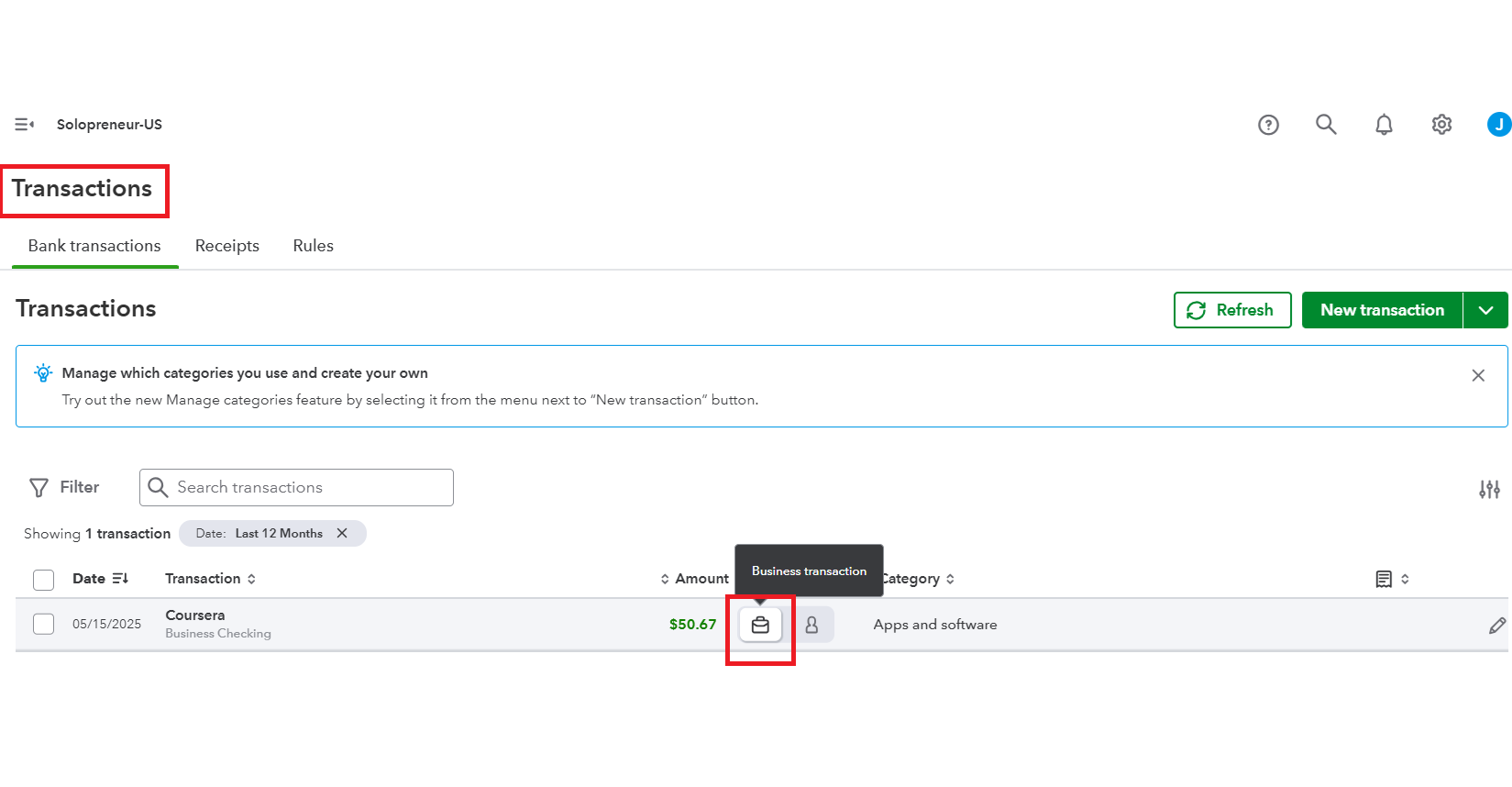
- Go to the Transactions tab.
- Review the payments currently categorized.
- Reassign these payment types from Personal Transactions to Business transactions.
- Save the changes.
To guide more in QuickBooks doesn't calculate all types of taxes, please refer to this article for more information: Automatically estimate your income tax.
If you require further assistance, please feel free to reply here.


