A person sitting at a desk with a laptop.
bookkeeping

The best bookkeeping software for tax season in Canada


Key Takeaways

  • Tax-ready bookkeeping software helps you stay organized and compliant year-round.
  • Business owners should look for features like accurate transaction categorization, sales tax tracking, audit-ready reports, and secure record storage.
  • QuickBooks Online supports Canadian businesses with GST/HST/PST tracking, bilingual reporting, and tax-ready financial reports.
  • Consistent bookkeeping can help reduce reporting errors and save time during tax filing.

  • Preparing your return is easier when you use tools built for accuracy and compliance. The right bookkeeping software can make the tax season smoother.

    About 90% of accounting professionals say technology reduces the time spent on compliance tasks. If you're still relying on manual processes, tax prep can take longer and feel more overwhelming than it needs to.

    In this blog, you'll learn what makes bookkeeping software tax-ready, which features matter most for Canadian businesses, and how QuickBooks keeps your financial records organized so you're tax-ready when deadlines arrive.
    What makes bookkeeping software "tax-ready?"

    Tax season is smoother when your bookkeeping software supports compliance year-round. For Canadian businesses, that means more than basic income and expense tracking. The right bookkeeping software can help keep your records aligned with Canada Revenue Agency (CRA) requirements and provincial tax rules long before you file.

    Some key capabilities to look out for include:

    • Accurate transaction categorization
    • Sales tax tracking
    • Audit-ready reports
    • Secure record storage
    • Bilingual support (English/French)
    • Integration with tax preparation tools

    When these systems are in place, you can file with confidence and fewer manual adjustments. Beyond convenience, keeping organized records reduces the risk of errors that can trigger CRA reviews, so you avoid rushing to reconcile months of transactions at the last minute.

    For businesses managing GST/HST remittances or operating across multiple provinces with different PST requirements, the right bookkeeping platform supports compliance without adding manual work. It tracks what you owe, when it's due, and generates the reports you need to file accurately.

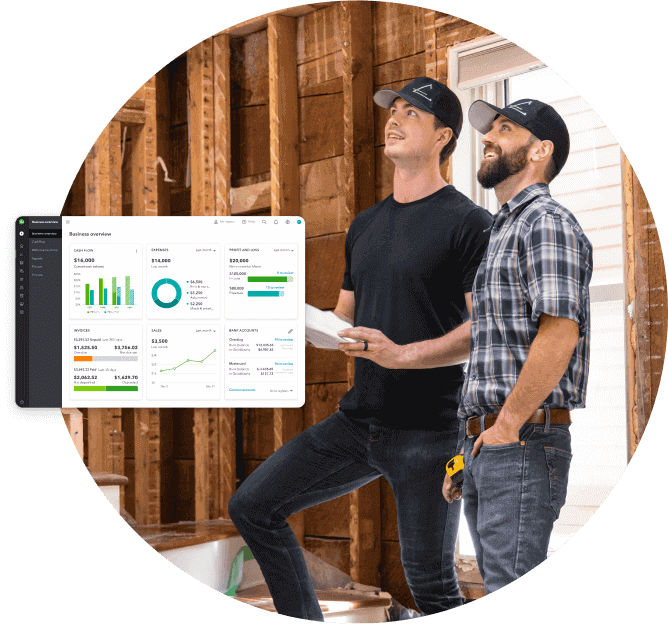
    Shift accessibility construction owners working on site, a pop up of QuickBooks overview screen.

    Your business finances — simplified

    See your business finances all in one place, from bookkeeping to taxes, invoicing, payroll and time tracking.

    Why use QuickBooks Online to prepare for tax filing in Canada

    Before you file with any tax software, make sure your essential tax documents and year-round records are in order. When you consistently categorize transactions and store receipts digitally, it's easier to review totals or share accurate records with your tax professional.

    QuickBooks Online offers an expense tracker app to keep your income and expenses in one place, making it easier to create tax-ready reports when you're ready to file.

    That platform also supports Canadian businesses by tracking sales tax activity, including GST, HST, and PST, as well as providing reports to help with GST/HST returns and PST remittances.

    For businesses working in both English and French, its bilingual bookkeeping experience can also simplify recordkeeping and reduce confusion when reviewing financial data.

    This can help you prepare more efficiently for:

    • Sales tax reporting
    • Year-end reviews
    • CRA reviews or audits

    With up-to-date records, you can approach tax filing with more confidence and fewer last-minute adjustments.

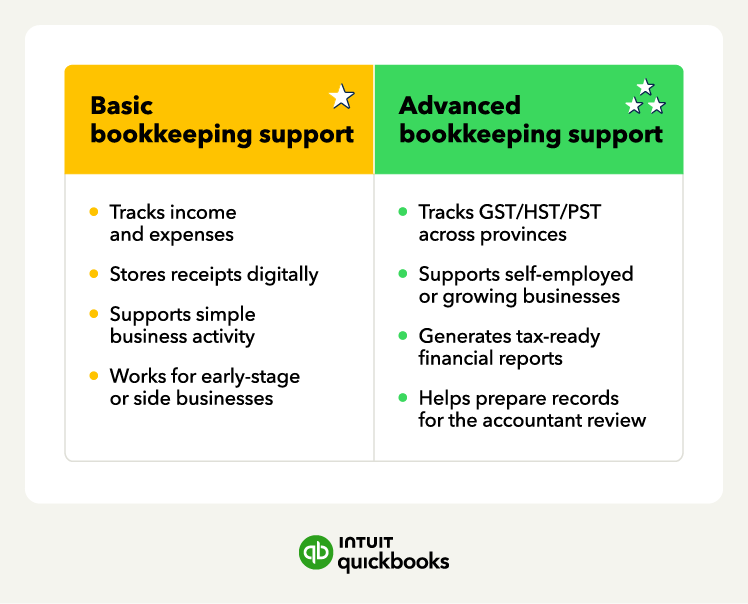
    Tax-ready bookkeeping software meanings.

    How bookkeeping software fits into the tax filing process

    Filing your return is easier when your financial records are already in order, and bookkeeping software helps maintain accurate records throughout the year. That way, tax preparation doesn't require extensive cleanup when deadlines approach.

    When tax season arrives, you can pull the reports you need instead of searching through folders or trying to recall what older transactions were for. Because your sales tax activity has been tracked consistently, the totals are already calculated and ready for review.

    Staying organized as you go means tax time becomes about verifying numbers instead of piecing everything together from scratch. This ultimately cuts down on manual entry errors and keeps a clear paper trail if the CRA requests documentation.

    What to look for when choosing tax software

    It's easy to feel unsure about which tax software to pick with so many choices out there. Here are the things that matter most when choosing a tool that fits your needs and makes tax season smoother:

    • NETFILE: Look for tools certified by the CRA for NETFILE. They meet CRA standards and let you submit your return online quickly and securely.
    • Data security: Your tax data is sensitive. Make sure the platform protects it with strong encryption and secure Canadian servers.
    • Provincial sales tax compatibility: Choose software that manages your small business provincial sales tax accurately, especially if you operate in multiple provinces. This helps ensure your filings stay compliant across regions.
    • Ease of use: Tax filing shouldn't be complicated. Look for a clean layout that guides you step by step and checks for errors before submission.
    • Easy data importing: Consider software that imports data from your accounting or bookkeeping system to reduce manual entry and filing errors.
    • Customer support: Look for software that offers instant and reliable support. Quick access to chat or phone support can save time when questions come up.
    A picture of a book and a picture of a computer.

    How QuickBooks can support you this tax season

    Tax software helps you submit your return accurately, but staying organized throughout the year can simplify tax filing. Bookkeeping software like QuickBooks Online helps keep your financial records accurate and up to date, so you are ready the moment deadlines arrive.

    With real-time categorization and digital records, you can spend less time chasing down missing information and more time reviewing what matters most for your business.

    Explore QuickBooks Online accounting software to stay organized and tax-ready all year long.

    Frequently asked questions

    Disclaimer

    Money movement services are provided by Intuit Canada Payments Inc.

    This content is for information purposes only and should not be considered legal, accounting or tax advice, or a substitute for obtaining such advice specific to your business. Additional information and exceptions may apply. Applicable laws may vary by region, province, state or locality. No assurance is given that the information is comprehensive in its coverage or that it is suitable in dealing with a customer’s particular situation. Intuit does not have any responsibility for updating or revising any information presented herein. Accordingly, the information provided should not be relied upon as a substitute for independent research. Intuit does not warrant that the material contained herein will continue to be accurate nor that it is completely free of errors when published. Readers should verify statements before relying on them.

    We provide third-party links as a convenience and for informational purposes only. Intuit does not endorse or approve these products and services, or the opinions of these corporations or organizations or individuals. Intuit accepts no responsibility for the accuracy, legality, or content on these sites.


    Your privacy

    We collect data when you use our website to improve its performance. Doing so also helps us provide a secure, personalized experience. Select 'Accept cookies' to agree or 'Cookies settings' to choose which cookies we use. You can change your preferences anytime by clicking the 'Manage cookies' link in the footer.

    Choose your cookie preferences

    Some cookies are needed to make our website work and can't be turned off. But we need your consent to use others that are not essential. You can make your choices below and update them at any time using the 'Manage Cookies' link. To find out more, visit our Cookies Policy.

    These cookies are necessary for the site to function. They also help us keep your data safe.
    These cookies allow us to enhance your experience and remember your preferences, region or country, language, and accessibility options.
    These cookies tell us how customers use our website. We study and organize this data to help us optimise our content and provide you with personalised experiences.
    These cookies help us provide you with relevant communications and ads in our products and on other sites.

    Looking for something else?

    Get QuickBooks

    Smart features made for your business. We've got you covered.

    Firm of the Future

    Expert advice and resources for today’s accounting professionals.

    QuickBooks Support

    Get help with QuickBooks. Find articles, video tutorials, and more.