
Bookkeeping for self-employed Canadians
Key Takeaways
- Bookkeeping records business income, expenses, invoices, and payments, helping self-employed Canadians keep track of their finances and prepare for tax time.
- Separating business and personal transactions makes it easier to categorize expenses and support claims with documentation.
- A bookkeeping system should account for invoicing in CAD, receipt storage, GST/HST tracking, and regular bank and credit card reconciliation.
- Weekly and monthly reviews help keep records current, catch errors, and monitor cash flow before filing deadlines.
If you’re self-employed, staying on top of your finances starts with a reliable bookkeeping system. This guide walks through setting up do-it-yourself bookkeeping from scratch: separating your finances, choosing tools, tracking income and expenses, handling GST/HST, and reconciling your accounts, so your records are ready whenever you need them.
What is bookkeeping for self-employed workers?
Bookkeeping means recording your business’s income and expenses as they happen, including what clients pay you, what you spend on operations, and invoices sent and paid. For a freelancer or sole proprietor, bookkeeping creates a record that shows where you stand financially at any time.
Bookkeeping is distinct from accounting and tax filing, though the three work together. Accounting interprets those records to guide business decisions, while tax filing is a periodic obligation every self-employed Canadian has to meet.
How to do your own bookkeeping
Setting up your own bookkeeping doesn’t require an accounting background, just a consistent system. The steps below cover the basics, from separating your finances to reconciling your accounts, in an order that’s common for freelancers.
Step 1: Separate your business and personal finances
First, open a dedicated business bank account and a separate business credit card if possible. When personal and business spending mix in one account, categorizing expenses accurately becomes harder, which can complicate things if the CRA ever asks you to substantiate a deduction. This is also a good time to consider how you plan to pay yourself as a business owner.
Step 2: Choose your bookkeeping tools
The right tool depends on how much activity moves through your business and how much you’re willing to track by hand. A spreadsheet, a receipt app, and accounting software each cover different parts of the job, rather than competing for the same one.
| Task | Spreadsheet | Receipt app | Accounting software |
|---|---|---|---|
| Expense categorization | Manual | Partial | Automatic |
| Receipt storage | Not built-in | Core feature | Often included |
| Invoicing | Manual templates | Not supported | Built-in |
| Bank reconciliation | Manual | Not supported | Built-in |
| GST/HST tracking | Manual | Not supported | Automatic |
A spreadsheet and templates may work for a self-employed business with a small client list, simple expenses, and no GST/HST registration. Starting with accounting software can also help keep records organized from the beginning, reduce the need to migrate data as the business grows, and save time at tax time. Although software adds an upfront cost, the time saved and smoother recordkeeping may make it worthwhile even for a smaller business. Past that point, bookkeeping software for freelancers is often an important tool for growing your business and protecting your financial security.
Step 3: Set up your accounts and expense categories
Set up categories that match how you’ll eventually report them at tax time, such as software subscriptions, supplies, advertising, and professional fees. If you’re using accounting software, connect your bank and credit card accounts where supported, and enter opening balances so your books start from an accurate figure.
Step 4: Record income and manage invoices in CAD
In most cases, you’ll want to invoice in Canadian dollars by default, with clear terms and due dates. As payments come in, record each one against the invoice it pays off so what’s outstanding and what’s been collected stay accurate.
Step 5: Track business expenses and save receipts
Record expenses as quickly as possible after the transaction, while the details are fresh and the receipt is still on hand. The CRA expects documentation to support anything you claim, and a bank statement alone usually doesn’t show what was purchased or confirm it was a business cost.
Step 6: Set up and track GST/HST in your accounting software
You’ll register your business directly with the CRA, based on your revenue. Consult the CRA’s guidance on GST/HST registration if you are unsure where you stand.
Once registered, apply the correct tax code to your invoices and purchases so tax calculates automatically. Your sales tax reports will then show what you have collected, what you have paid, and roughly what you will owe at filing time.
If your province has its own sales tax, such as BC, Saskatchewan, Manitoba, or Quebec’s QST, note that you’ll need to follow a separate registration process and tax code.
Step 7: Reconcile your bank and credit card accounts
Reconciliation means checking your books against your actual bank statement, transaction by transaction, until the two match. Importing your bank feed brings transaction data into your software, but reconciliation is the step where you confirm the transaction data is correct. Reconciling your books consistently helps keep them cleaner by surfacing missing entries, duplicates, bank fees, and payments that weren’t matched to the right invoice.
Step 8: Review your finances and prepare for tax time
With a year of organized records behind you, reviewing your finances becomes a matter of running a report rather than searching through receipts. Our guide to Form T2125 covers turning those records into a filed return.

How to choose the best bookkeeping software for self-employed people in Canada
For freelancers handling invoices, receipts, and bank reconciliation in CAD, there are three capabilities that are especially important to look for:
CAD invoicing by default
Software built for Canadian freelancers should default to Canadian dollars on every invoice, rather than requiring you to set the currency manually each time. This matters most if you occasionally bill international clients, since the software should make CAD the standard without added configuration.
Canadian bank connections
Bank feeds should connect directly to Canadian financial institutions, allowing transactions to flow into your records automatically. This helps avoid the time-consuming and error-prone process of entering your transactions manually.
Built-in reconciliation
Reconciliation should function as a structured workflow within the software, not simply a list of imported transactions you are left to verify manually. Importing data and confirming its accuracy are two distinct steps, and software that supports both makes it easier to trust that your books are genuinely up to date.

Your self-employed bookkeeping checklist
| Frequency | Tasks |
|---|---|
| Weekly | Capture receipts, categorize transactions, send invoices, follow up on overdue payments |
| Monthly | Reconcile accounts, review profit and cash flow, check sales tax records |
| Before filing deadlines | Review full reports, track down missing documentation, prepare records for filing |
Common self-employed bookkeeping mistakes to avoid
- Mixing personal and business transactions. This makes accurate categorization difficult from the start and can complicate things if the CRA asks you to substantiate a deduction.
- Letting expense tracking pile up. Purchases become harder to recall and receipts easier to lose the longer you wait.
- Treating GST/HST collected as income. It’s money held for the CRA, not revenue, and spending it can create a shortfall at filing time.
- Skipping reconciliation. Importing transactions isn’t the same as confirming they’re correct, and errors can go unnoticed for months.
- Forgetting to save receipts. A legitimate deduction can still be denied if you’re unable to document it. Intuit QuickBooks’ receipt capture feature can help you keep receipts organized with your bookkeeping records.
Simplify your bookkeeping with Intuit QuickBooks
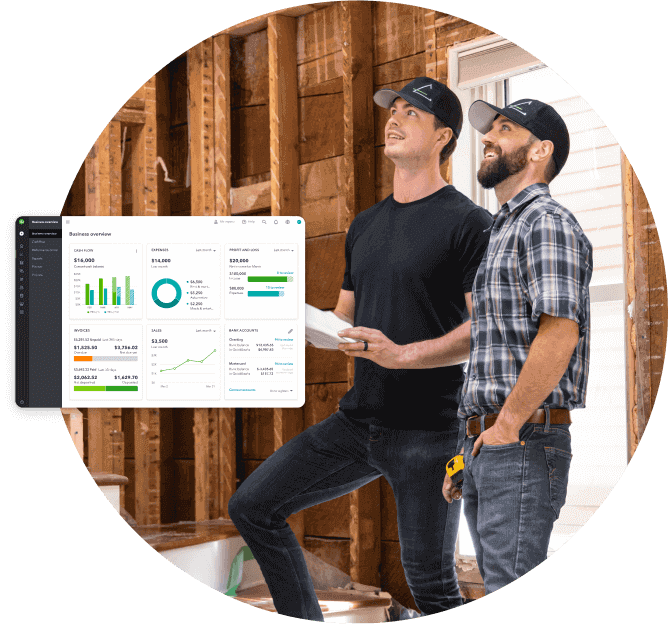
QuickBooks Online brings together invoicing, expense tracking, bank reconciliation, and GST/HST tracking to help you keep records current and beat the stress of tax season. Explore QuickBooks Online plans for self-employment and find the bookkeeping solution that fits your business.
Disclaimer
This content is for information purposes only and should not be considered legal, accounting or tax advice, or a substitute for obtaining such advice specific to your business. Additional information and exceptions may apply. Applicable laws may vary by region, province, state or locality. No assurance is given that the information is comprehensive in its coverage or that it is suitable in dealing with a customer’s particular situation. Intuit does not have any responsibility for updating or revising any information presented herein. Accordingly, the information provided should not be relied upon as a substitute for independent research. Intuit does not warrant that the material contained herein will continue to be accurate nor that it is completely free of errors when published. Readers should verify statements before relying on them.
We provide third-party links as a convenience and for informational purposes only. Intuit does not endorse or approve these products and services, or the opinions of these corporations or organizations or individuals. Intuit accepts no responsibility for the accuracy, legality, or content on these sites.
Looking for something else?
Call Sales: 1-888-829-8589


